
5 min read
Free car rental invoice template (Excel, Word and PDF)
A free car rental and car hire invoice template in Word, Excel and PDF, with what the invoice must include and the deposit and damage mistakes to avoid.
- Car rental
- Invoicing
- Templates
Industry
Car rental software from a free plan up: chauffeured trips and self-drive hires on one calendar, with a driver app, maintenance and invoicing.
Free for up to 2 vehicles. No card needed.
Car rental management software keeps a rental company’s bookings, vehicles, drivers and billing in one place. Odobase handles both sides of the business: vehicles rented with a driver, run as trips from the driver app, and vehicles rented without one, run as self-drive hires, all on one availability check so no car is booked twice.
Trips and hires share availability, so a car promised for a self-drive rental is never sent out on a chauffeured job.
Grace periods, rounding and distance allowances are applied the same way on every return.
Odometer readings and condition photos at both ends of every hire.
Service history and costs per vehicle, and a vehicle report that sets what each car earned against what it cost.
Run several locations with a branch switcher and per-branch reports on the Growth and Professional plans.
A rental company sells the same car in two different ways. In the morning it may go out with a driver for a corporate client; in the afternoon a walk-in customer may want it self-drive for three days. Keeping both straight on a whiteboard or in a spreadsheet is exactly how double-bookings, disputed distances and missed overtime happen. Our guides cover how to stop double-booking vehicles and how to price self-drive overtime and extra distance.
Rentals with a driver run as dispatched trips. You schedule the pickup, assign a driver and a car, and the driver runs the job from the Odobase Driver app with odometer readings at the start and end. A client who needs the car twice in one day, with a wait in between, gets one trip that is paused and resumed, and the car is free for other work in the gap.
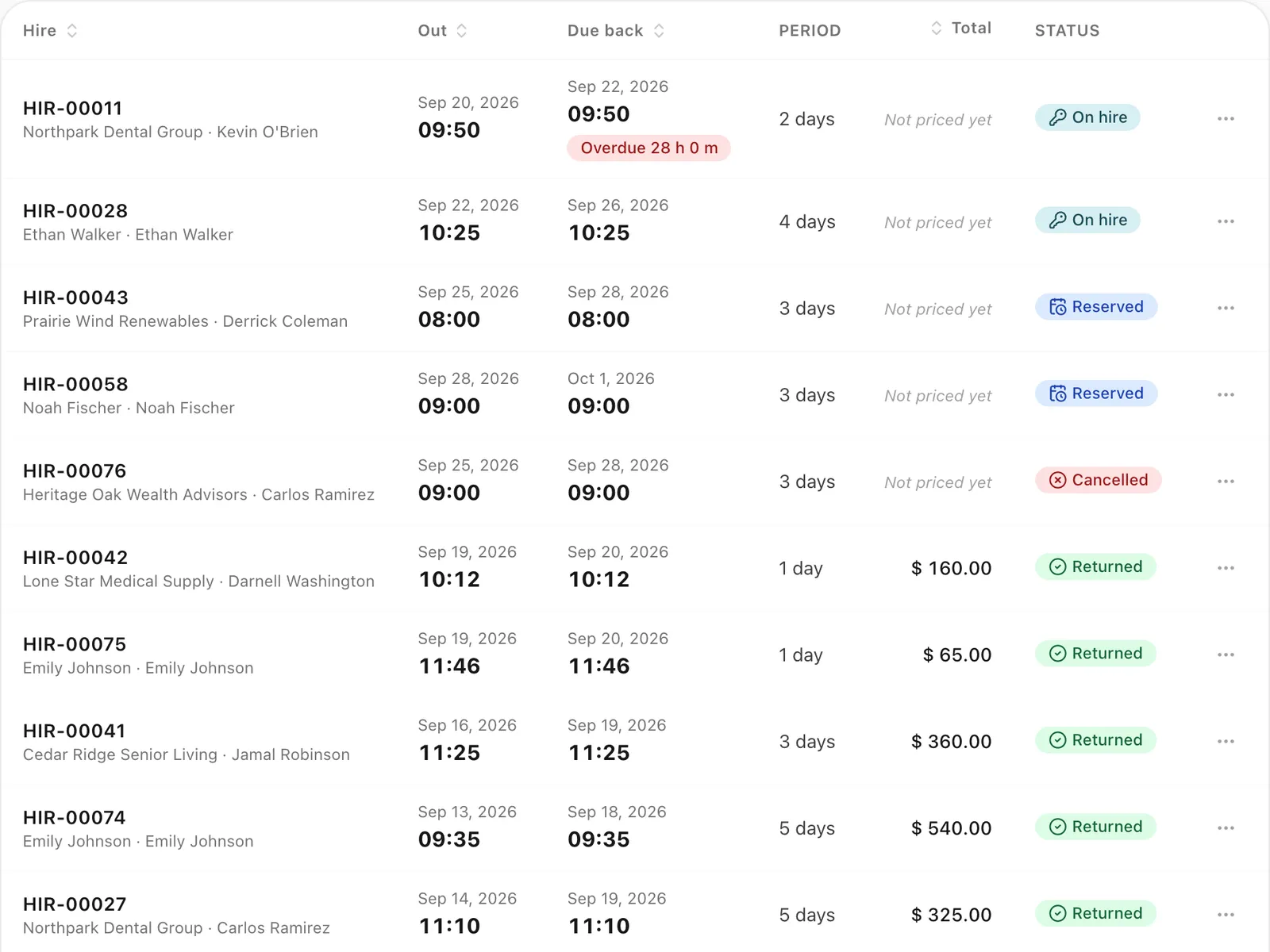
Self-drive rentals run as hires. Reserve a car for a number of hours or days, record the odometer and condition photos at handover, and do the same at return. Odobase calculates overtime beyond your grace period and distance over the allowance, and the hire goes onto an invoice with the customer’s other rentals. If you still invoice by hand, our free car rental invoice template lists the lines a rental invoice needs.
Every trip, hire, expense and maintenance visit is linked to the vehicle. Completed vehicle maintenance and driver expenses count as costs, issued invoices count as revenue, and the accounting module shows profit and loss by month and by branch.
Yes. A small rental company can run on Odobase’s Starter plan for free, up to 2 vehicles, with no card needed to sign up. See what it includes, and how it compares with a spreadsheet, on our free car rental software page.
Each one has its own page with the screens and the details.
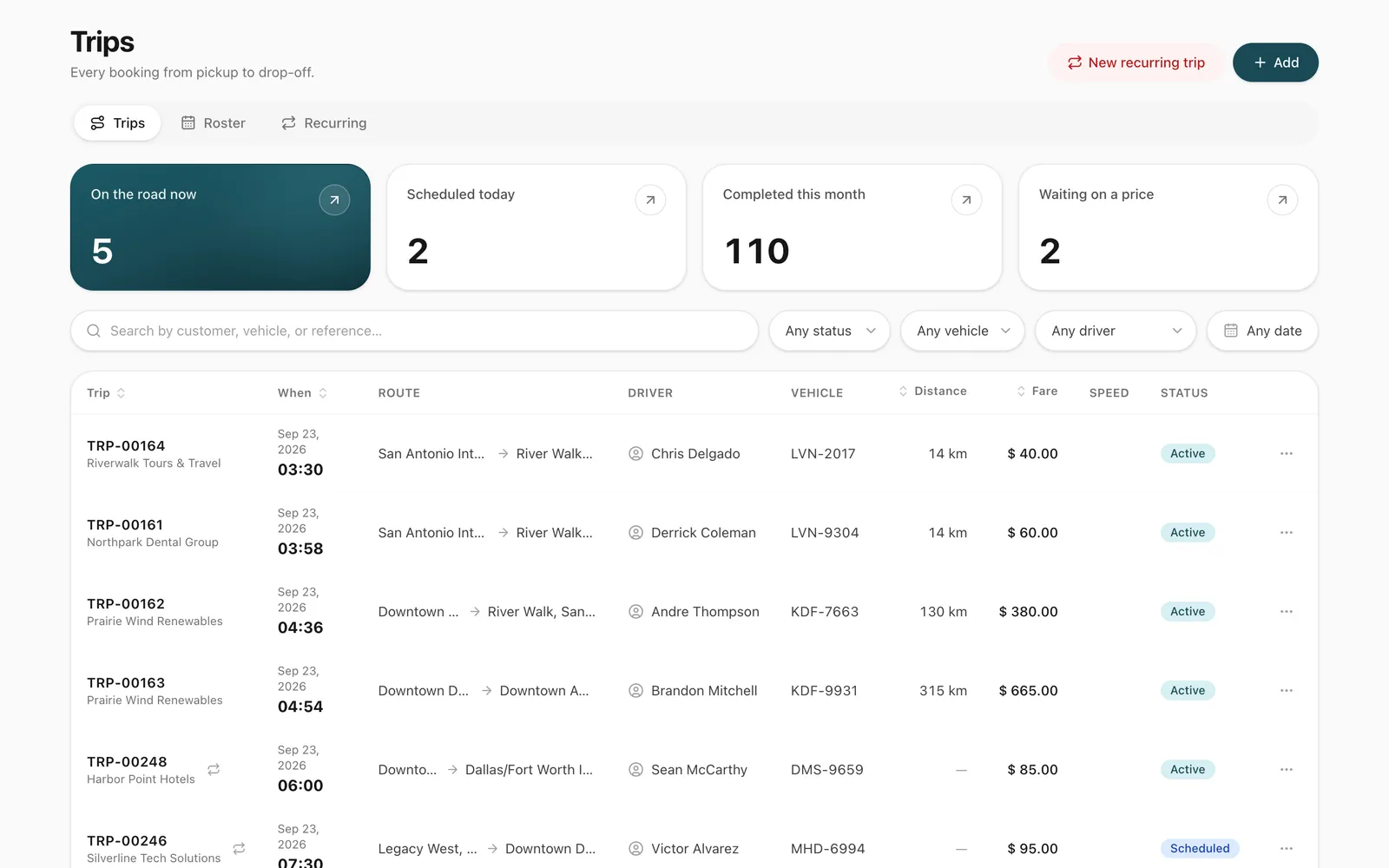
Schedule trips, assign drivers and vehicles without double-booking, pause and resume round trips, and invoice completed work from one dashboard.
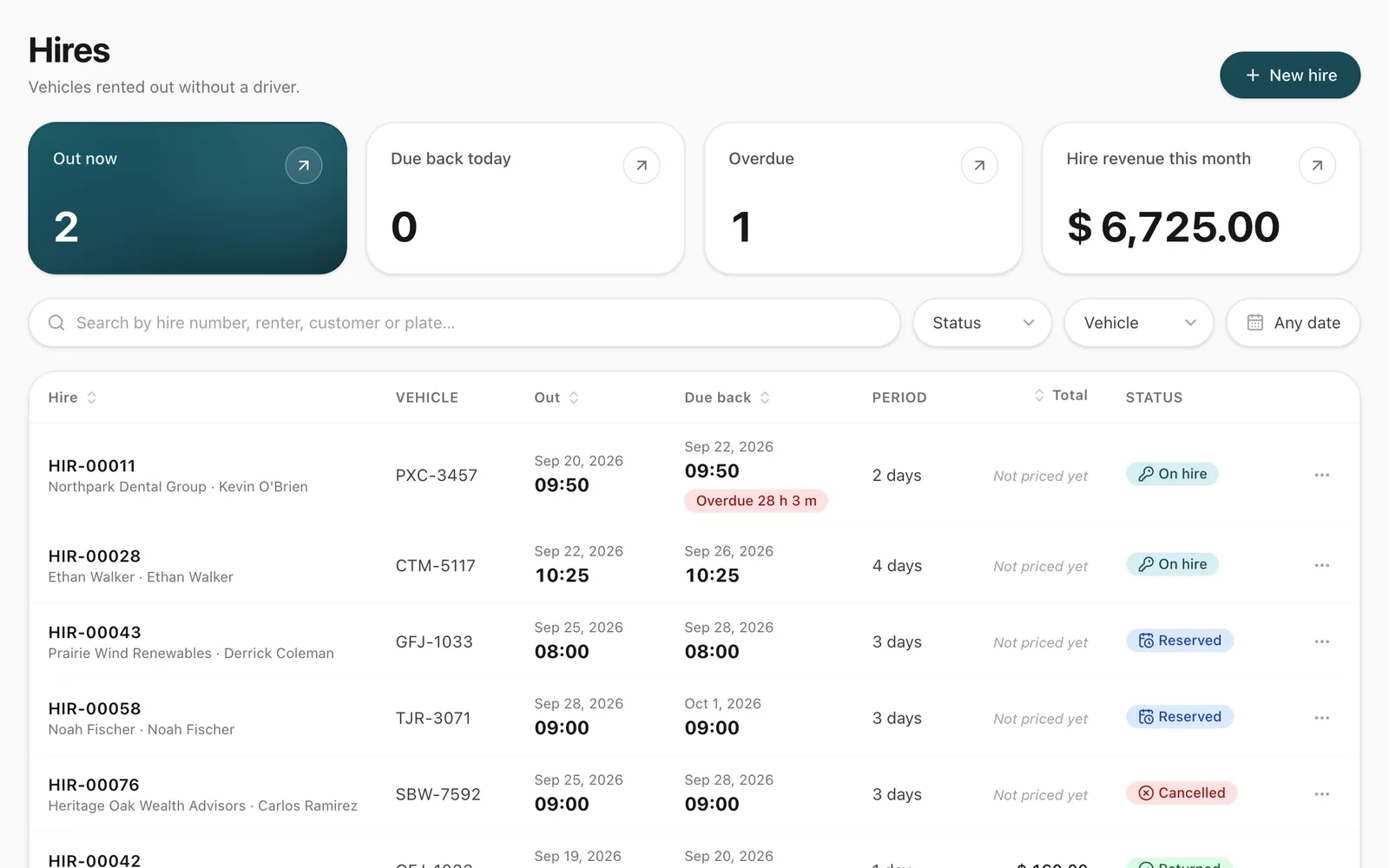
Rent vehicles without a driver by the hour or day. Odobase blocks availability, records handover and return, and bills overtime and extra distance.
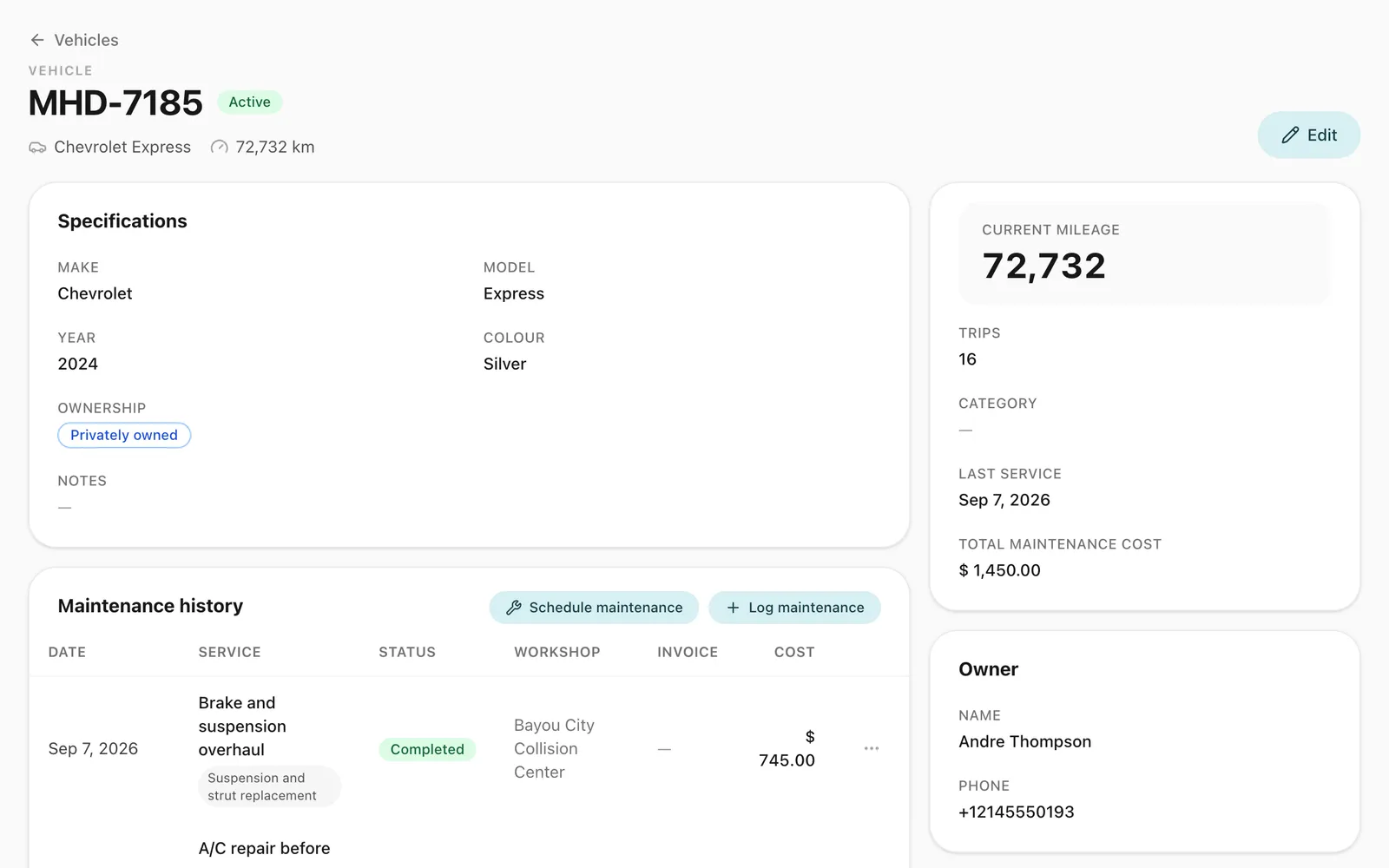
Schedule services by date, send them to drivers and keep each vehicle's maintenance history, odometer and costs in one place, for cars, vans and buses.
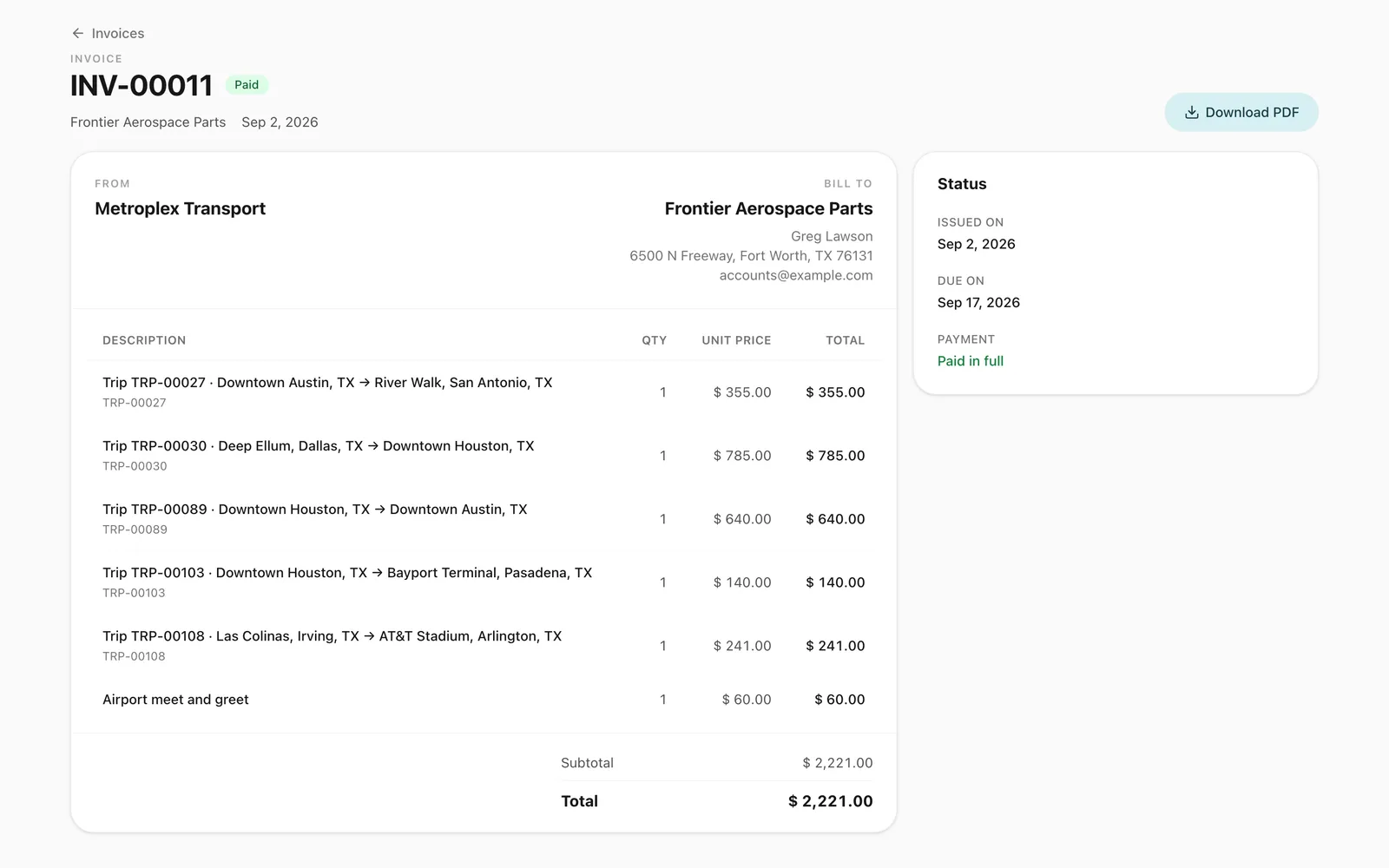
Turn completed trips and hires into branded invoices, track what customers owe, and read profit and loss by month and by branch in Odobase.
Practical answers to the questions operators ask most, with free templates and calculators.
5 min read
A free car rental and car hire invoice template in Word, Excel and PDF, with what the invoice must include and the deposit and damage mistakes to avoid.
4 min read
A free Excel car rental booking spreadsheet with vehicles, bookings and a calendar that flags double-bookings, its limits and when to move to software.
3 min read
The car rental software you can really use for free in 2026, from free plans to open source, with what each includes, its limits and who it suits.
Yes. Chauffeured work runs as trips, assigned to your drivers and tracked in the driver app. Self-drive rentals run as hires, with handover, return and overtime. Both use one availability check, so a car is never booked twice.
A car on hire stays blocked until it is actually returned, not just until its due-back time. Odobase flags it as overdue and your team is notified, so you can re-plan the next booking before the customer arrives.
Yes. Branches let each location work with its own vehicles and bookings while the owner sees the whole company. The Growth and Professional plans include 2 and 5 branches.
Yes. Add an individual customer by phone number while you create the hire. If the number is already on file, Odobase finds the existing customer instead of creating a duplicate.
Plans are priced by fleet size. Essentials costs $29 a month with 5 vehicles included, and each extra vehicle is $7 a month. Every plan has every module, self-drive hire included; the larger plans add vehicles, branches and allowances. See pricing.
No. The office works in a web browser on Windows, Mac, Linux or a tablet, and your records are kept online rather than on one computer. The only install is the free Odobase Driver app on your drivers’ phones, from Google Play or the App Store.
Last updated

Start free, add your vehicles and drivers, and schedule your first trip in minutes. Move to a paid plan when your fleet grows.