
Feature
A customer portal for car rental and transport companies
A portal under your logo where customers sign in with a code, follow their trips, accept quotes and download invoices, with corporate accounts for companies.
What is the Odobase customer portal?
The Odobase customer portal is a web page under your logo where your customers sign in at portal.odobase.com/your-company with a six-digit code sent by email or WhatsApp, with no password. They see their upcoming and past trips, open each trip’s live page, accept quotes and download invoices. Corporate clients get several users, their own prices and bookings billed to account.
What you get
Corporate accounts
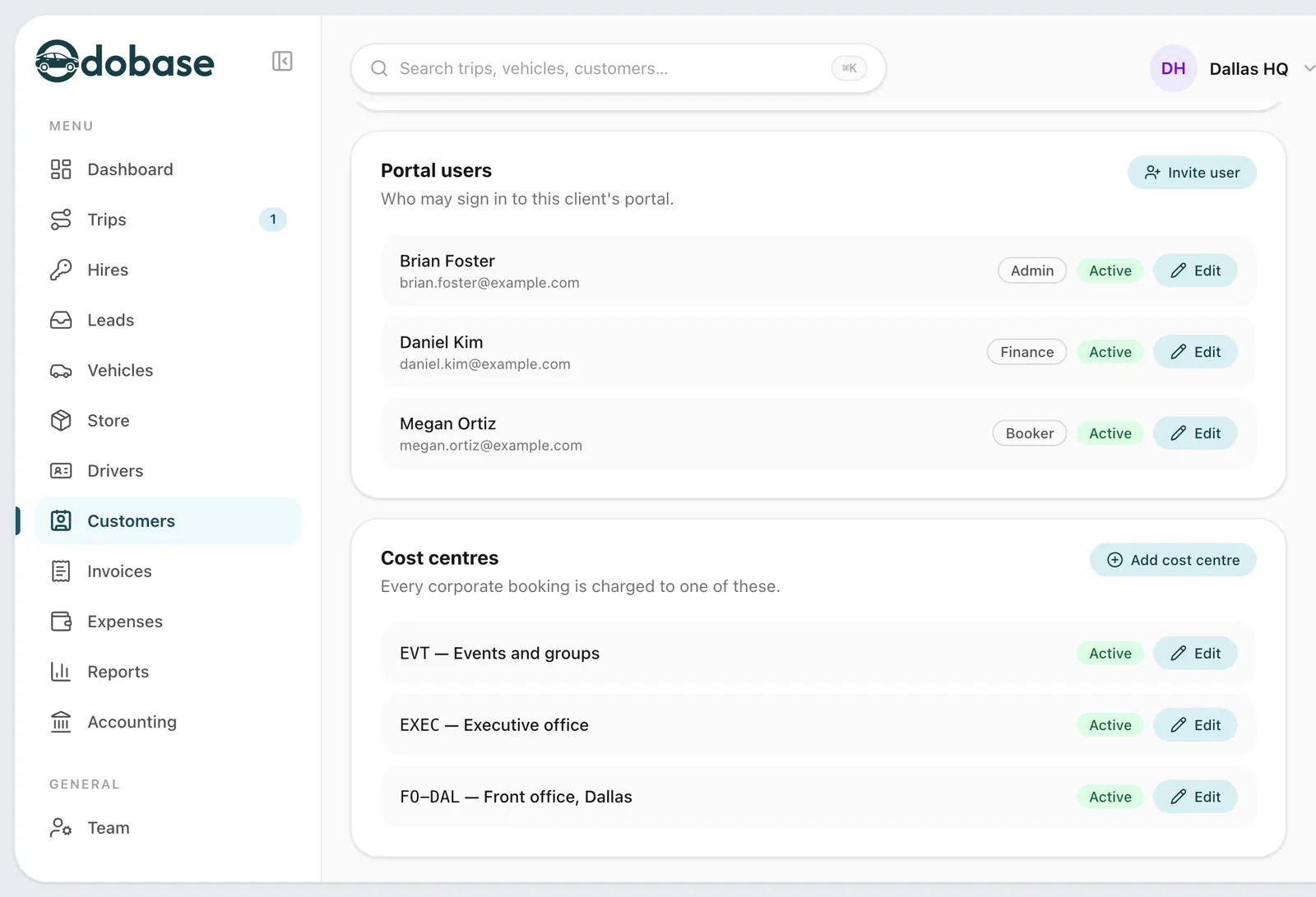
Admin, booker and finance users, the client’s own rate card, a cost centre on every booking and an optional approval step.
-
No passwords to forget
A six-digit code by email or WhatsApp signs customers in. Corporate users join by invitation.
-
Every trip in one list
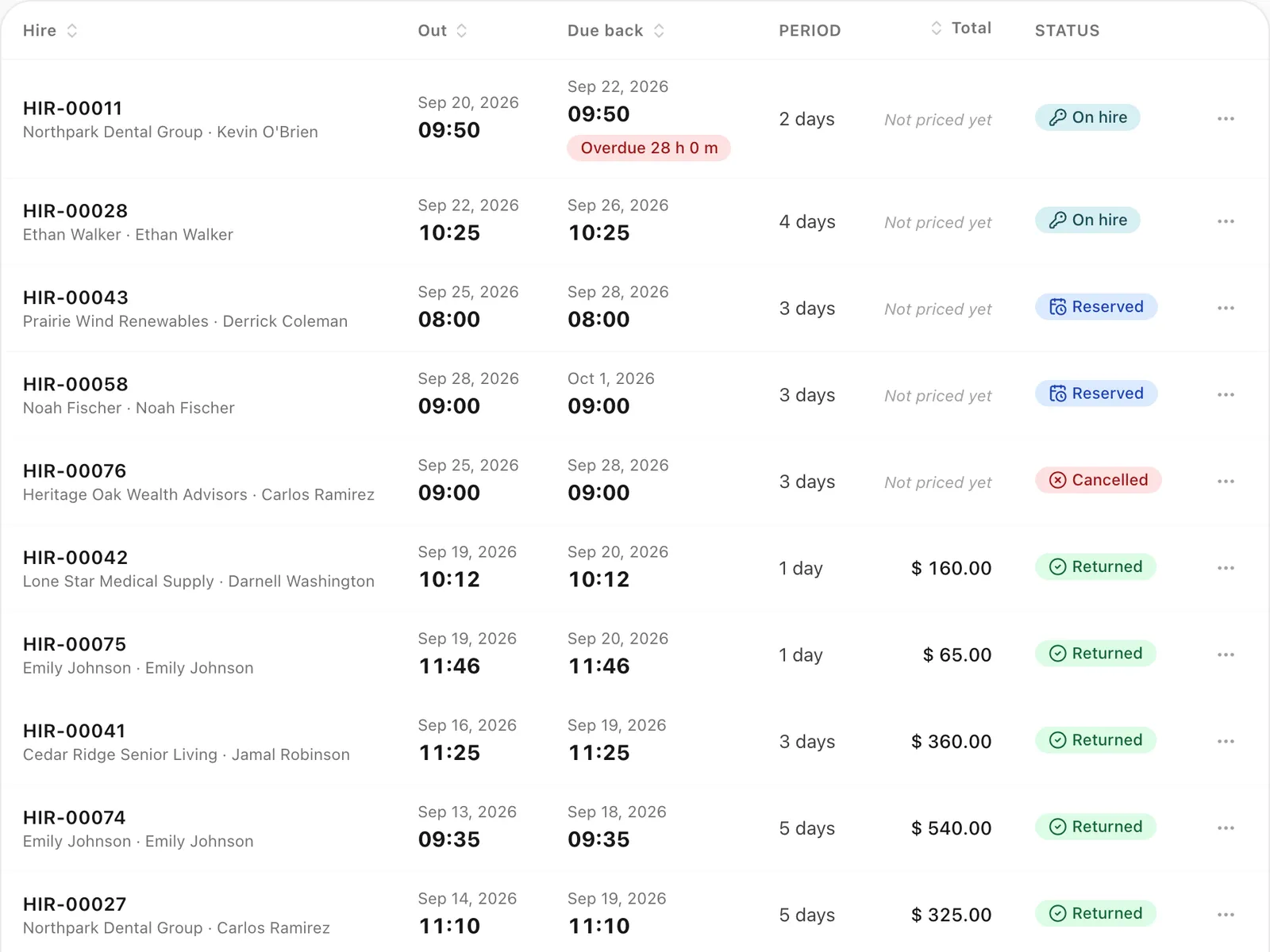
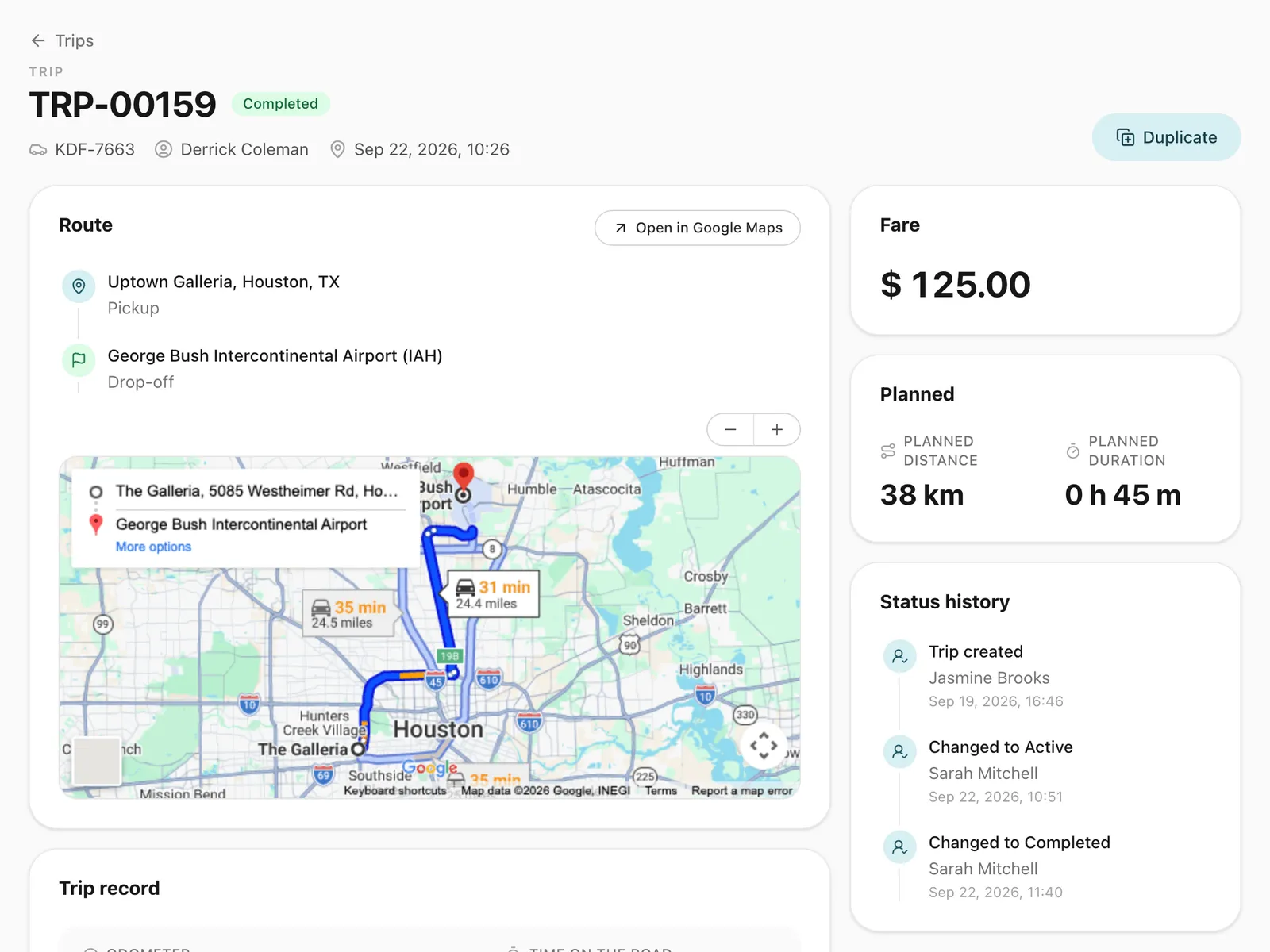
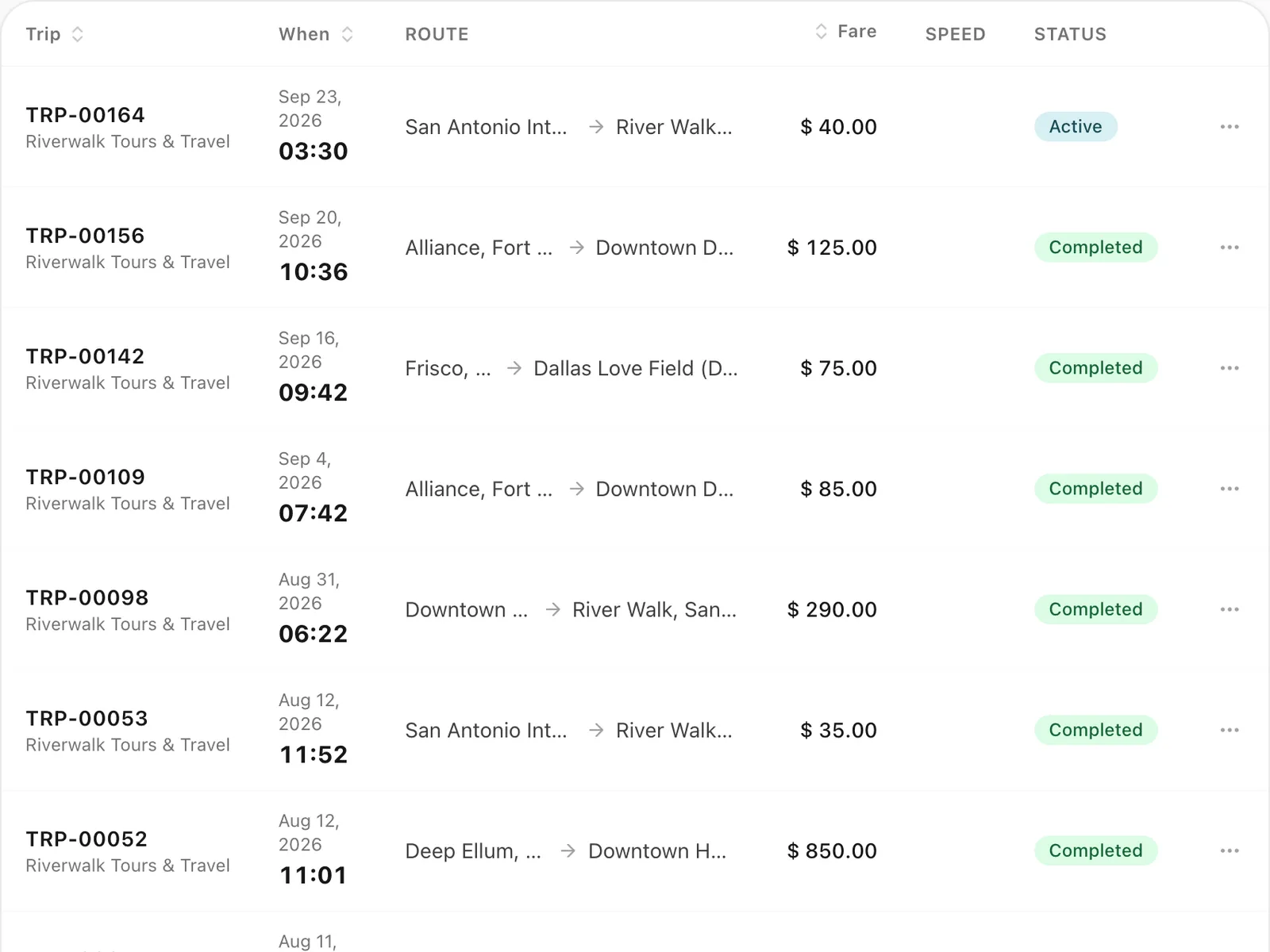
Upcoming and past trips, each with its live trip page. Customers cancel or change a trip before it starts and rate it afterwards.
-
Quotes and invoices
Customers accept or decline your quotes and download any of their invoices as a PDF.
-
Statements and spend
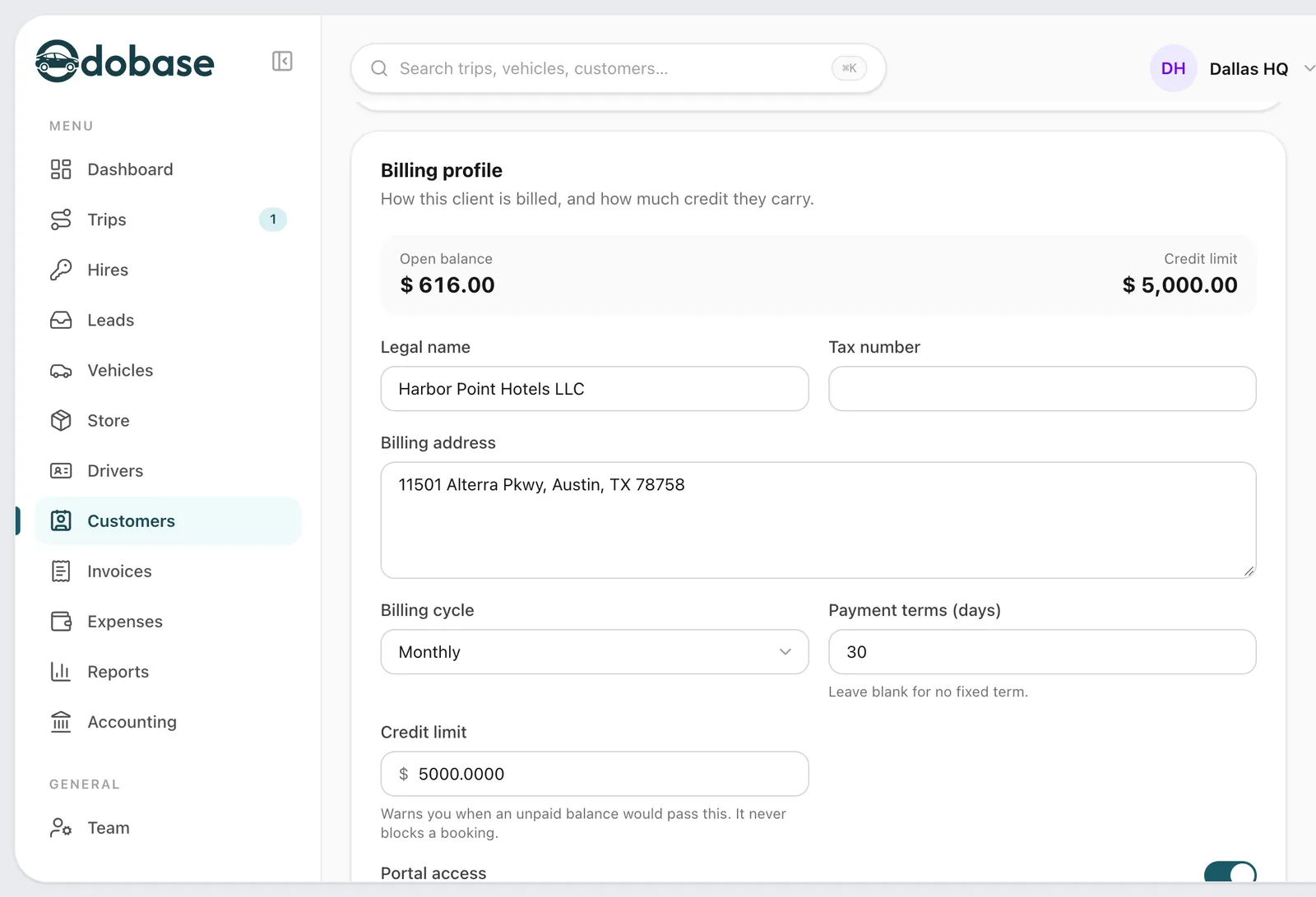
A monthly statement of trips, invoices and balance, and spend by cost centre, passenger and month, with the trips exported as CSV.
-
Your brand, their language
Your logo, company name and colour, in English, Arabic, Urdu, Spanish, Italian or French.
What can a customer do in the portal?
An individual customer sees their upcoming and past trips, and each trip opens its live trip page, where they can cancel under your cancellation policy, ask for a change or rate the trip once it is done. They accept or decline the quotes you send, download their invoices as PDFs, and keep saved addresses and passengers so the next booking is quicker. With a booking form, “Book again” opens it already filled in.
How does the corporate portal work for hotels, travel agents and companies?
A corporate client gets its own account with several users, each with a role: an admin who manages the team, bookers who book trips, and finance users who see the money. Bookings made in the portal are priced on the client’s own rate card from your price list and billed to account, with no payment step. Every booking carries a cost centre, and the client’s own reference if they use one. If the client wants it, bookings wait for its admin’s approval before your office sees them. A client with standing duties sees them in the portal too.
What does a client’s finance team get?
A monthly statement shows the client’s trips, invoices and open balance, and a spend page breaks their spending down by cost centre, by passenger and by month. Both export the trips as CSV for the client’s own accounts. On your side, every trip still ends up on an invoice as usual, and a credit limit warns your office when a portal booking takes a client over it.
Does the portal carry your company’s brand?
Yes. The portal shows your logo, your company name and your brand colour, the same as your trip pages, booking forms and quotes. You choose which of six languages your customers can switch to: English, Arabic, Urdu, Spanish, Italian and French, with Arabic and Urdu laid out right to left. It starts in English until you add others.
Step-by-step guides
Already using Odobase? The help center shows each step in the dashboard.
Who uses customer portal
-
-
Chauffeur and limousine
Dispatch, waiting time, corporate billing
-
-
Frequently asked questions
Can customers pay online in the portal?
Not yet. Customers see and download their invoices in the portal, and corporate bookings are billed to account, so you collect payment the way you do today.
How do customers get into the portal?
Share your portal’s address, portal.odobase.com/your-company. A customer enters their email address or phone number and receives a six-digit code by email or WhatsApp. Corporate users are invited by your office or by their own company’s admin.
Which plans include the customer portal?
Every plan, including the free Starter plan. Every new account starts with the customer and corporate portals switched on.
Can a corporate client approve bookings before they reach us?
Yes. Turn on approval for the client’s account, and bookings made by its bookers wait for the client’s admin to approve them before your office sees them.
What does a credit limit do?
When a portal booking takes a corporate client over its credit limit, your office is warned. The booking is not blocked, so you decide what happens next.
Works with
-
Recurring trips and roster
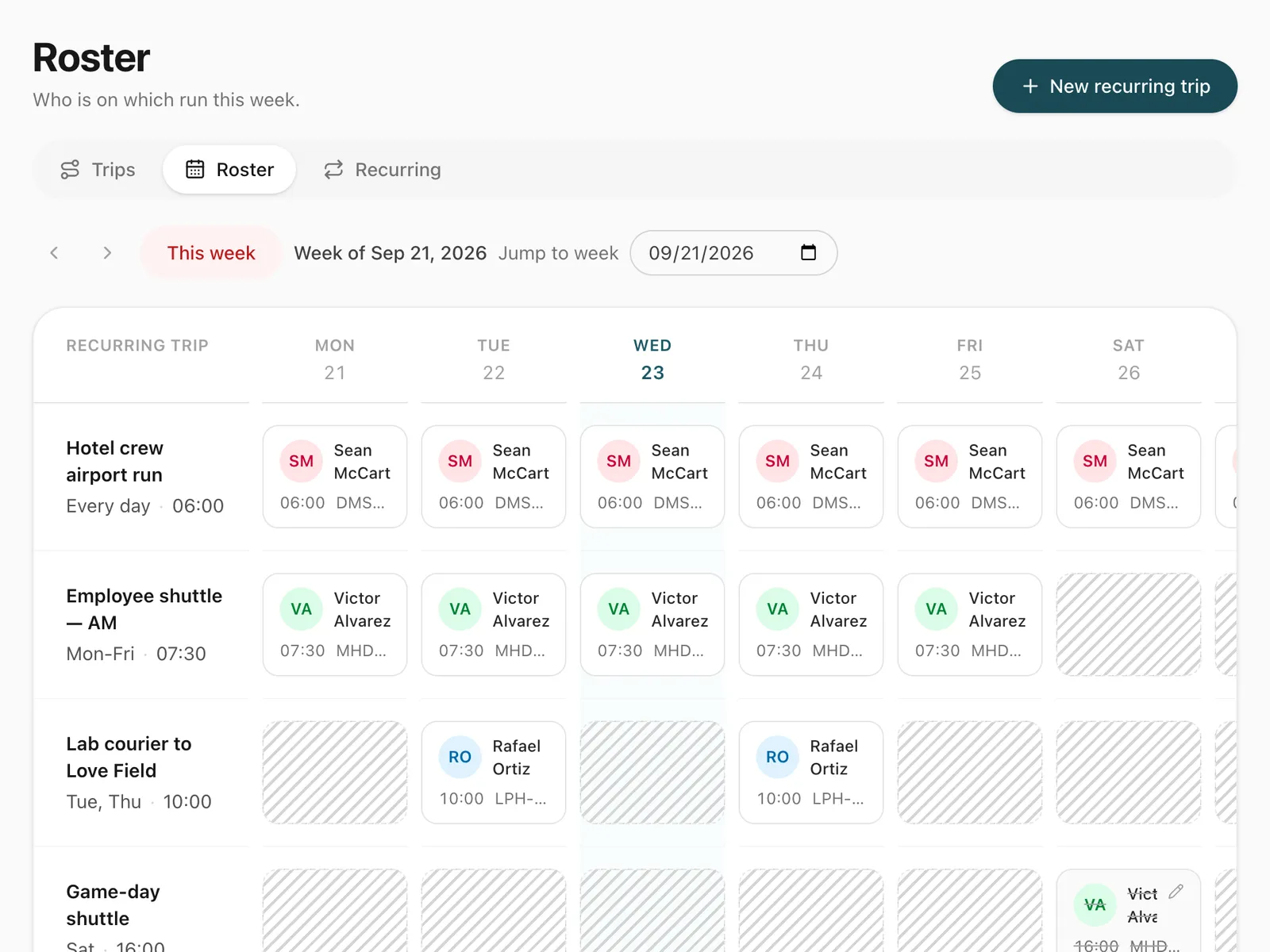
Set up a repeating duty once, such as a weekday staff shuttle, and manage every day of it from a weekly roster where drivers are swapped in a click.
-
Invoicing and accounting
Turn completed trips and hires into branded invoices, track what customers owe, and read profit and loss by month and by branch in Odobase.
-
Trip tracking link
Send each passenger a link to a live trip page: status, route, the car on the map, the driver and the plate, with cancel, change and rating. No app, no login.
-
Booking form and quotes
A booking form with your prices, on your website or as a link, for transfers, airport runs, hourly and day hire, plus quotes customers accept by phone.
Last updated

Run your whole fleet from one dashboard
Start free, add your vehicles and drivers, and schedule your first trip in minutes. Every plan has the same features.