
Feature
Recurring trips and driver roster
Set up a repeating duty once, such as a weekday staff shuttle, and manage every day of it from a weekly roster where drivers are swapped in a click.
What are recurring trips in Odobase?
A recurring trip is a standing duty set up once, such as an office shuttle every weekday at 8:00, with its route, default driver and vehicle, weekdays and start time. Odobase creates the real trips ahead of time, and a weekly roster shows every duty by day so dispatchers can reassign one day or the rest of the series. It comes with every plan, the free one included.
What you get
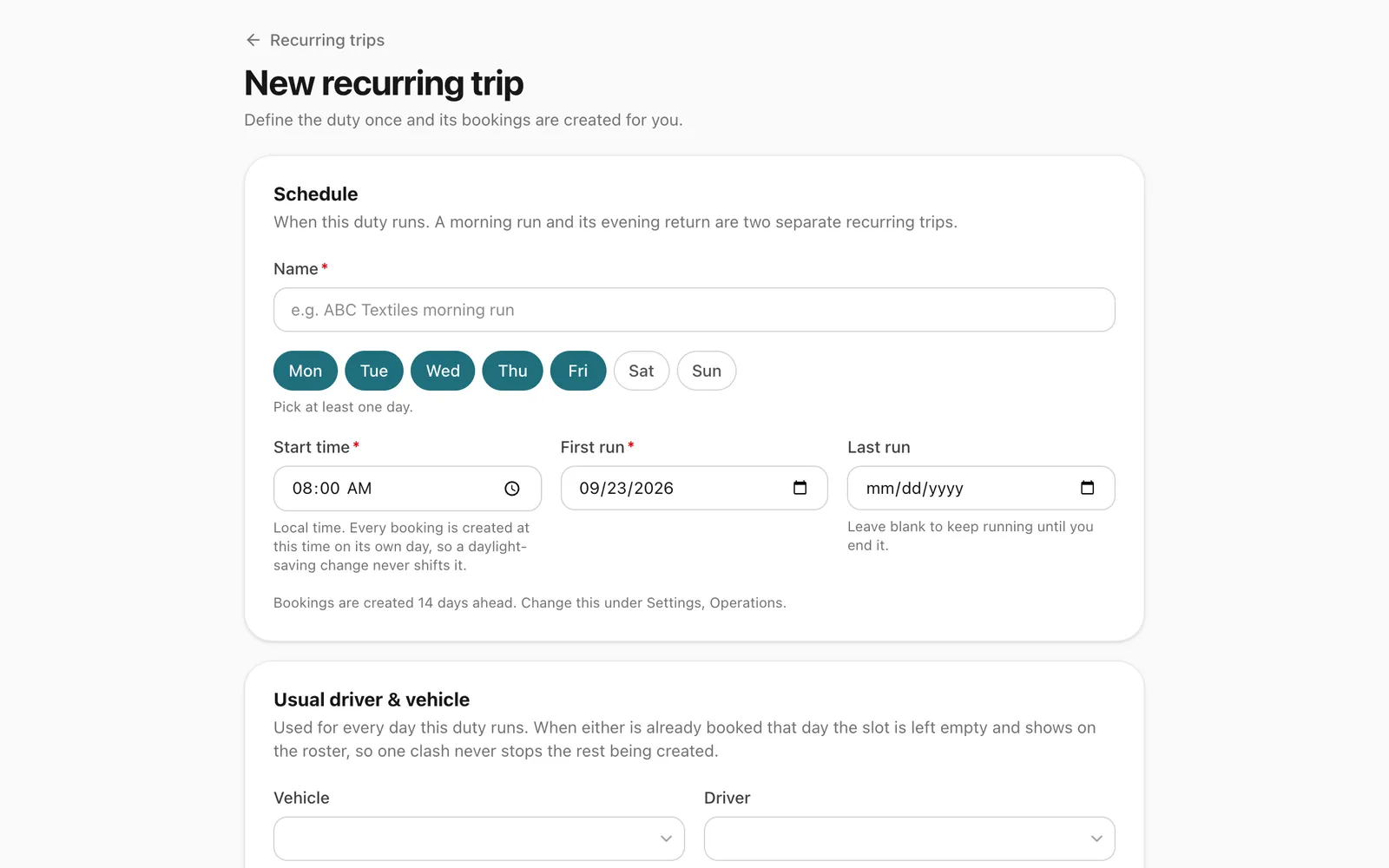
Set it up once
Route, default driver and vehicle, weekdays, start time and date range define the whole duty.
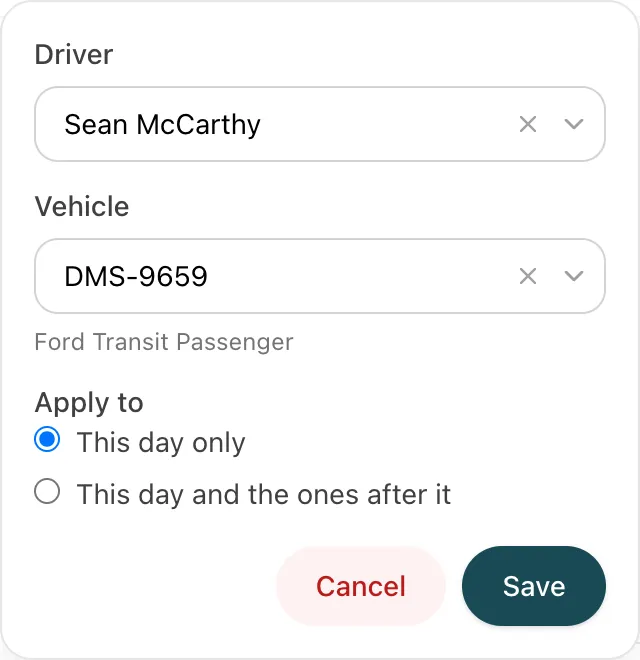
Reassign this day or all following
Change the driver or vehicle for one day, or for every day from now on. Days where the new driver is busy are skipped and listed.
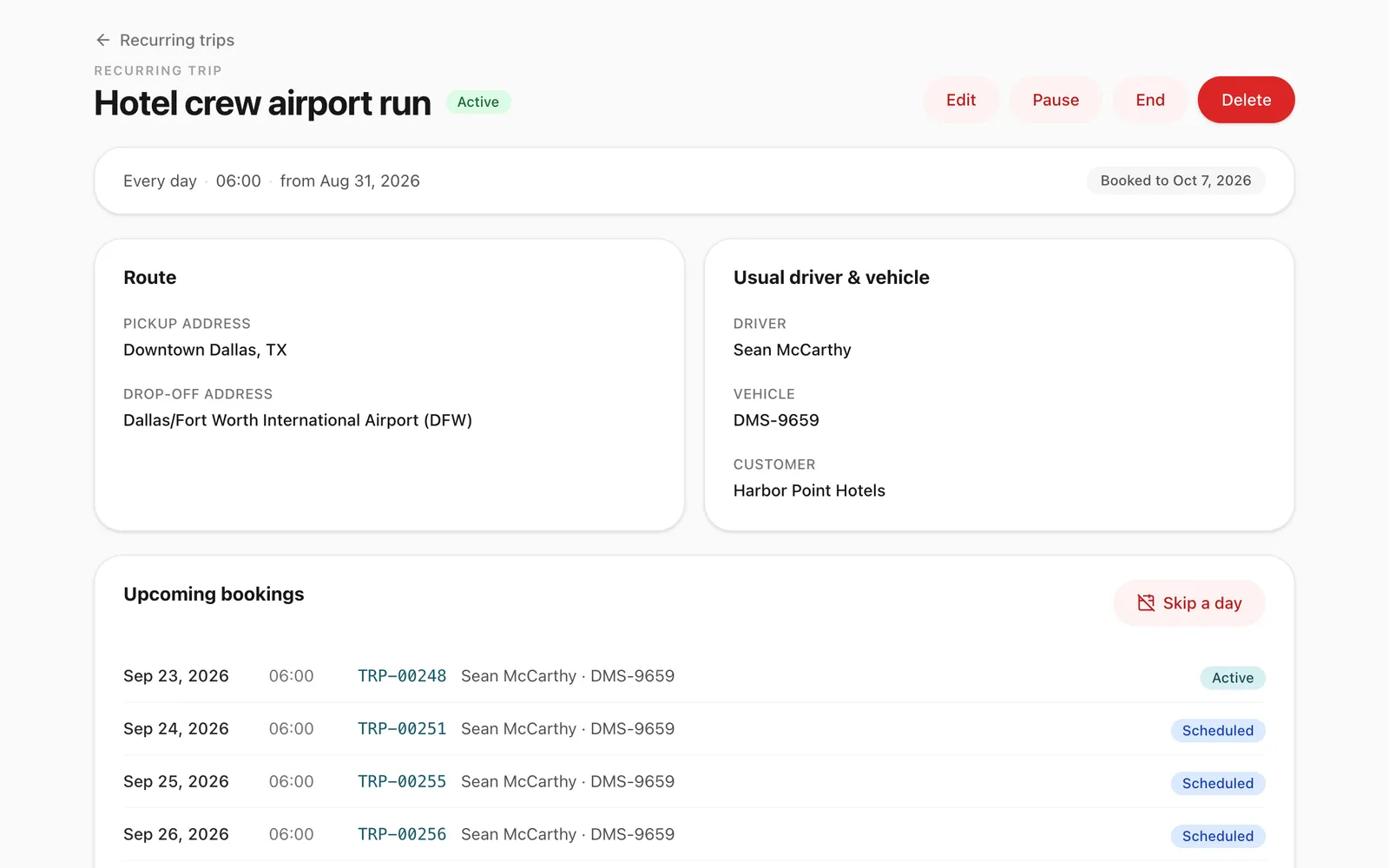
Skip, pause and resume
Skip a public holiday, pause a contract for a month, or end it. Cancelled days are never recreated by accident.
-
Real trips, created ahead
Odobase creates each day’s trip 7 to 60 days ahead (14 by default), so availability, the driver app and invoicing all see ordinary trips.
-
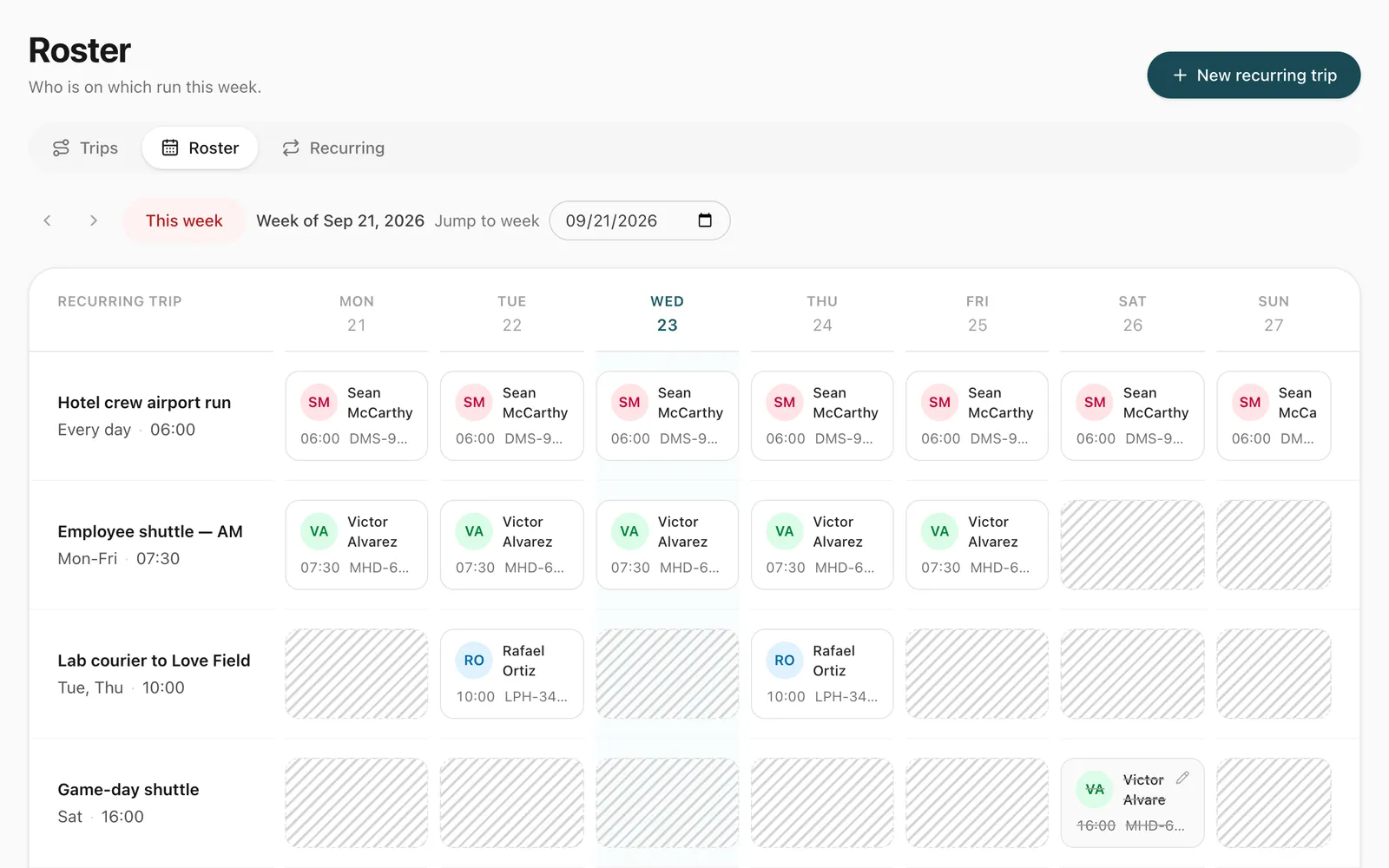
A weekly roster view
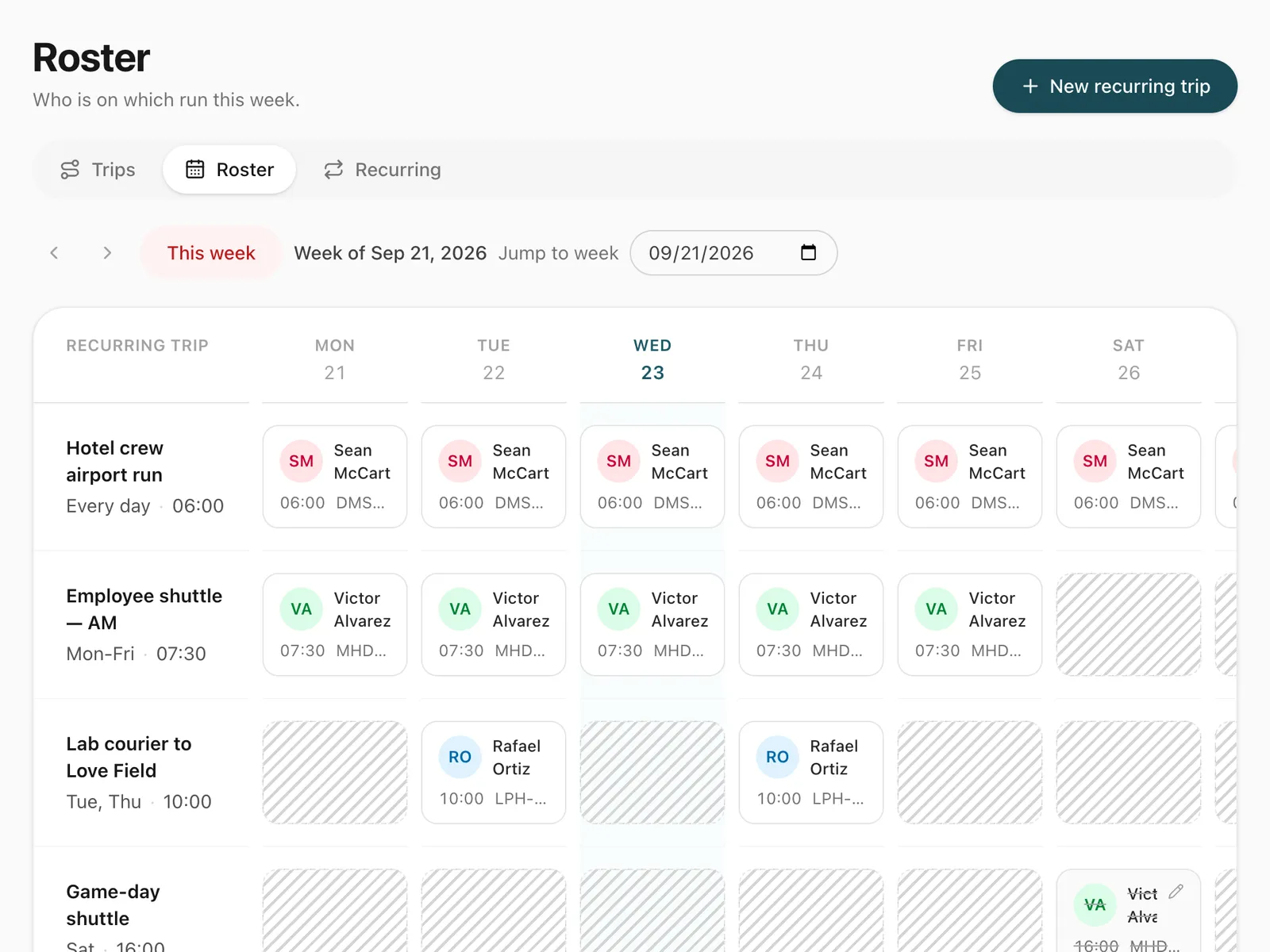
See every standing duty against the days of the week, and open any day’s trip in one click.
How does a recurring trip work?
You describe the duty once: where it starts and ends, the default driver and vehicle, which weekdays it runs, the start time, and the first and optional last date. Odobase then creates the individual trips for the days ahead, up to your chosen horizon of 7 to 60 days, and keeps extending it as time passes. It suits any contract work that repeats every week, from a daily staff shuttle to a standing school run or executive pickup. For staff shuttle contracts, read our guide to running an employee transport roster.
Every occurrence is an ordinary trip. It blocks its driver and vehicle, the driver starts and completes it from the driver app, and it can be invoiced with the customer’s other trips. Nothing downstream needs to know it came from a series.
What does the roster show?
The roster is a week grid: one row per standing duty, one column per day. Each cell is that day’s trip, with its driver and vehicle. It is where a dispatcher answers “who is doing the 8:00 office run on Thursday?” at a glance, and changes it. A day whose default driver or vehicle was already booked elsewhere shows as a gap to fill.
How do you change a driver for part of a series?
From any day you can reassign just this day or this and following. For “this and following”, Odobase moves every future scheduled occurrence where the new driver and vehicle are free, skips the dates that clash, and reports those dates so you can sort them out. Started and completed days are never rewritten.
How are holidays and contract breaks handled?
- Skip a single date, such as a public holiday.
- Pause the series while a client’s office is closed, and resume it later.
- End the series, or shorten its dates or its weekdays.
Each of these cancels the affected trips and detaches them from the series, so resuming or un-skipping creates those days again cleanly, and a trip you cancelled deliberately is never brought back by accident.
Step-by-step guides
Already using Odobase? The help center shows each step in the dashboard.
Who uses recurring trips and roster
-
Chauffeur and limousine
Dispatch, waiting time, corporate billing
-
Frequently asked questions
How far ahead does Odobase create recurring trips?
By default 14 days ahead. You can set anything from 7 to 60 days in your settings. Each occurrence is a real trip, so it blocks its driver and vehicle, and the driver sees it in the app when it is next up.
What if the default driver is already booked on one of the days?
The day is still created, with the driver or vehicle slot left empty, and the roster shows the gap so a dispatcher can fill it. One clash never stops the rest of the series being booked.
What happens if I edit just one day of a recurring trip?
If you change that day’s route, time, customer or pricing, the day is detached from the series so later changes to the series never overwrite your one-off edit. Changing only the driver or vehicle keeps it in the series.
What if the new driver is busy on some days when I reassign?
When you reassign “this and following”, Odobase applies the change on every day where the driver and vehicle are free, skips the days that clash, and tells you which dates were skipped.
Do drivers see a long list of identical trips?
No. The driver app shows only the next upcoming occurrence of each recurring duty, so a driver’s list stays short and readable.
Which plans include recurring trips?
Every plan, the free Starter plan included: every new account starts with it switched on. Paid plans add reports and accounting, customer WhatsApp messages and room for more vehicles, team and branches. See pricing.
Works with
-
Trip management
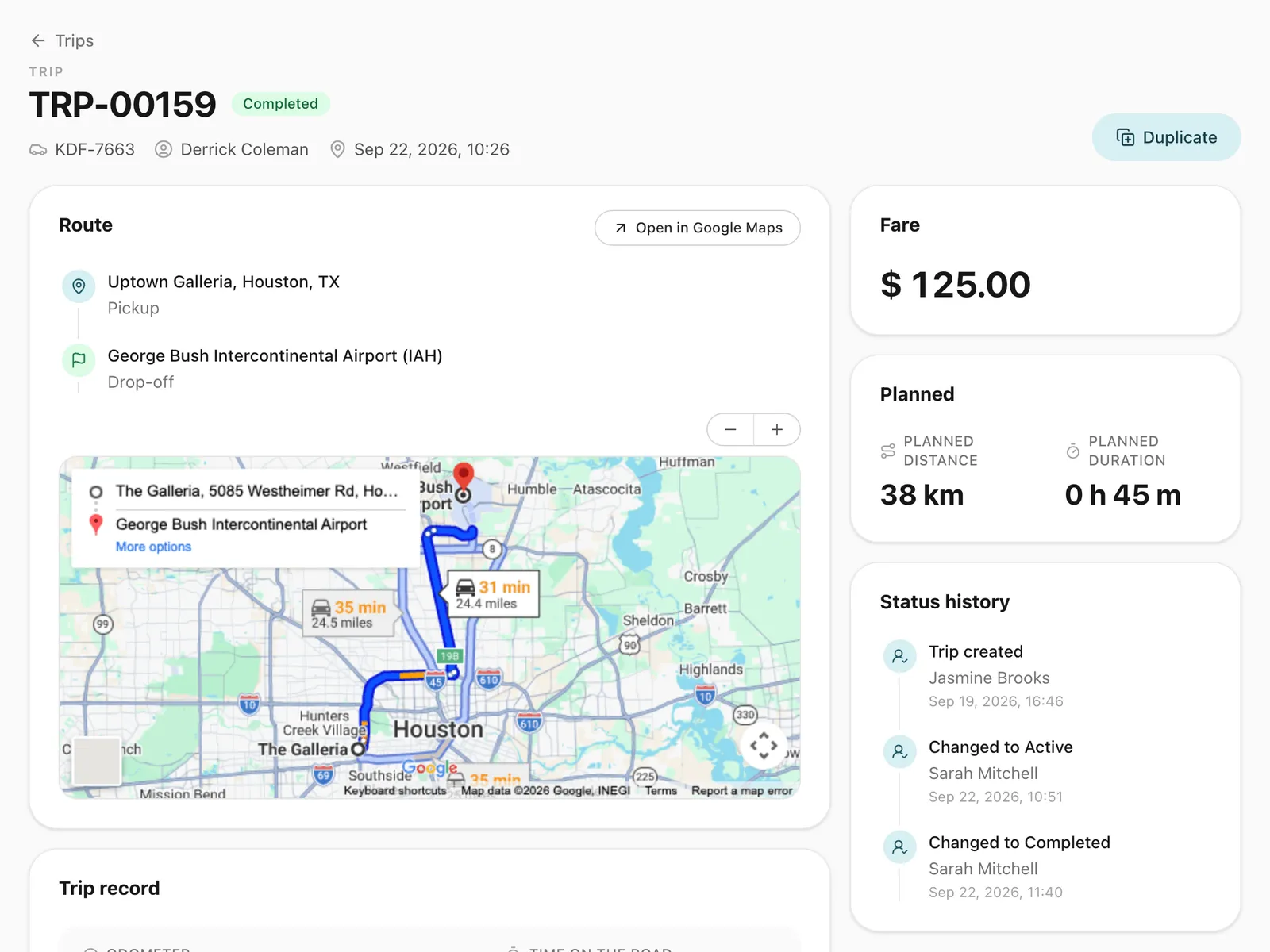
Schedule trips, assign drivers and vehicles without double-booking, pause and resume round trips, and invoice completed work from one dashboard.
-
Driver app
Odobase Driver lets drivers sign in with a PIN, run assigned trips, record odometer readings, log expenses with receipts and get trip alerts.
-
Invoicing and accounting
Turn completed trips and hires into branded invoices, track what customers owe, and read profit and loss by month and by branch in Odobase.
Last updated

Run your whole fleet from one dashboard
Start free, add your vehicles and drivers, and schedule your first trip in minutes. Move to a paid plan when your fleet grows.