
Feature
Price lists with zones, surcharges and waiting time
Price transfers, airport runs and hourly hire by zone, distance or time, with surcharges, extras and free waiting time. Each trip keeps its price breakdown.
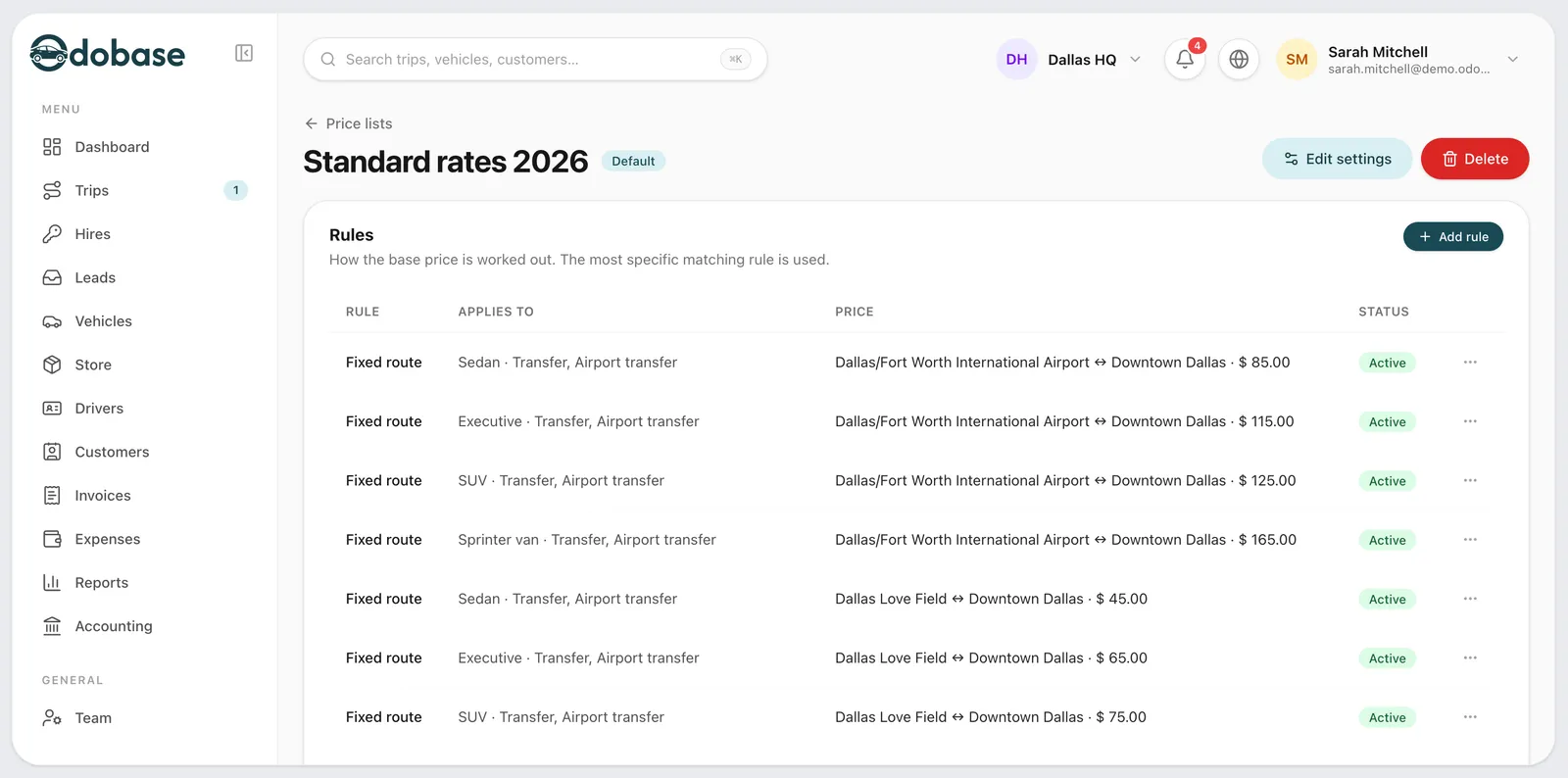
What is a price list in Odobase?
A price list is the set of rules Odobase uses to price each booking automatically, by vehicle class and service type: transfer, airport transfer, hourly, day hire or round trip. Rules price a trip by fixed route between zones, by distance or by time, then add surcharges and extras. The breakdown is saved on the trip, so later changes to the list never move a confirmed price.
What you get
Surcharges that never stack
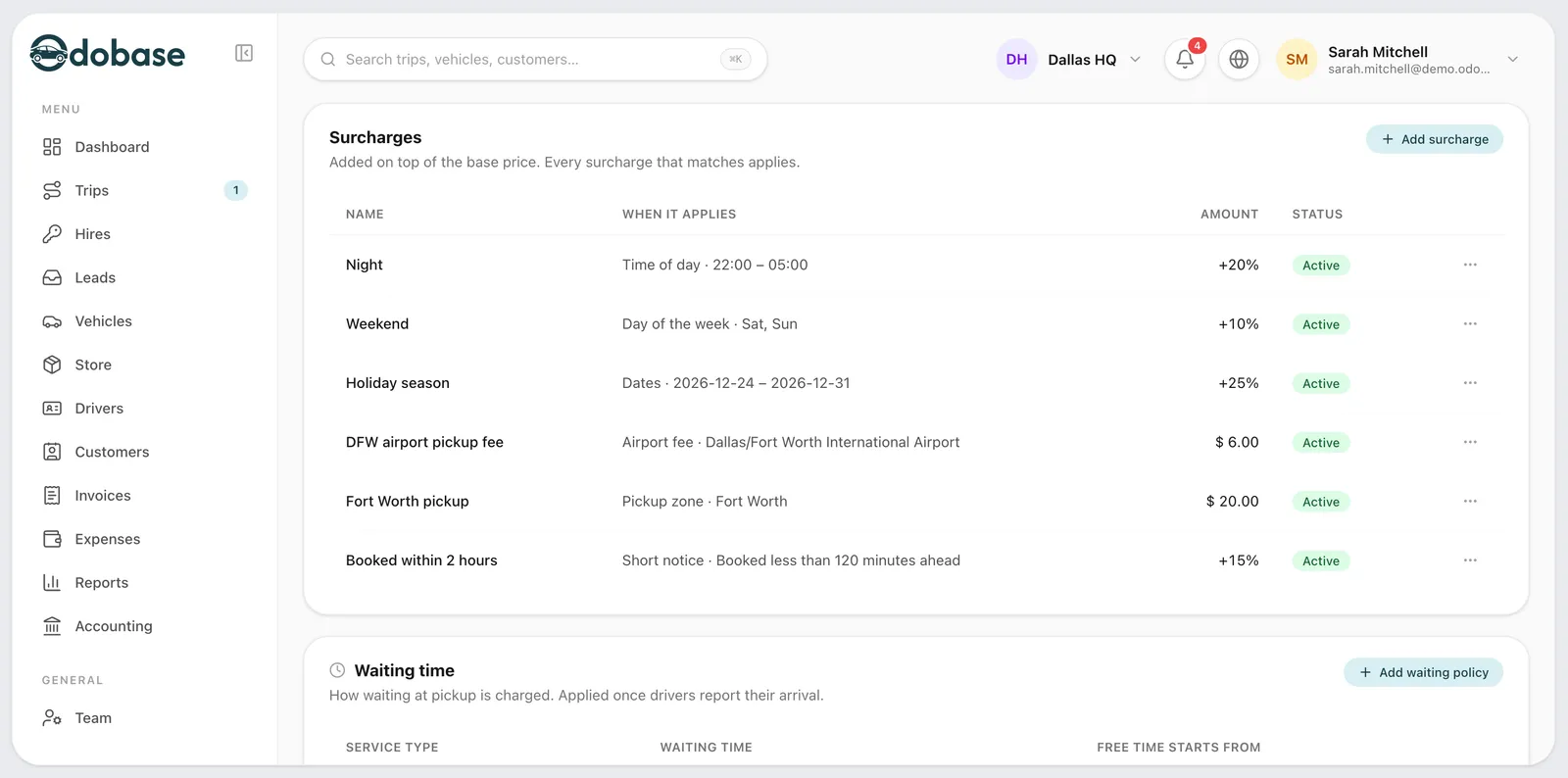
Nights, weekdays, date ranges, pickup and drop-off zones, airport fees and last-minute bookings, each a percentage or a fixed amount.
-
Zones on a map
Mark an airport, an area or a city as a circle on the map, and price fixed routes between zones, one way or both.
-
Distance and time rules
A base fare, included distance and tiers beyond it, hourly and day rates, and a minimum fare.
-
Prices for each client
A corporate client’s rate card with start and end dates, then the branch’s list, then the company’s.
-
Overrides with a reason
Staff can change a calculated price, but they give a reason, and every change is logged.
-
Test a price first
See the full breakdown and the rule that matched before your customer sees the price.
How do zones and fixed routes work?
A zone is a circle you place on the map: an airport (with its code and terminals), an area such as a business district, or a whole city. A fixed-route rule prices a trip from one zone to another, one way or in both directions. For example, every transfer from the airport zone to the city-centre zone in a sedan can cost the same, whichever way the driver goes.
How are other trips priced?
A trip that matches no fixed route is priced by distance: a base fare, a distance included in it, and a rate for each tier beyond it, with a minimum fare. Hourly hire is priced by the hour, with a minimum number of hours, and day hire by the day. Each rule can be set for one vehicle class and one service type, so a minivan airport transfer and a sedan hourly booking follow different rules.
Which surcharges can you add?
Surcharges add to the base fare when their condition matches: a time window such as nights (it may cross midnight), weekdays, a date range, a pickup zone or a drop-off zone, an airport fee, and last-minute bookings. Each is a percentage or a fixed amount. Percentages always apply to the base fare, never to each other, so two surcharges never multiply.
What about extras, stops and returns?
Extras such as child seats or meet and greet are priced per booking, per unit or per hour. A price list also sets a fee for each extra stop, a discount for a return trip, and whether its prices include tax. One rounding step for the whole company keeps final prices tidy.
How is waiting time handled?
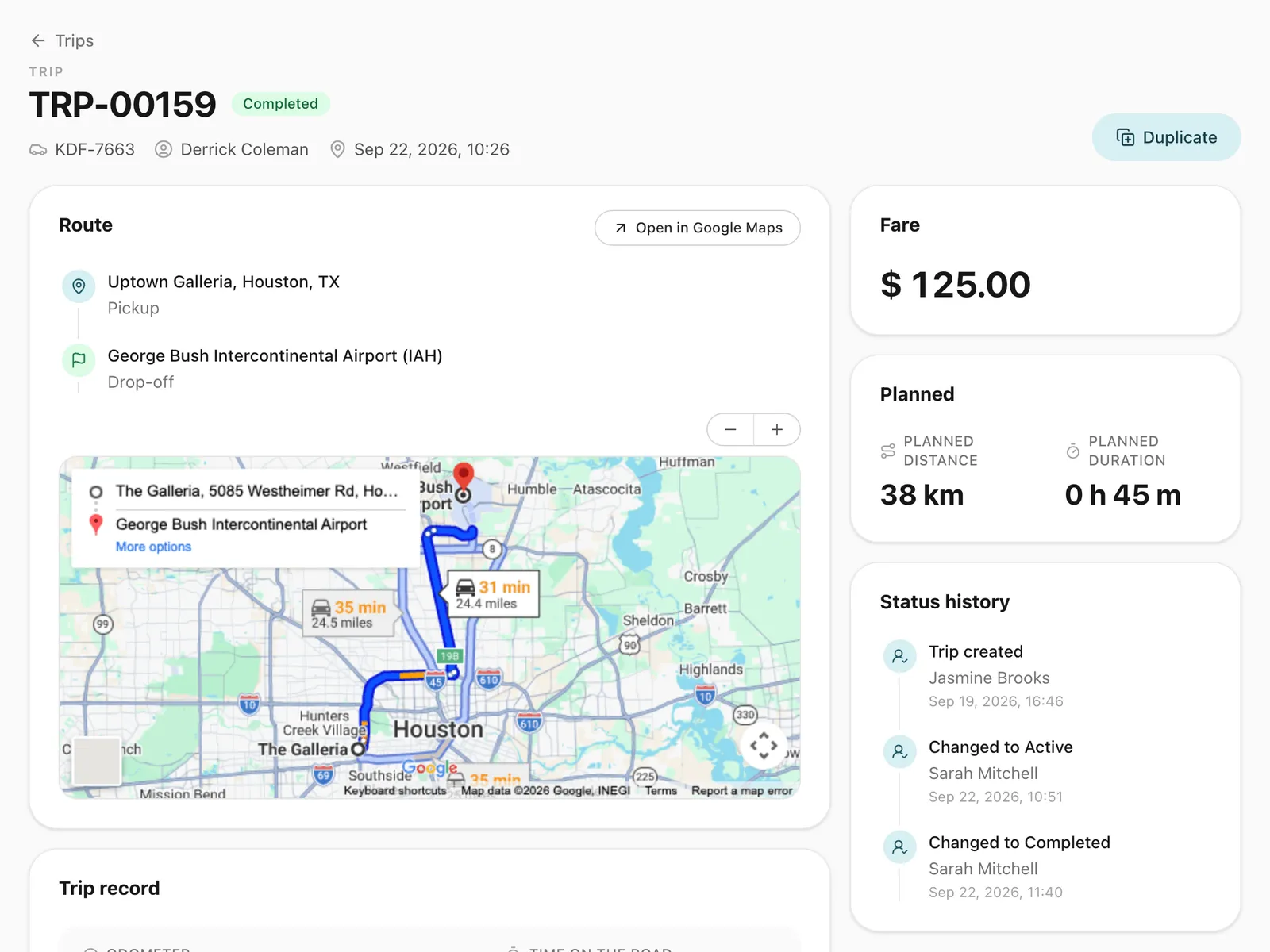
Each price list sets the free waiting minutes for a pickup, with a separate, usually longer allowance for airport pickups. The time is counted from the booked pickup time. Once the free time has run out, a no-show can be recorded on the trip.
Can each client have its own prices?
Yes. A corporate client can have its own rate card, valid between a start and an end date. Where a client has none, the branch’s default list applies, and then the company’s. Rate cards apply to the bookings your office makes and to the client’s bookings in the customer portal. The public booking form uses your standard prices.
Can staff change a calculated price?
Yes, if their role allows it. They enter a reason, and every override is written to the audit log. Before a price list goes live, the “Test a price” panel prices a sample trip and shows the full breakdown, the rule that matched and every surcharge applied. The price then flows onto the invoice with the trip.
Step-by-step guides
Already using Odobase? The help center shows each step in the dashboard.
Who uses price lists
-
Chauffeur and limousine
Dispatch, waiting time, corporate billing
-
-
Frequently asked questions
Does changing a price list affect trips already confirmed?
No. Each trip keeps the price breakdown it was confirmed with. A new price applies only to bookings priced after the change.
Do percentage surcharges add up on top of each other?
No. Every percentage applies to the base fare, never to another surcharge. A 20% night surcharge and a 10% airport surcharge on a base fare of 100 add 30, not 32.
What shape can a zone be?
A circle, with a centre and a radius you set on the map. An airport zone also carries its airport code and terminals.
Are prices shown with or without tax?
Each price list says whether its prices include tax, and the final price is rounded to the step you choose in your settings.
Which plans include price lists?
Every plan, including the free Starter plan. Every new account starts with price lists switched on.
Works with
-
Trip management
Schedule trips, assign drivers and vehicles without double-booking, pause and resume round trips, and invoice completed work from one dashboard.
-
Invoicing and accounting
Turn completed trips and hires into branded invoices, track what customers owe, and read profit and loss by month and by branch in Odobase.
-
Customer portal
A portal under your logo where customers sign in with a code, follow their trips, accept quotes and download invoices, with corporate accounts for companies.
-
Booking form and quotes
A booking form with your prices, on your website or as a link, for transfers, airport runs, hourly and day hire, plus quotes customers accept by phone.
Last updated

Run your whole fleet from one dashboard
Start free, add your vehicles and drivers, and schedule your first trip in minutes. Every plan has the same features.