
Industry
Bus and coach hire software
Quote group trips, schedule bus and coach charters without driver or vehicle clashes, keep large vehicles serviced and invoice every charter.
What is bus and coach hire software?
Bus and coach hire software runs a charter business that rents buses, coaches and minibuses with a driver. Odobase quotes group trips, schedules each charter with its stops and passenger count, refuses any booking that would put a driver or vehicle in two places at once, keeps every vehicle’s service history, and turns completed charters into invoices and profit and loss reports.
What Odobase does for bus and coach hire
-
Quotes for group trips
Customers request a quote with their stops and passenger count; you send it by email or WhatsApp and they accept it from their phone.
-
No double-booked coaches
A driver or vehicle already on a charter cannot be given another one that overlaps.
-
Multi-day and multi-stop charters
Bookings take up to 9 stops, and a trip can be paused while the group is out and resumed for the return.
-
Large vehicles kept on the road
Each bus and coach has its own record, service history and maintenance costs.
-
Invoicing and accounting built in
Invoices from completed charters, receivables with ageing, VAT invoices, credit notes and profit and loss by month and branch.
How do you quote a group trip?
Put a booking form on your website in quote-request mode. The customer enters the pickup, up to 9 stops, the destination, the date and the number of passengers, and the request lands in Leads with a price worked out from your price list by vehicle class. Adjust it if needed and send the quote by email or WhatsApp; the customer accepts or declines it from their phone and receives a PDF in their own language. Our chauffeur quote template shows what a clear quote includes, and the same structure works for a coach charter: the vehicle, the route, the times and what the price covers.
How do you schedule charters without clashes?
Each confirmed charter becomes a trip with its pickup, stops, customer and time, and you assign a driver and a vehicle. Trip management offers only the drivers and vehicles that are free and refuses an assignment that overlaps another trip. For a day out or a multi-day tour, the driver pauses the trip while the group is away and resumes it for the return, so the coach can take another job in between. Regular contract work, such as a weekly works run, can go on a recurring roster.
How do you keep large vehicles serviced?
Each bus, coach and minibus has a record with its details, photos, odometer and status. Log every service and repair with the garage, the work and the cost in vehicle maintenance, and track spare parts stock per branch. Completed maintenance counts towards each vehicle’s costs and your profit and loss.
How do you invoice charters and see profit?
Every completed charter is ready to invoice. Lines fill in from the fare plus any expenses the driver recorded and you charged on, such as tolls or parking, and your logo goes on the PDF. Invoicing and accounting tracks what each customer owes, issues VAT invoices and credit notes, and reports profit and loss by month and branch, with CSV exports for your accountant. Costs come from trip expenses, completed maintenance and the overheads you enter, so the report shows what your charters actually earned.
The features you will use most
Each one has its own page with the screens and the details.
-
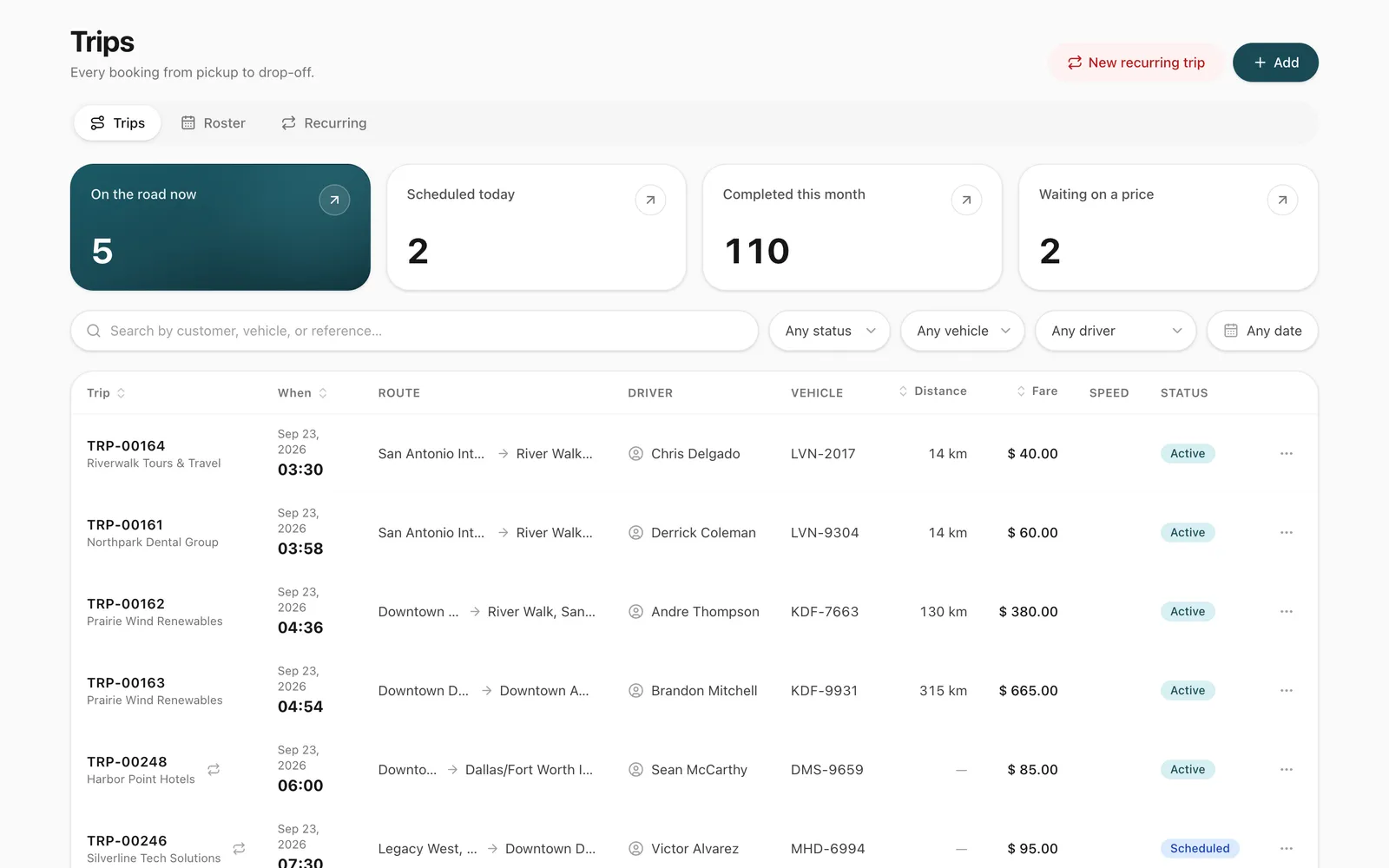
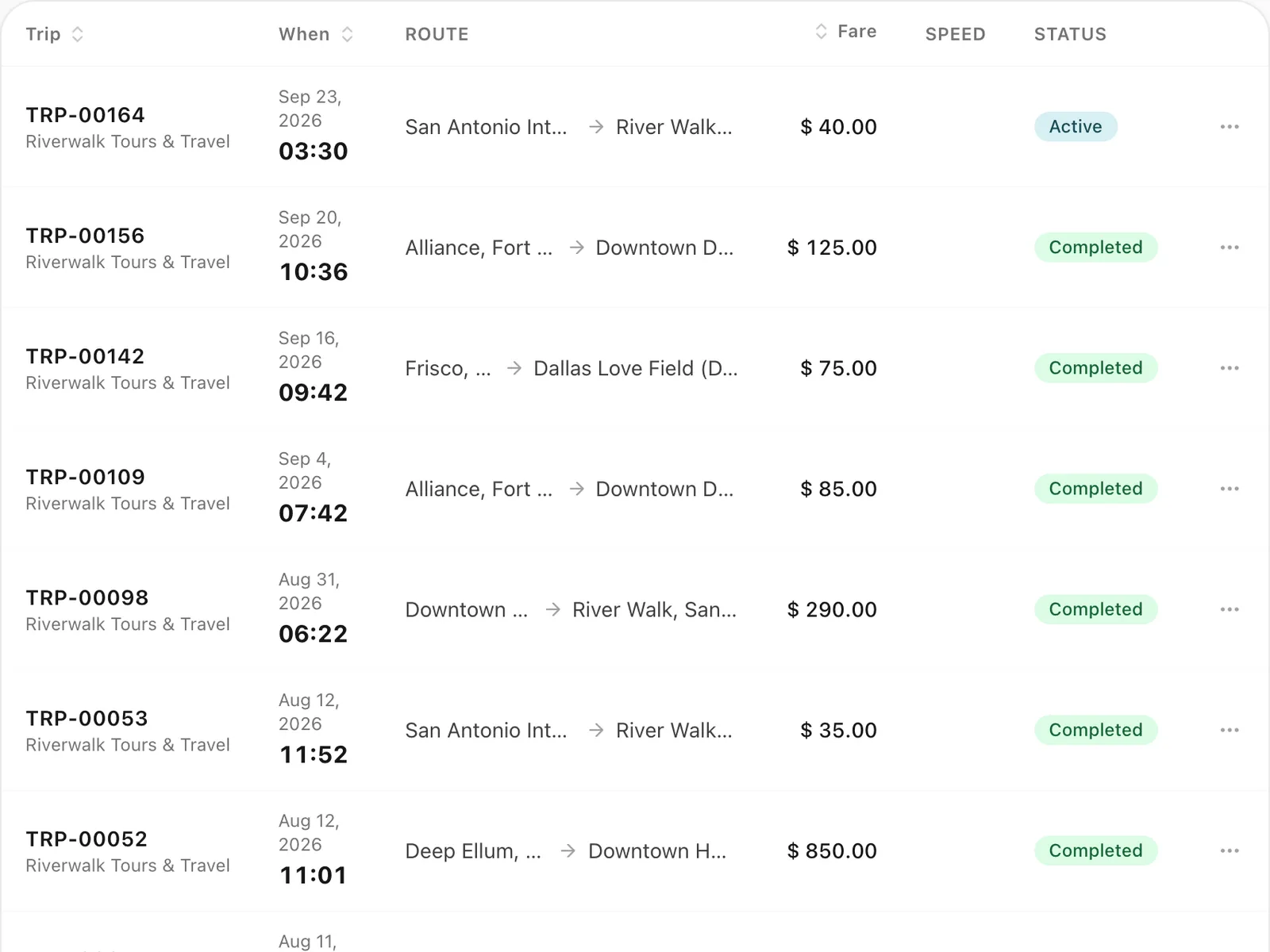
Trip management
Schedule trips, assign drivers and vehicles without double-booking, pause and resume round trips, and invoice completed work from one dashboard.
-
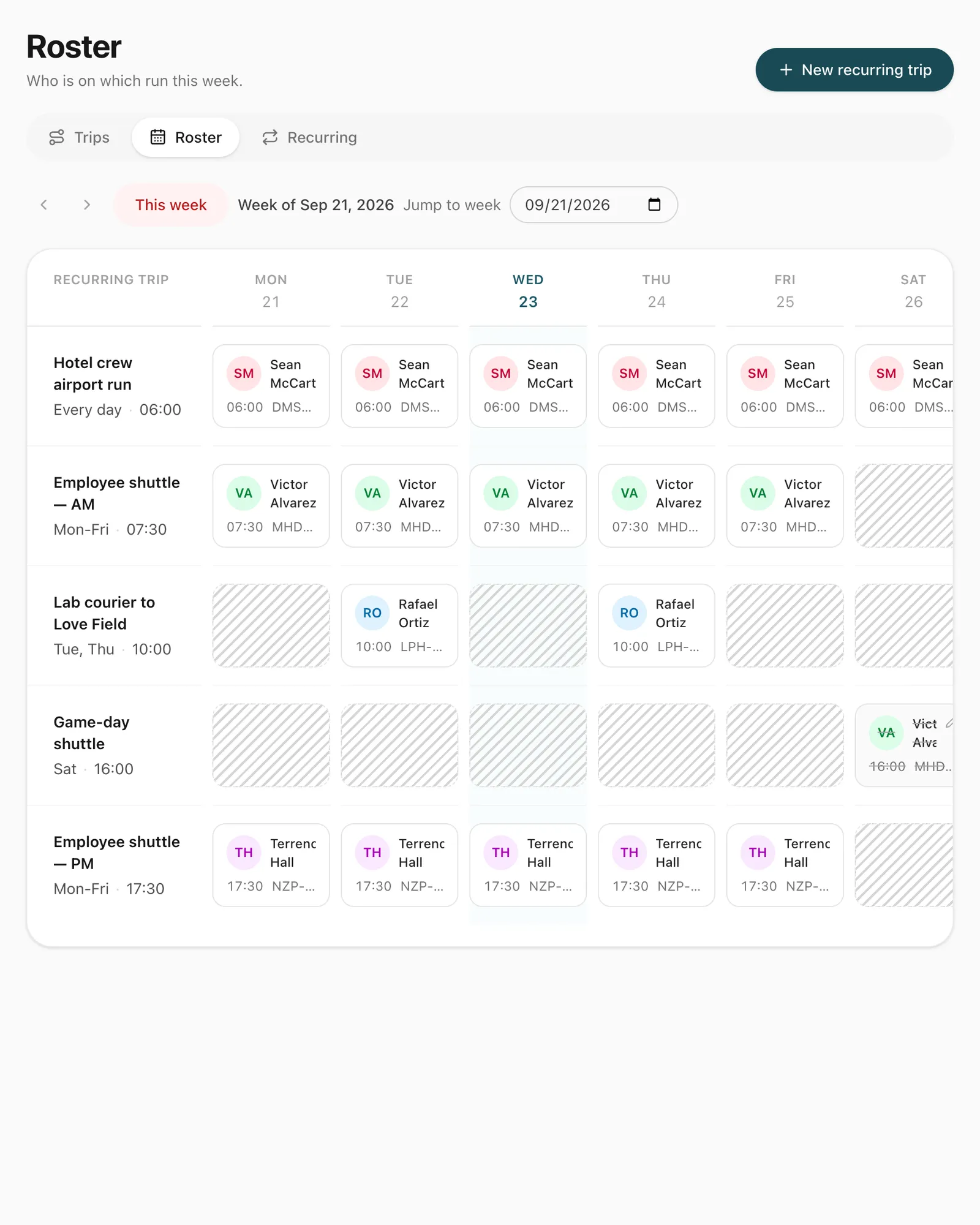
Recurring trips and roster
Set up a repeating duty once, such as a weekday staff shuttle, and manage every day of it from a weekly roster where drivers are swapped in a click.
-
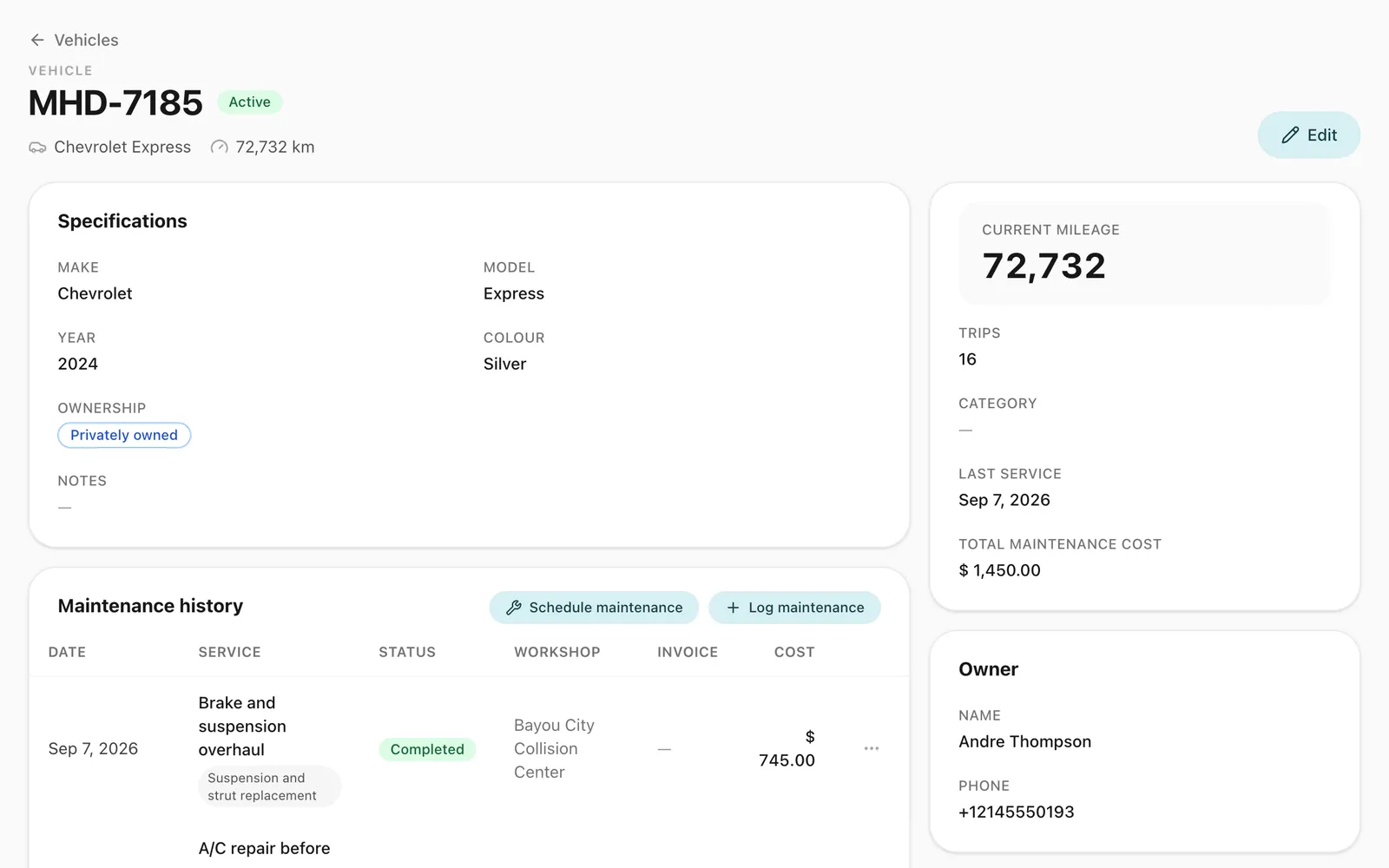
Vehicles and maintenance
Keep every vehicle's details, photos, odometer and service history in one place, and see maintenance costs in your fleet reports and profit and loss.
-
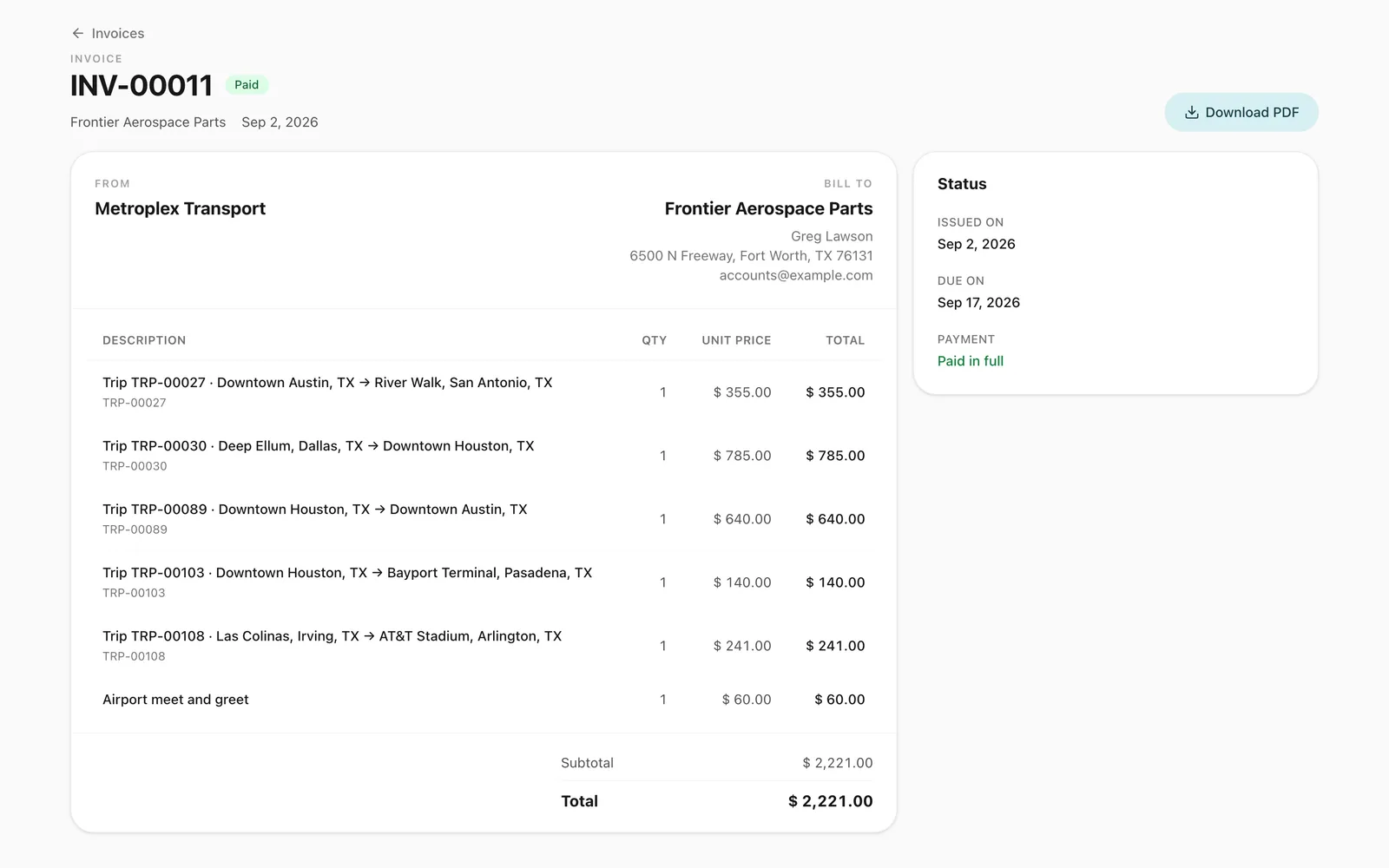
Invoicing and accounting
Turn completed trips and hires into branded invoices, track what customers owe, and read profit and loss by month and by branch in Odobase.
-
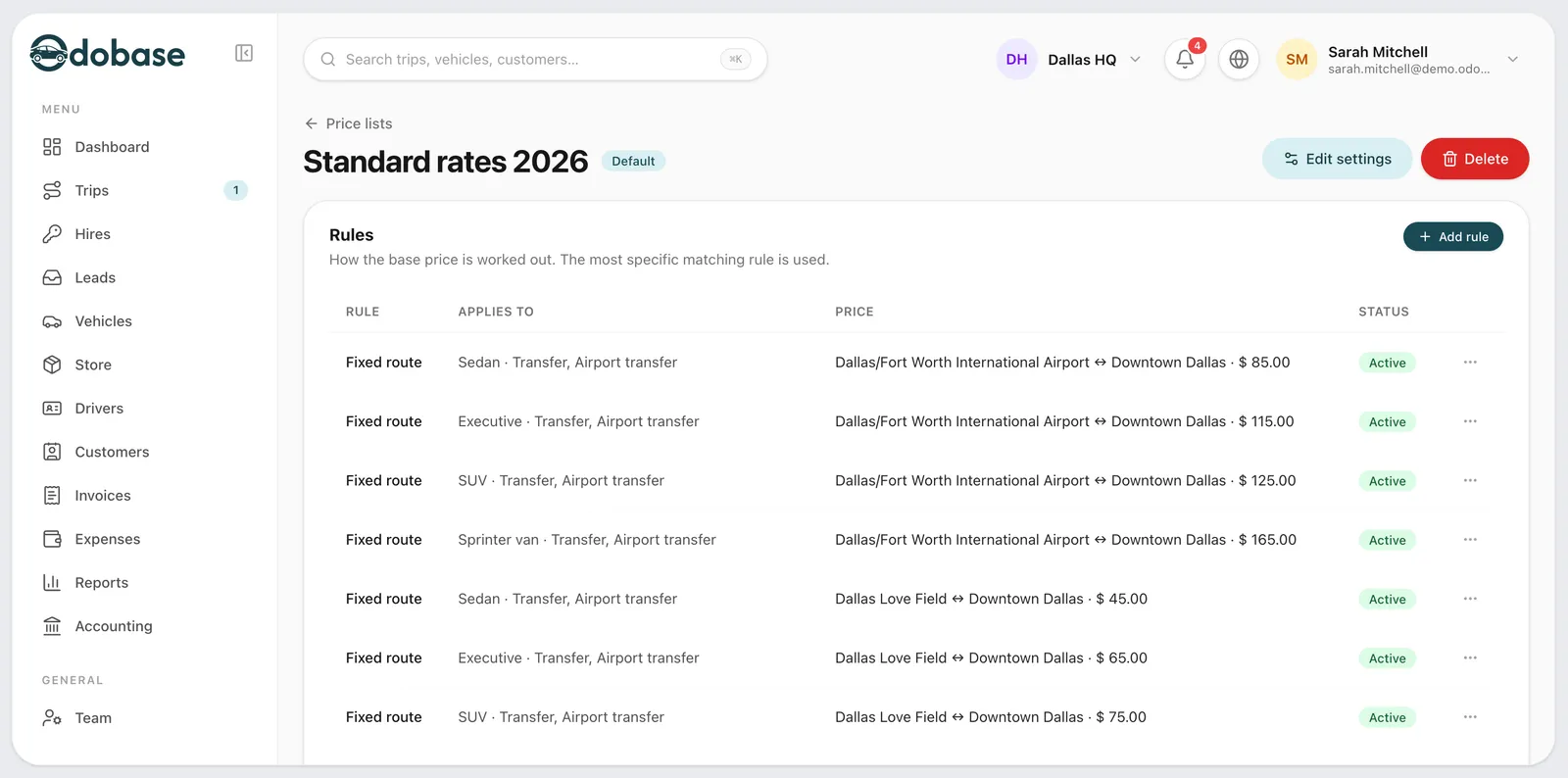
Price lists
Price transfers, airport runs and hourly hire by zone, distance or time, with surcharges, extras and free waiting time. Each trip keeps its price breakdown.
-
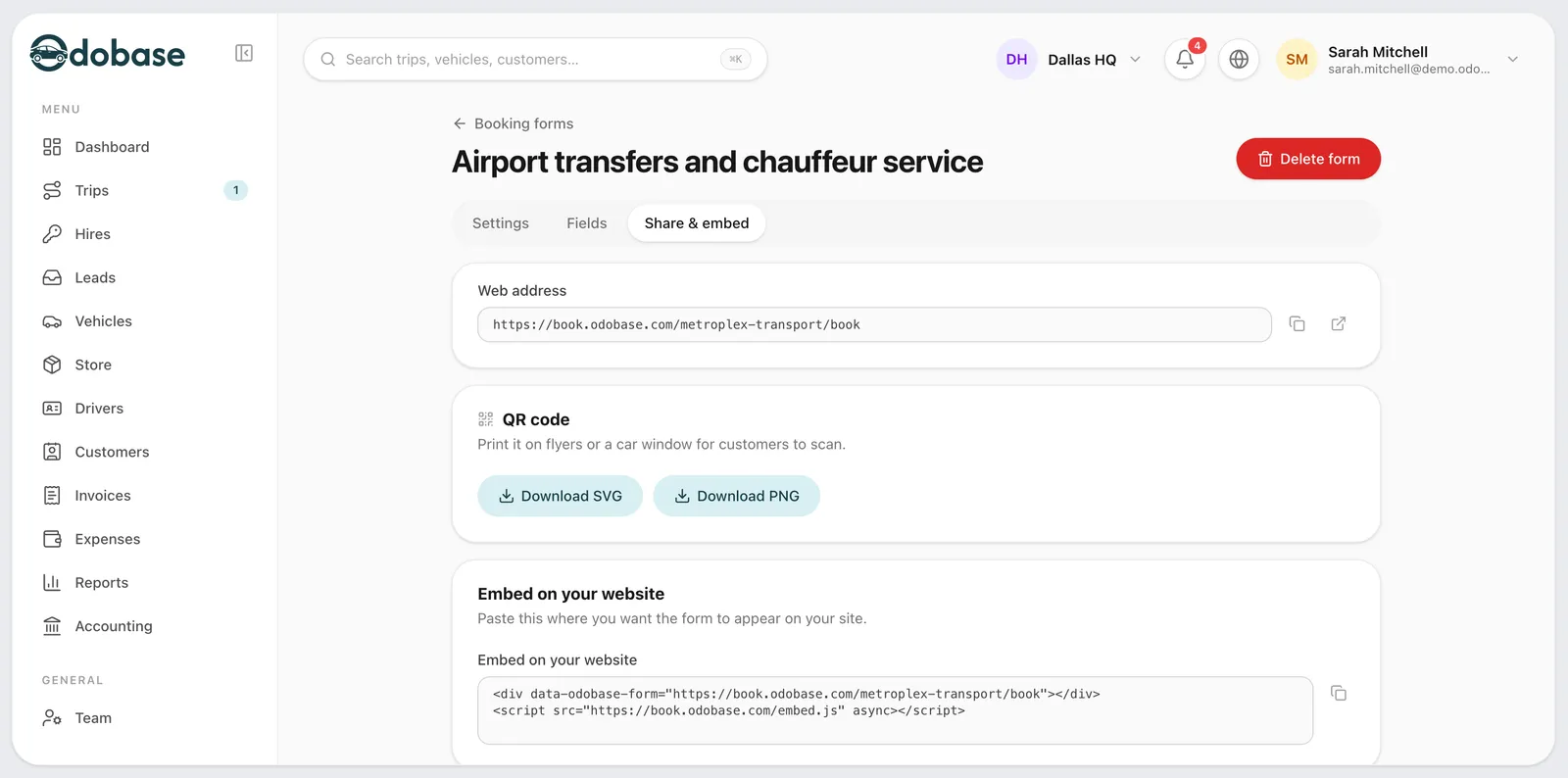
Booking form and quotes
A booking form with your prices, on your website or as a link, for transfers, airport runs, hourly and day hire, plus quotes customers accept by phone.
Frequently asked questions
Can I use Odobase for minibuses as well as coaches?
Yes. Every vehicle in your fleet has its own record, whatever its size, and you set prices by vehicle class in the price list, so a minibus and a full-size coach can carry different rates.
Does Odobase sell seats or keep passenger lists?
No. Odobase is built for private hire of the whole vehicle with a driver. Each booking carries a passenger count, not a seat plan, ticket or passenger manifest.
Is Odobase accounting software for bus rental?
It covers the accounting a charter business needs day to day. Invoices fill in from each completed charter’s fare plus expenses you charge on, and you get receivables with ageing, VAT invoices and credit notes, profit and loss by month and branch, and CSV exports for your accountant.
How does a multi-day charter work?
The driver starts the trip, pauses it when the group arrives and resumes it for the return. While paused, the driver and vehicle are free for other work, and the trip’s distance and time leave out the gap.
Is there a free plan?
Yes. The Starter plan is free for up to 5 vehicles, 5 drivers, 2 team members and 1 branch, with no card needed. Larger fleets move to Growth or Business, which differ only in limits.
Last updated

Run your whole fleet from one dashboard
Start free, add your vehicles and drivers, and schedule your first trip in minutes. Every plan has the same features.