
Feature
Vehicle management and maintenance tracking
Schedule services by date, send them to drivers and keep each vehicle’s maintenance history, odometer and costs in one place, for cars, vans and buses.
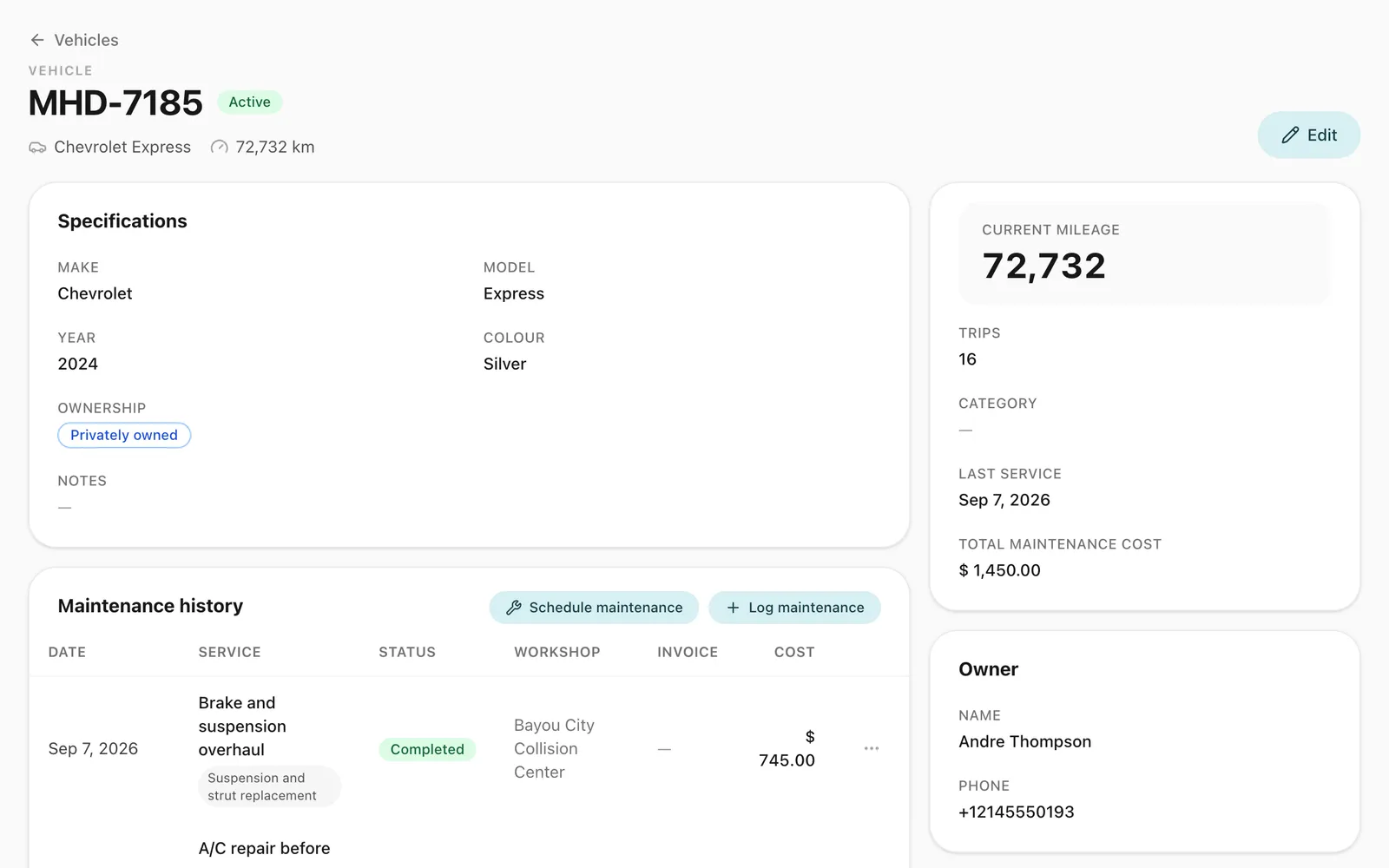
How does Odobase track vehicles and maintenance?
Odobase keeps each vehicle’s maintenance history: which garage or service centre, what was done, when, at what odometer reading and at what cost. Schedule the next service for a date and send it to a driver, who completes it in the app with a photo of the garage’s invoice. Completed maintenance costs flow into your vehicle reports and profit and loss.
What you get
See your fleet at a glance
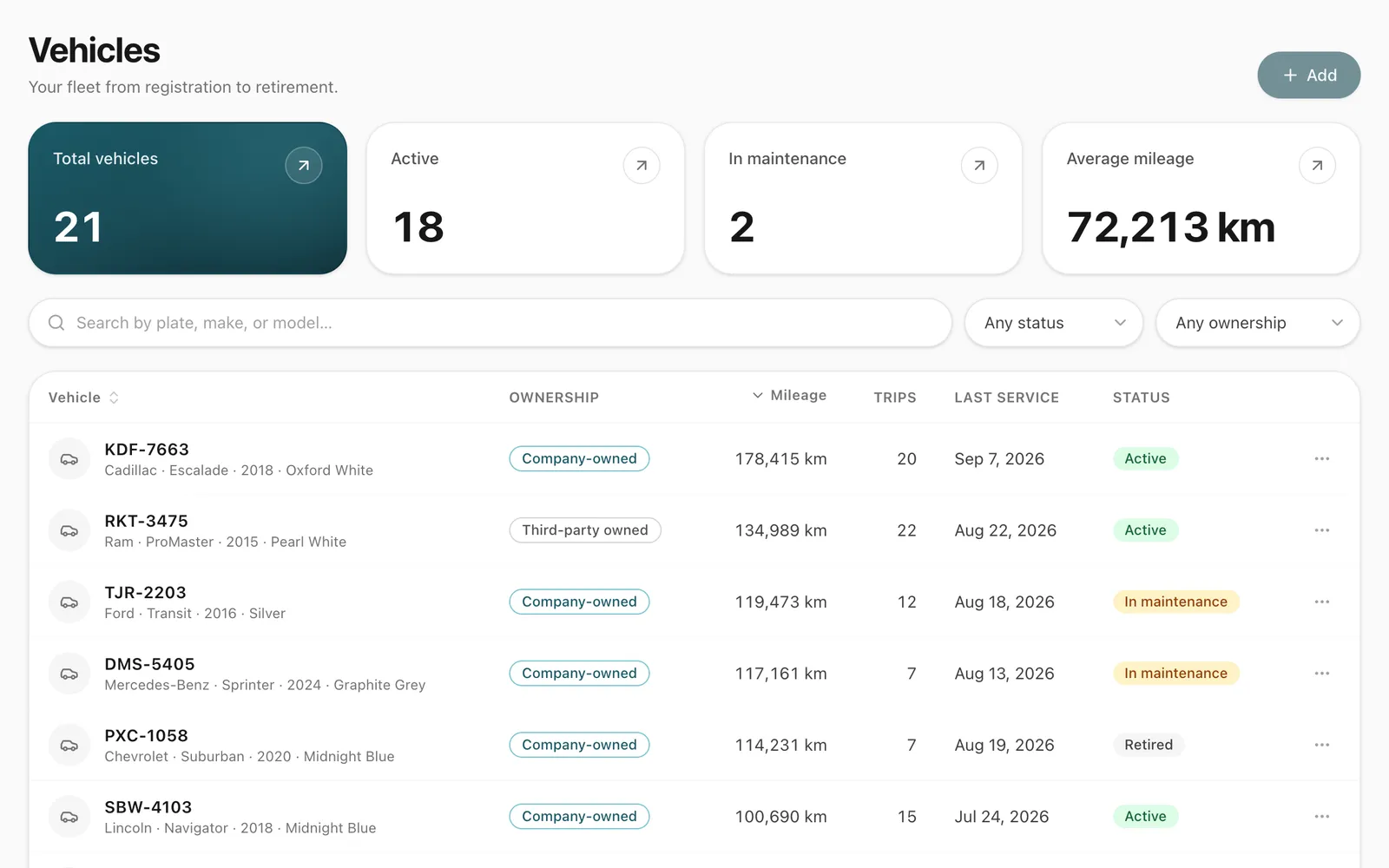
The dashboard shows how many vehicles are active, on hire, in maintenance or retired.
Full service history
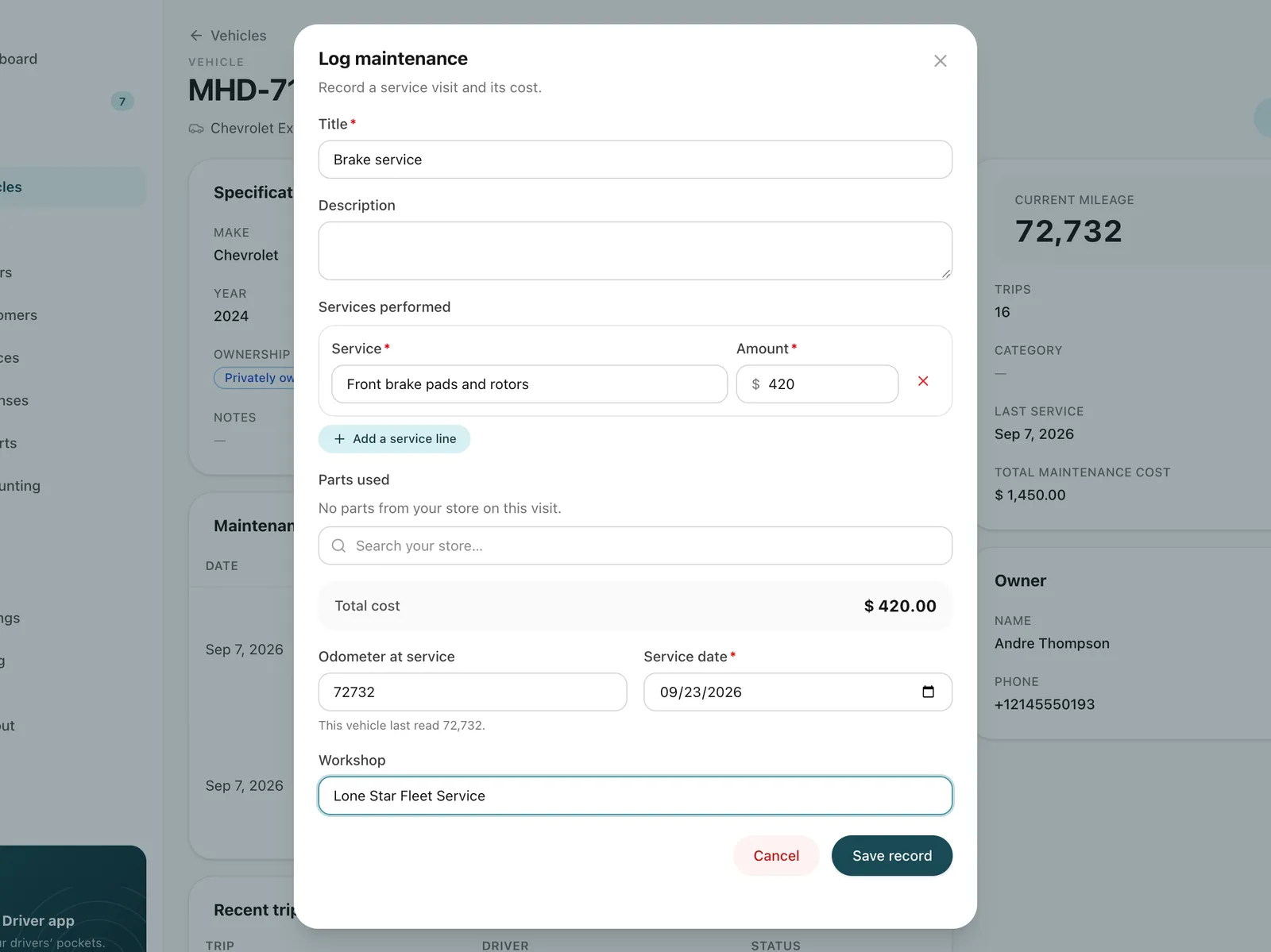
Each service or repair with the garage, the work done, the date and the cost.
Costs where they belong
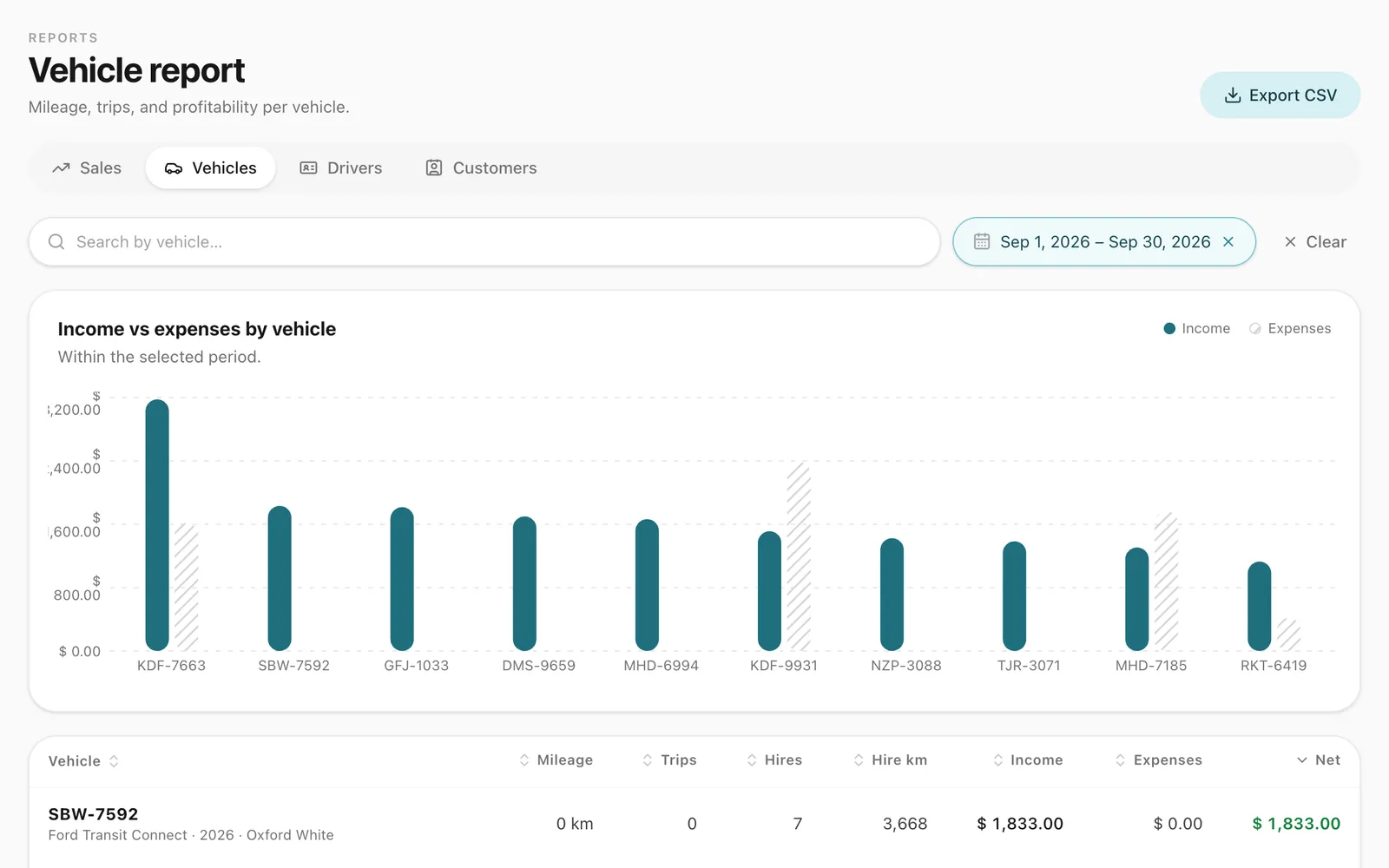
Completed maintenance counts towards each vehicle’s costs and your company’s profit and loss.
-
One record per vehicle
Registration (plate) number, photos, status and the latest odometer reading, kept current by every trip and hire.
-
Drivers close the job
A driver sent to the garage completes the job in the app and photographs the invoice.
-
Services scheduled by date
Send the next service to a driver for a set day; it waits in their app until it is done.
How do you schedule the next service?
Open the vehicle and schedule the service: a title, what needs doing, the driver and the date. The request appears in the vehicle’s maintenance history as scheduled, and the driver gets a notification and sees it in the driver app. When the work is done, the driver enters what was paid and attaches photos of the garage’s invoice; the record becomes completed and your team is told. Odobase does not yet raise reminders from the odometer, so plan services by date and note the reading each one is due at.
What should you track for each vehicle?
A useful maintenance record answers the questions a buyer, an insurer or a council inspector will ask. For every car, van or bus, keep:
- Each service and repair: the date, the odometer reading, the garage, the work done and the cost, with the invoice attached.
- The next service due: by date, and by the reading it falls at.
- Tyres, brakes and other wear parts: when they were last replaced, at what reading.
- Papers and their renewal dates: registration, insurance, inspections and permits.
- Defects reported by drivers: what was found, and when it was fixed.
- Cost per vehicle: maintenance next to trips, hires and expenses, so you see what each one really costs to run.
Odobase holds the first two on the maintenance record, and each vehicle has a private documents section for its registration card, insurance, fitness certificate and route permit.
What does a vehicle record hold?
Each vehicle has its identifying details, a photo gallery, its status and its latest odometer reading. Its trips, hires, expenses and maintenance visits are linked to it, so the whole story of a car is on one page.
Photos can come straight from a phone camera, including iPhone photos, and are resized and stored efficiently so pages stay fast.
How is maintenance recorded?
Every visit to a garage or service centre is a maintenance record: where it was done, what was done, when the vehicle was serviced and what it cost. You can log a visit after it happened, or send the job to a driver: it appears in their driver app, and they complete it there with a photo of the invoice.
How do maintenance costs affect my numbers?
Only completed maintenance counts as a cost, on the date the vehicle was serviced. Those costs appear in your vehicle reports and in the company profit and loss statement, next to trip expenses and overheads, so you can see what each vehicle really costs to run.
How do I see which vehicles are available?
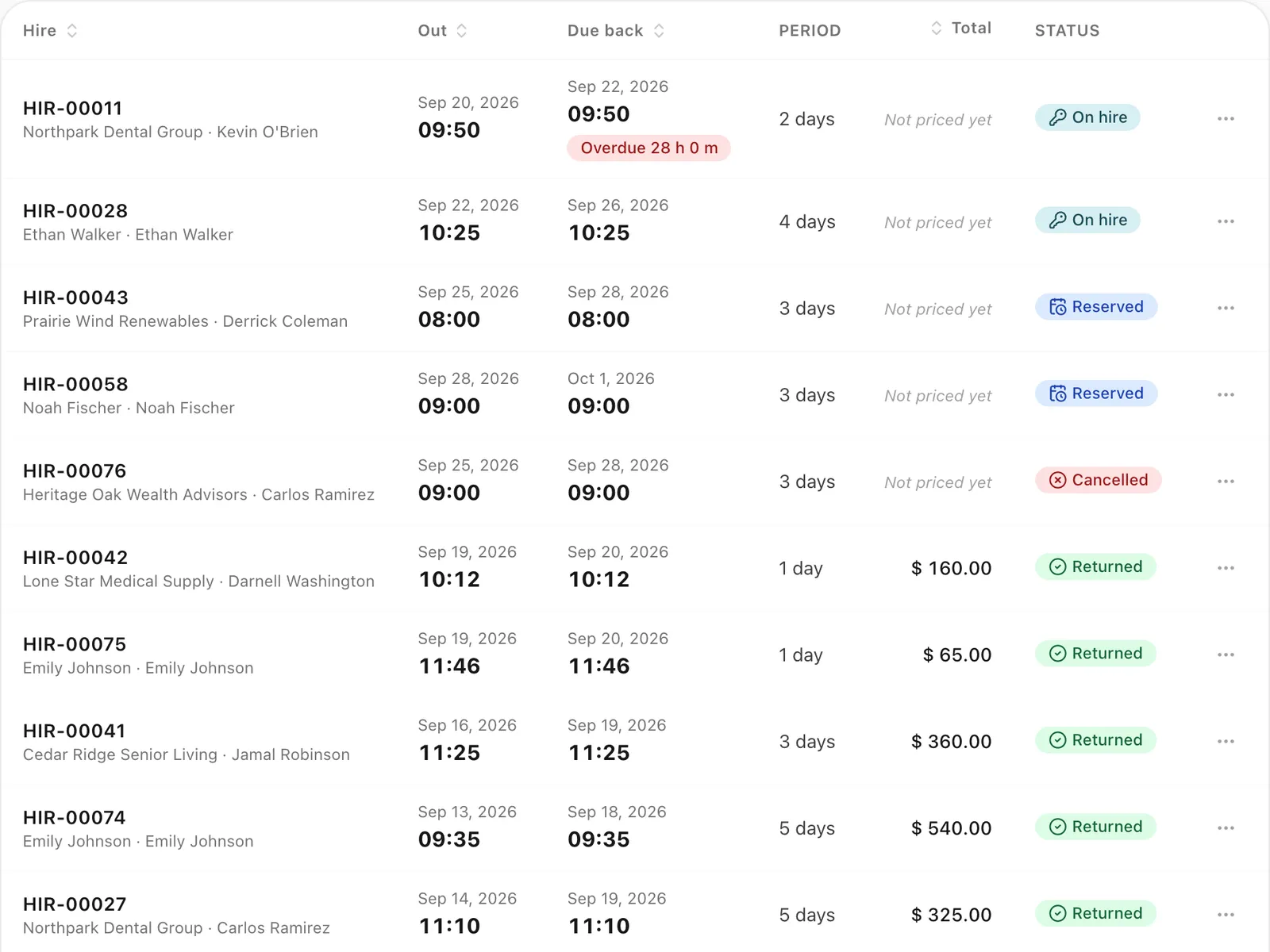
The dashboard’s fleet overview splits your vehicles into active, on hire, in maintenance and retired. When you book, the vehicle picker offers only vehicles that are free at that time, leaving out any already on a trip or out on self-drive hire.
Step-by-step guides
Already using Odobase? The help center shows each step in the dashboard.
Who uses vehicles and maintenance
-
Car rental
Car rental software from a free plan up: chauffeured trips and self-drive hires on one calendar, with a driver app, maintenance and invoicing.
Frequently asked questions
Does Odobase remind me when a service is due by mileage?
Not by distance yet. Schedule each service for a date, and put the reading it is due at in its title, such as “60,000 service”. Scheduled services are listed with their dates on the vehicle’s maintenance history, and the driver it is sent to sees it in the app.
Which maintenance costs count in reports?
Only completed maintenance counts, on the date of service. A job sent to a driver that is still waiting to be done does not, so your profit and loss reflects work that actually happened.
Can drivers record maintenance from their phone?
Yes. A maintenance job assigned to a driver appears in the Odobase Driver app, where they complete it and attach a photo of the garage’s invoice.
How is a vehicle's odometer kept up to date?
The reading taken when a trip is paused or completed, every hire’s handover and return readings, and the reading staff enter on a maintenance record move the vehicle’s odometer forward, never back, so it stays current without anyone typing it in separately.
What happens to a vehicle we sell or stop using?
You retire it. It keeps its history for your records and reports but can no longer be booked. A vehicle cannot be retired while it is reserved for a hire or out on one.
Can I keep track of spare parts?
Yes, with the spare parts store. Keep a catalogue of parts with stock for each branch. Picking a part on a maintenance record takes it out of stock and puts its cost on the record, and you can be told when a part falls to its reorder level.
Works with
-
Self-drive hire
Rent vehicles without a driver by the hour or day. Odobase blocks availability, records handover and return, and bills overtime and extra distance.
-
Driver app
Odobase Driver lets drivers sign in with a PIN, run assigned trips, record odometer readings, log expenses with receipts and get trip alerts.
-
Invoicing and accounting
Turn completed trips and hires into branded invoices, track what customers owe, and read profit and loss by month and by branch in Odobase.
Last updated

Run your whole fleet from one dashboard
Start free, add your vehicles and drivers, and schedule your first trip in minutes. Move to a paid plan when your fleet grows.