
Feature
A live trip tracking link for your passengers
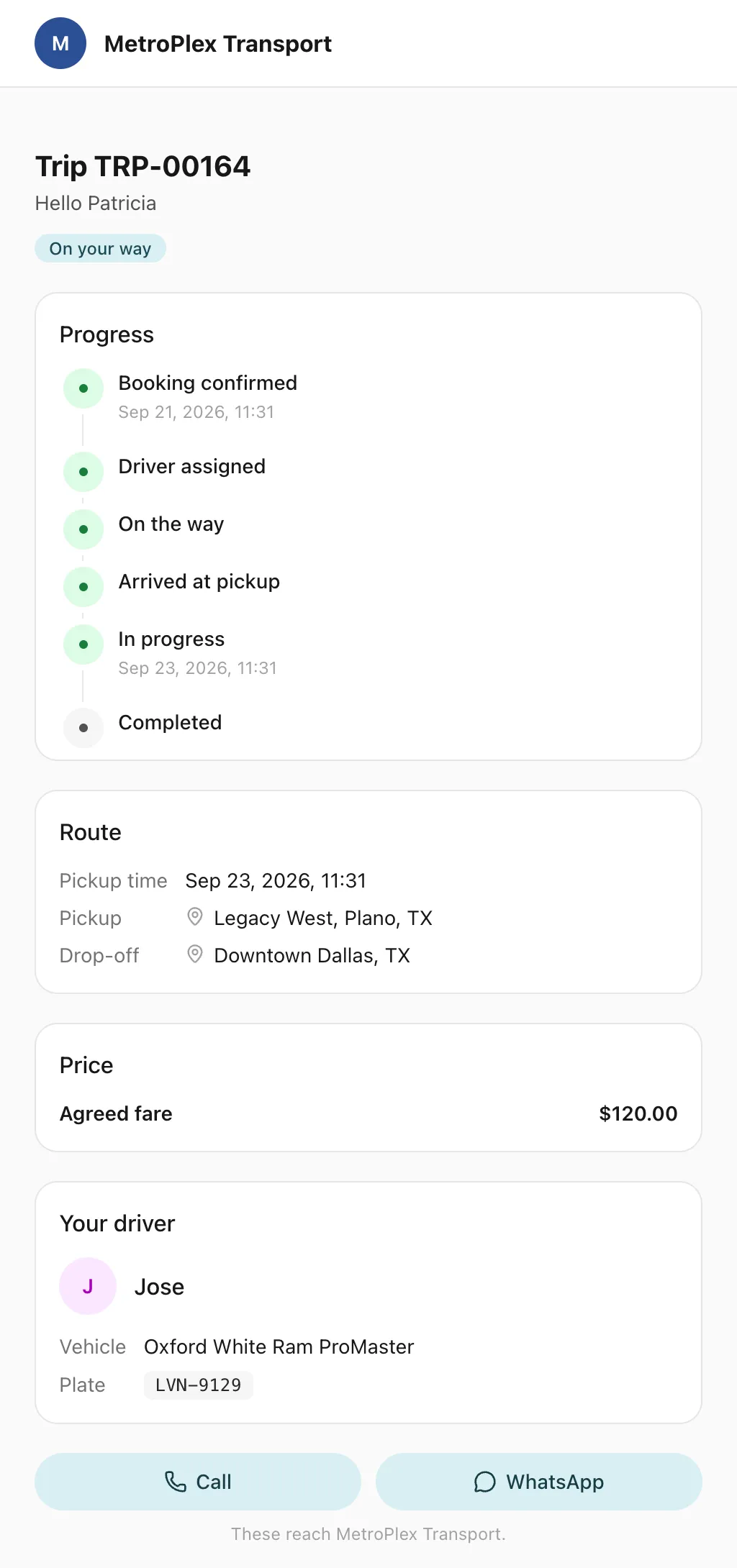
Send each passenger a link to a live trip page: status, route, the car on the map, the driver and the plate, with cancel, change and rating. No app, no login.
What is the Odobase trip link?
The trip link is a web page for each trip that your customer opens from the email or WhatsApp message you send, with no app and no login. It shows the trip’s status, the route on a map and, during the trip, the car moving live, with the driver’s first name and the car’s make, colour and plate. The customer can also cancel, change or rate it.
What you get
-
No app, no login
The customer taps the link in your message and the trip page opens in any browser.
-
The car on the map
During the trip, the car’s position and estimated arrival update on the route.
-
Who is coming
The driver’s first name and photo, which you can hide, and the car’s make, colour and plate.
-
Customers act for themselves
Cancel under your policy, with any fee shown first, ask for a change, or rate the trip.
-
Invoice and reviews
The customer downloads the invoice, and a rating of 4 or 5 can lead on to your review page.
-
Private by design
The page shows a first name only, the car only during the trip, and closes 30 days after it by default.
What does the customer see?
The trip’s status, from confirmed to completed, and the route on a map. While the trip is running, the car moves along it with an estimated arrival, from the positions the driver app records. The page names the driver by first name, with their photo unless you switch photos off, and describes the car by make, colour and plate, so the passenger knows which car to get into.
What can the customer do from the link?
They can call or WhatsApp your office, or the driver if you allow it. Before the trip starts they can cancel it under your cancellation policy, with any fee shown before they confirm, or ask for a change, which reaches your office to approve. Afterwards they rate the trip; a rating of 4 or 5 can lead on to your review page. When the trip is invoiced, they download the invoice from the same page.
When do the messages go out?
Odobase sends the link in the customer’s messages by email or WhatsApp: when the trip is confirmed, as a reminder before it, when a driver is assigned, and when the trip is completed, cancelled or moved to a new time. WhatsApp messages come from Odobase’s number with your company’s name in the text. The same trip appears in the customer’s portal if they have an account.
What stays private?
The page shows the customer’s first name and the route, never their full details. The car’s position is shown only while the trip is running, and never before or after it. The link closes 30 days after the trip by default, and you can make that shorter or longer.
Which languages does the trip page speak?
Any of six you switch on: English, Arabic, Urdu, Spanish, Italian and French, with Arabic and Urdu laid out right to left. The page carries your logo, company name and brand colour.
Where does a trip link help most?
At airport pickups, where a passenger landing in a strange city wants to see which car is coming. With corporate passengers, whose assistants want to know the car is on its way without phoning your office. On staff shuttles and tours, where many passengers ask the same question. Your dispatcher still follows every trip on the live tracking map.
Step-by-step guides
Already using Odobase? The help center shows each step in the dashboard.
Who uses trip tracking link
-
Chauffeur and limousine
Dispatch, waiting time, corporate billing
-
-
Frequently asked questions
Does the passenger need to install an app?
No. The trip link opens in any phone or computer browser, with no app and no account. The customer just taps the link in the message.
How is the trip link sent?
Odobase sends it by email or WhatsApp, under your company’s name, when a trip is confirmed, as a reminder, when a driver is assigned, and when the trip is completed, cancelled or moved to a new time.
How long does the link keep working?
By default the link closes 30 days after the trip. You can set anywhere from 1 to 365 days in your settings.
Can the passenger call the driver?
The page’s buttons call or WhatsApp your office. If you allow it, they can reach the driver directly instead.
How is this different from live trip tracking?
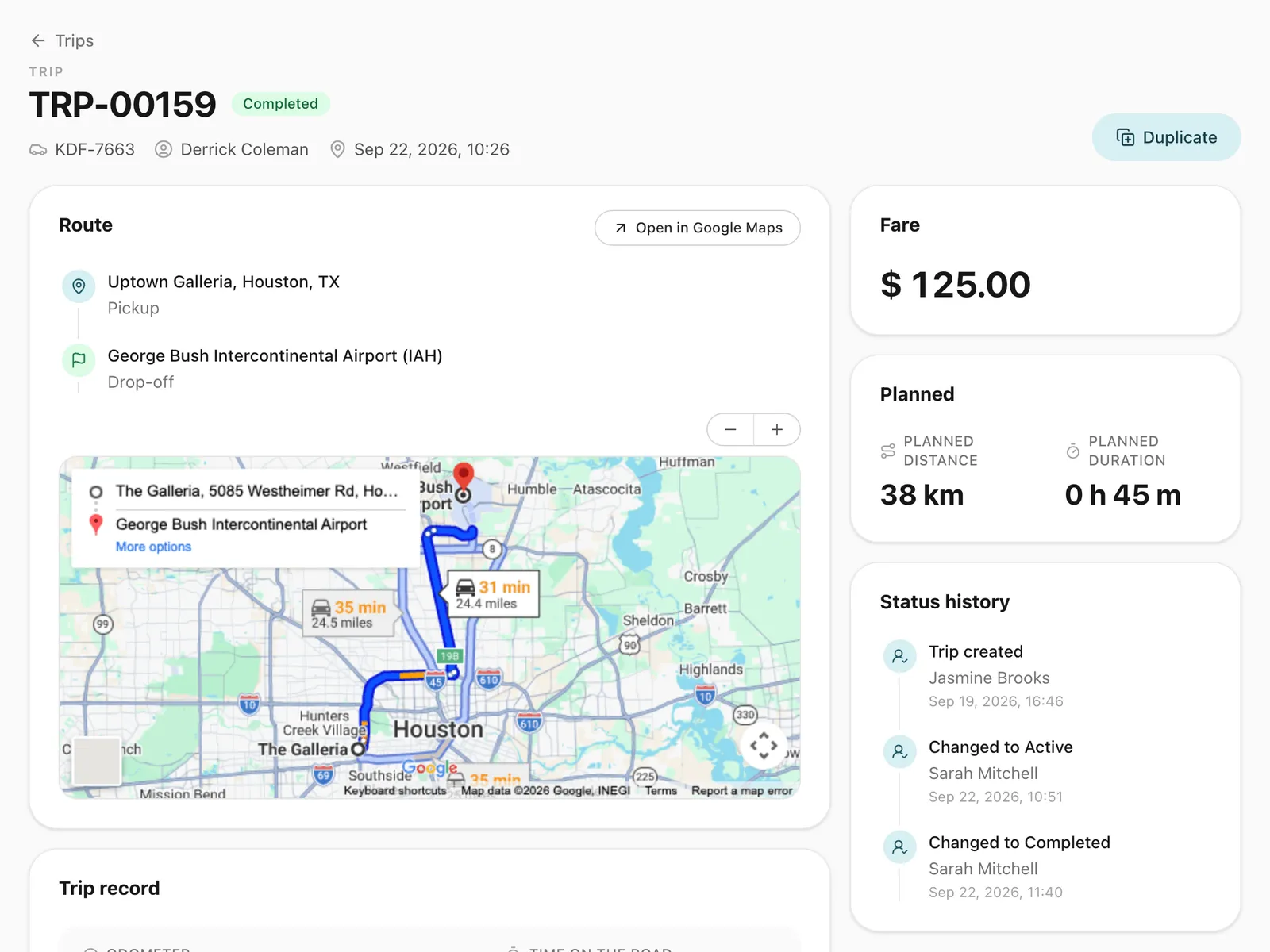
Live trip tracking is your office’s view: every running trip on the dispatcher’s map, with the recorded route. The trip link is the passenger’s view of their own trip.
Works with
-
Trip management
Schedule trips, assign drivers and vehicles without double-booking, pause and resume round trips, and invoice completed work from one dashboard.
-
Driver app
Odobase Driver lets drivers sign in with a PIN, run assigned trips, record odometer readings, log expenses with receipts and get trip alerts.
-
Live trip tracking
Follow running trips on a map, see the route each driver took, and back every invoice with odometer readings and recorded GPS points.
-
Customer portal
A portal under your logo where customers sign in with a code, follow their trips, accept quotes and download invoices, with corporate accounts for companies.
Last updated
Run your whole fleet from one dashboard
Start free, add your vehicles and drivers, and schedule your first trip in minutes. Every plan has the same features.