
Feature
Driver app for Android and iPhone
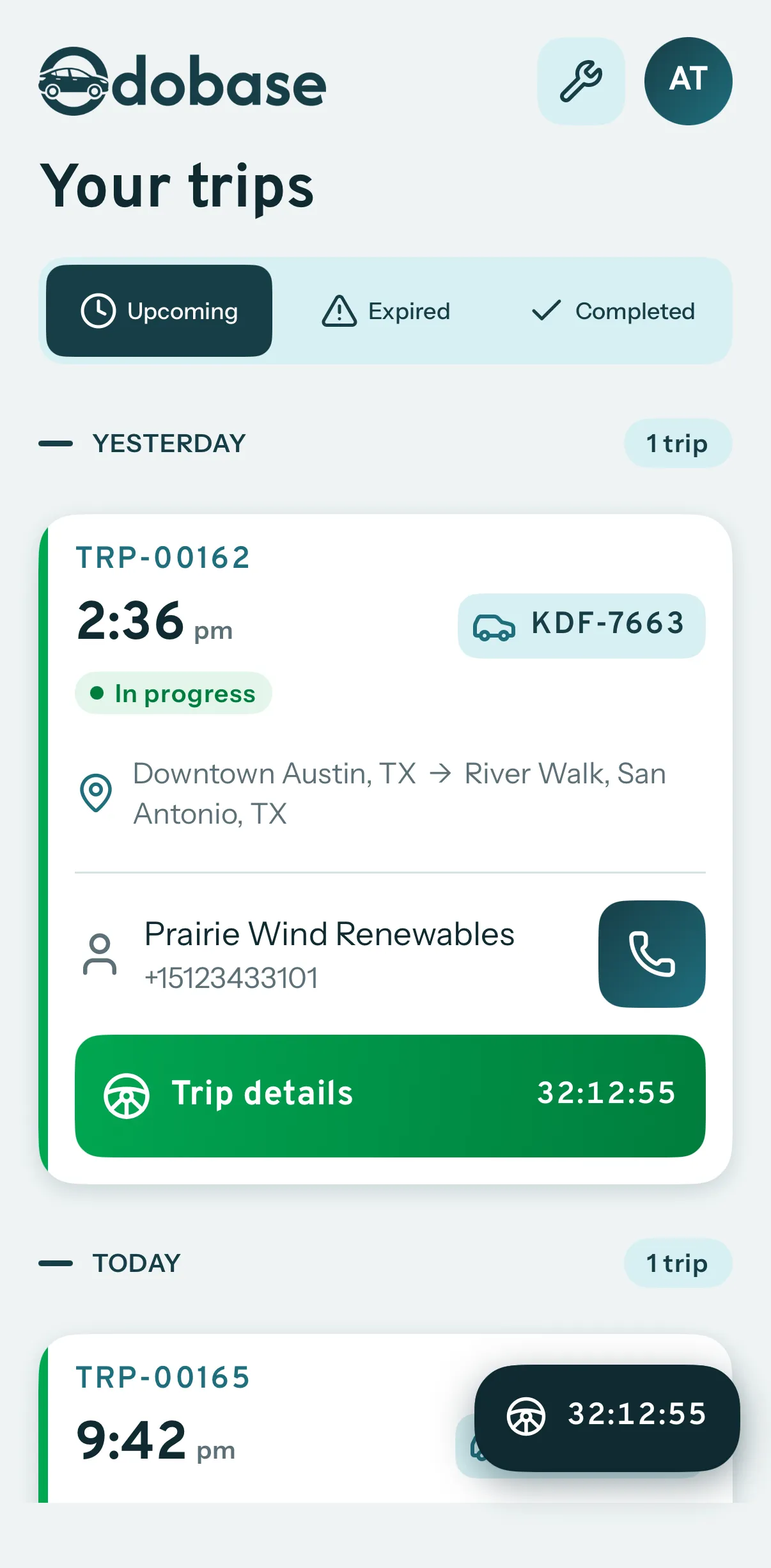
Odobase Driver lets drivers sign in with a PIN, run assigned trips, record odometer readings, log expenses with receipts and get trip alerts.
Free for drivers on Android phones and iPhones. Get Odobase Driver on Google Play Get Odobase Driver on the App Store
What is the Odobase Driver app?
Odobase Driver is the free Android and iPhone app your drivers use to run their work. They sign in with their phone number and a 4-digit PIN, see the trips assigned to them, start, pause and complete each trip with odometer readings, log expenses with receipt photos, and get a notification when a trip is assigned or cancelled.
What you get
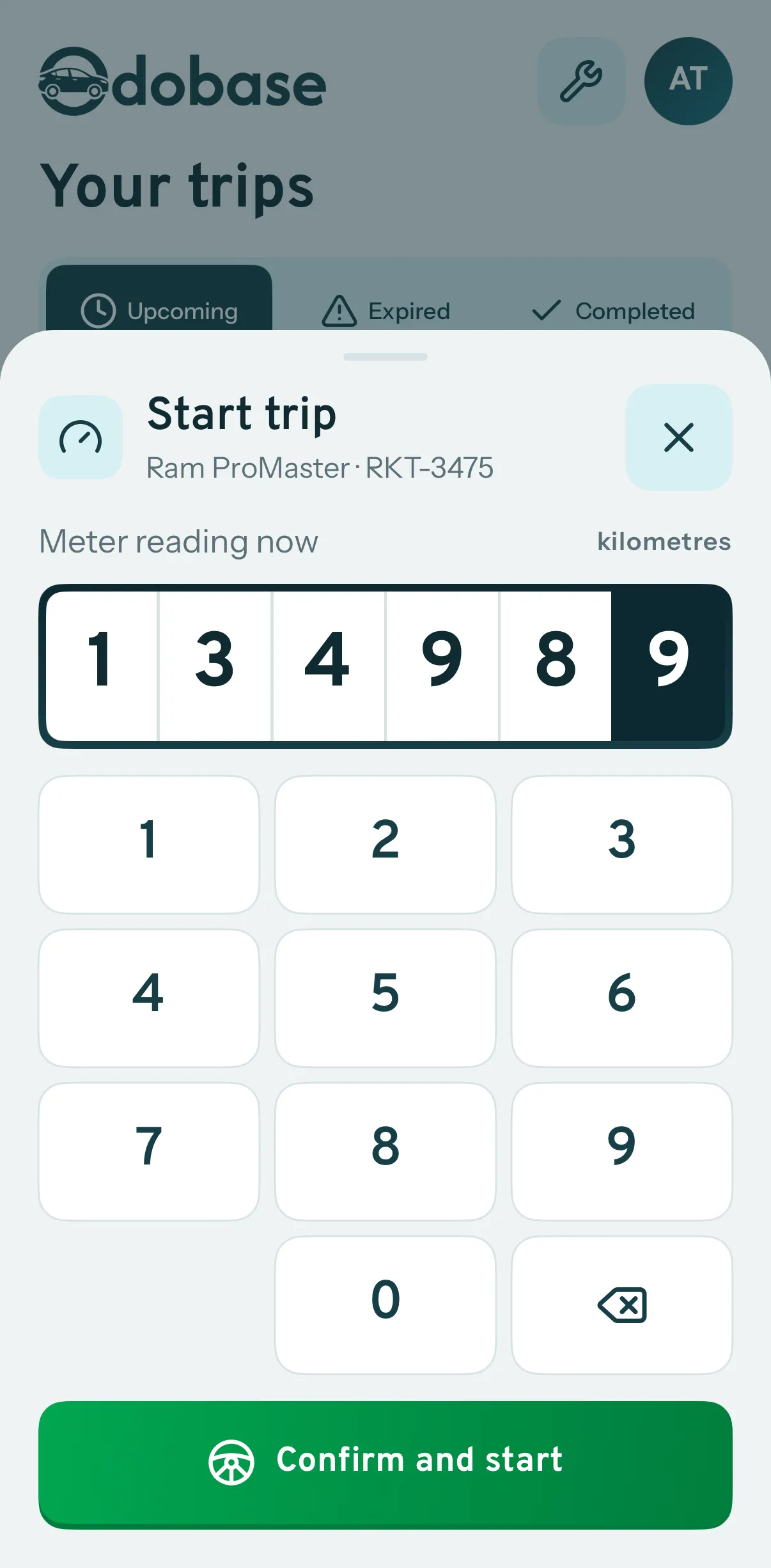
Odometer at every step
Start, pause, resume and complete a trip with a reading each time, so distance is never guessed.
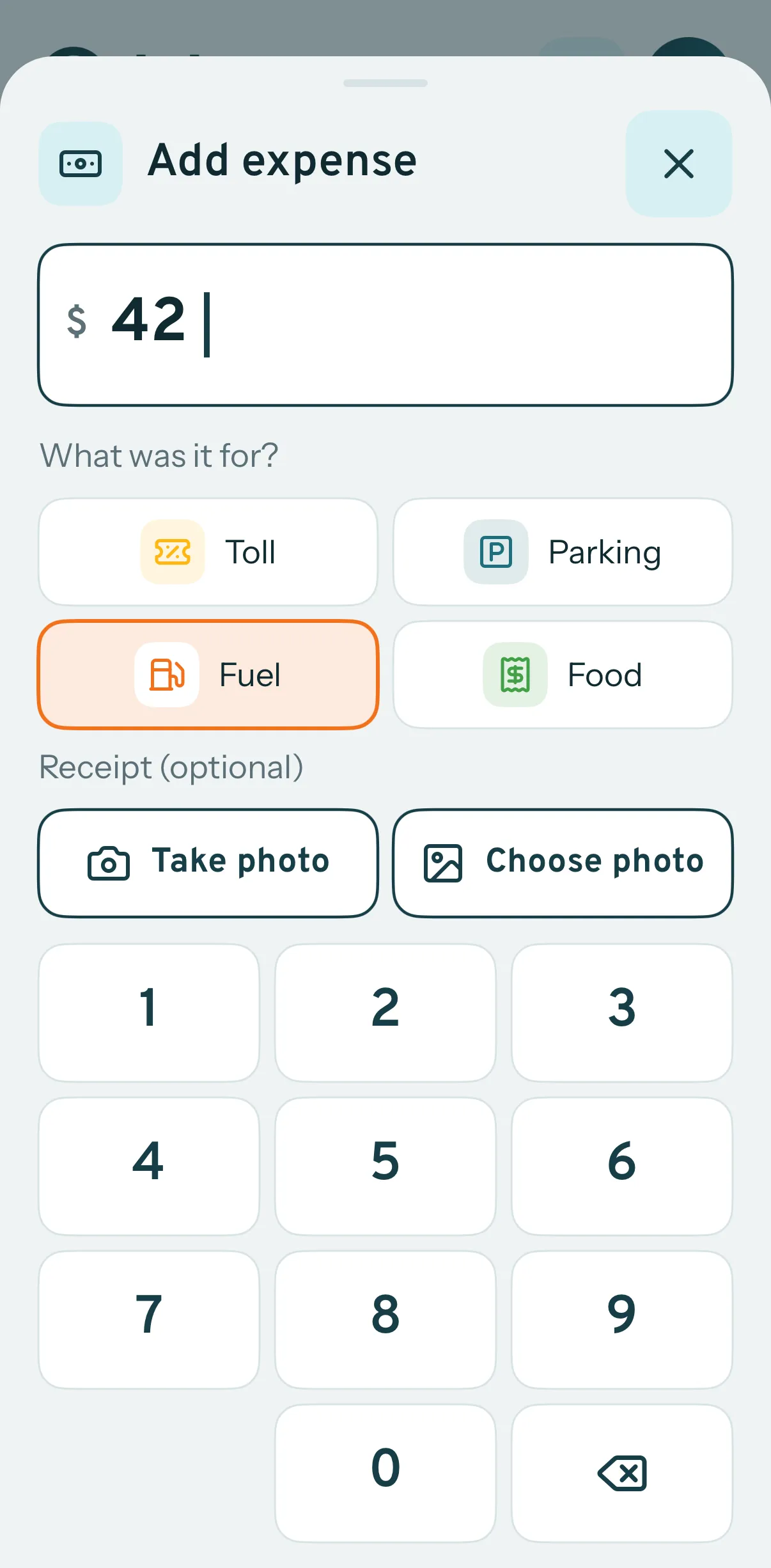
Receipts captured on the spot
Fuel, tolls, parking and other expenses logged against the trip with a photo of the receipt.
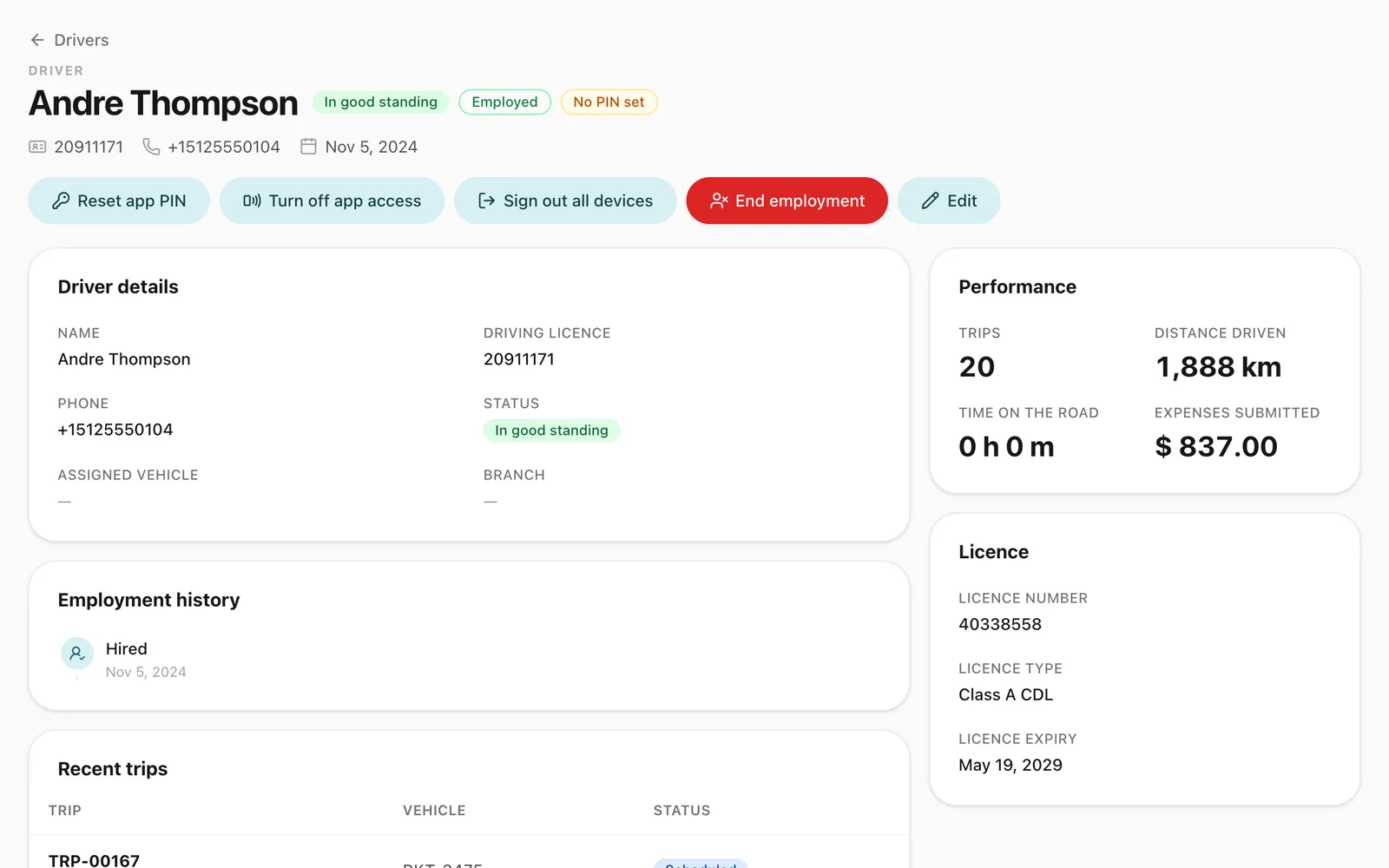
Sign in with a PIN
Drivers sign in with their phone number and a 4-digit PIN. You add the driver; a forgotten PIN is reset with a code sent over WhatsApp, or the office sets a new one.
-
Today's work, clearly
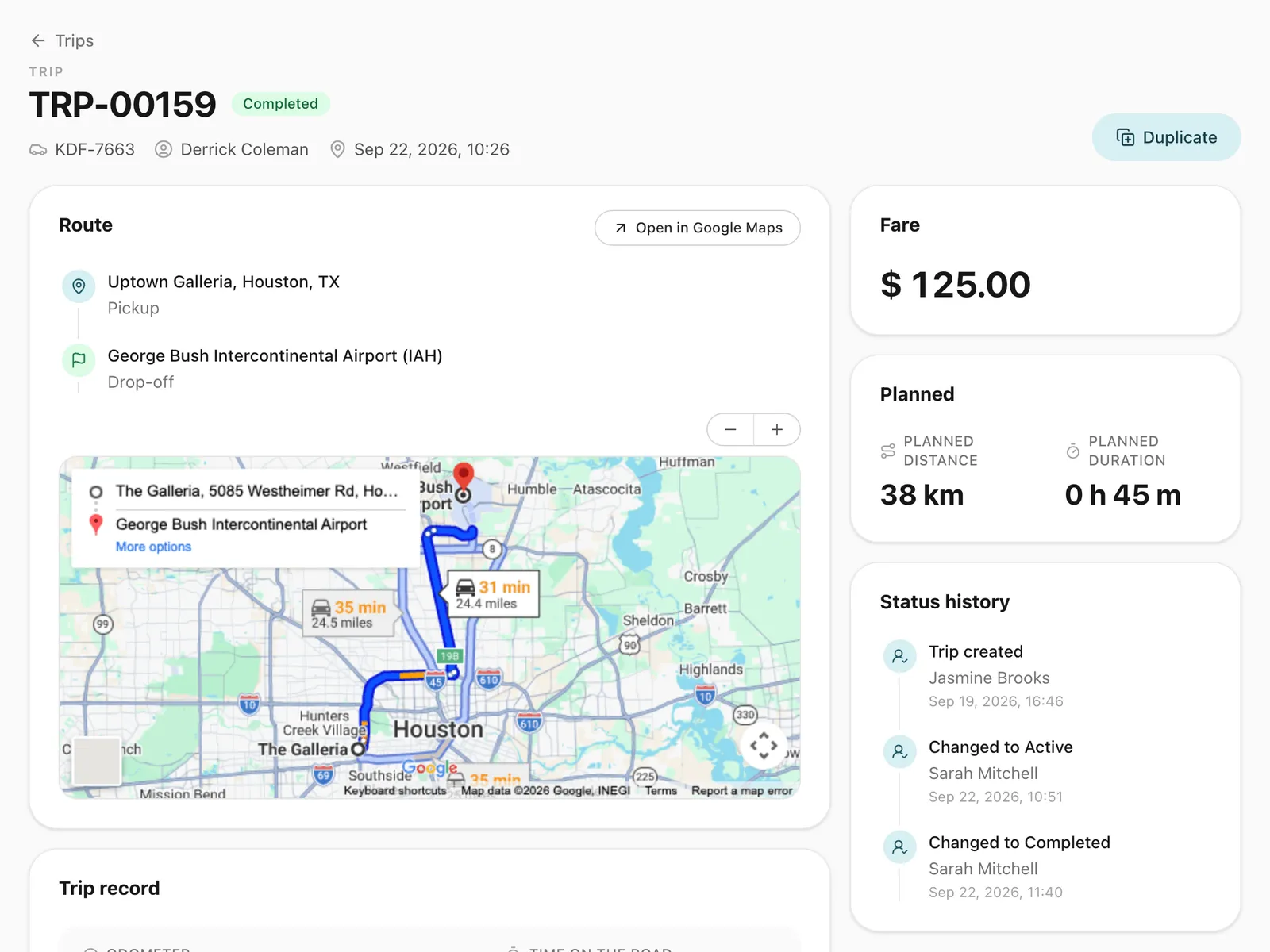
Upcoming, running and past trips, with paused trips pinned to the top and recurring duties collapsed to the next one.
-
Trip alerts
A push notification when a trip or maintenance job is assigned or a trip is cancelled, in the language set on the driver’s app.
-
Private by design
Location is recorded only while a trip is running. No ads, no tracking between trips.
How do drivers get started?
You add the driver in your Odobase dashboard with their phone number. The driver installs Odobase Driver from Google Play or the App Store, enters that number and their 4-digit PIN, and they are in. You can generate the first PIN on the dashboard and read it to the driver, or the driver sets one with a code sent to them over WhatsApp. There is no sign-up screen.
What can a driver do in the app?
- See their work. Upcoming, running and completed trips. A paused round trip is pinned to the top, and a recurring duty (recurring trips) shows only its next occurrence, so the list stays short.
- Run a trip. Start with an odometer reading, pause and resume for round trips, and complete with the closing reading.
- Log expenses. Record fuel, tolls, parking and other costs against the trip, with a photo of each receipt.
- Complete maintenance jobs. Close a garage or service-centre visit and attach a photo of the invoice.
- See their week. Trips completed, distance driven and expenses logged over the last seven days.
How does the app record distance and location?
While a trip is running, the app records the phone’s position roughly every 30 seconds and sends it to Odobase about once a minute. That builds the route you see on the trip’s live map, alongside the odometer readings the driver enters. When the trip is completed, recording stops. The app never records location between trips, and Android shows a notification for as long as it is recording.
How are drivers notified?
The app receives a push notification when a trip or a maintenance job is assigned to the driver, when a recurring duty is set up for them (if recurring trips is switched on), and when a trip is cancelled. Each alert is written in the language set on the driver’s app, so a dispatcher working in English does not force English on a driver who reads Urdu.
What happens when a driver changes phones or leaves?
A driver can sign in on a new phone with the same number and PIN, and their trip alerts follow them to it. When a driver leaves your company, their session for your company is revoked. If they later join another Odobase customer, that company adds them by phone number and they keep the same login.
Step-by-step guides
Already using Odobase? The help center shows each step in the dashboard.
Who uses the driver app
-
Chauffeur and limousine
Dispatch, waiting time, corporate billing
-
Frequently asked questions
Is the driver app free?
Yes. Odobase Driver is free to download from Google Play and the App Store and is included with every Odobase plan. Your plan’s driver limit sets how many drivers you can add.
Does the app track drivers all the time?
No. It records location only while a trip is running, roughly every 30 seconds, and the phone shows it the whole time (a notification on Android, the location indicator on iPhone). Recording stops when the trip is completed. Read the driver app privacy policy.
Is there an iPhone version?
Yes. Odobase Driver is on the App Store for iPhone and on Google Play for Android. The office dashboard runs in a web browser, on any computer.
What happens to a driver's access if they leave?
When you end a driver’s employment, their app session is revoked, so they can no longer see your company’s trips.
Can a driver move to another company that uses Odobase?
Yes. A driver’s login belongs to the driver, not to one company. Once their employment with you ends, another Odobase customer can add them by the same phone number, and they keep signing in with the same PIN. A driver works for one company at a time.
Works with
-
Trip management
Schedule trips, assign drivers and vehicles without double-booking, pause and resume round trips, and invoice completed work from one dashboard.
-
Recurring trips and roster
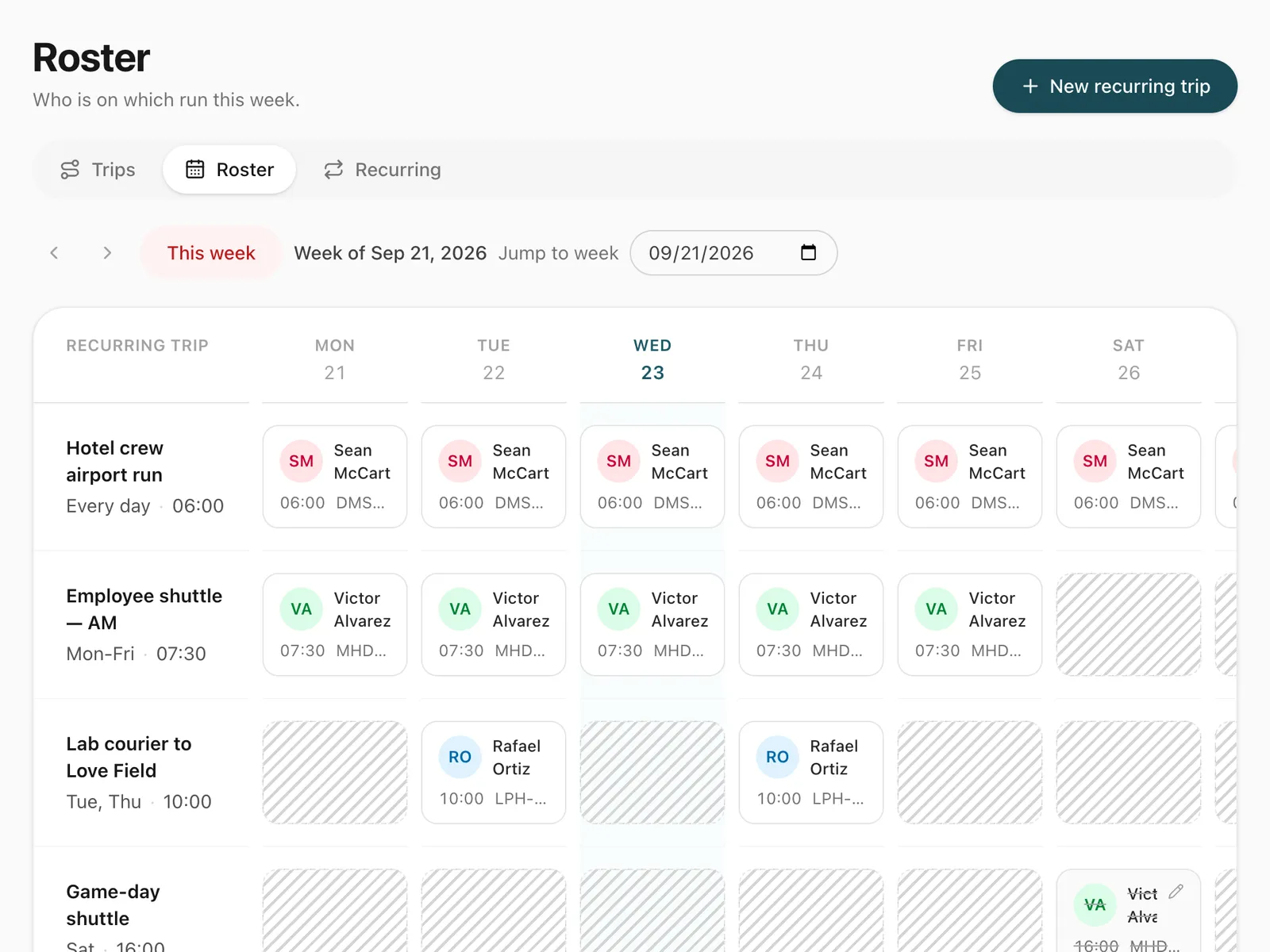
Set up a repeating duty once, such as a weekday staff shuttle, and manage every day of it from a weekly roster where drivers are swapped in a click.
-
Vehicles and maintenance
Schedule services by date, send them to drivers and keep each vehicle's maintenance history, odometer and costs in one place, for cars, vans and buses.
-
Live trip tracking
GPS route monitoring from the driver's phone, with no tracker to fit. See running trips on a map, their speed and stops, and the route each one took.
-
Trip tracking link
Send each passenger a link to a live trip page: status, route, the car on the map, the driver and the plate, with cancel, change and rating. No app, no login.
Last updated
Run your whole fleet from one dashboard
Start free, add your vehicles and drivers, and schedule your first trip in minutes. Move to a paid plan when your fleet grows.