
Feature
Self-drive vehicle hire
Rent vehicles without a driver by the hour or day. Odobase blocks availability, records handover and return, and bills overtime and extra distance.
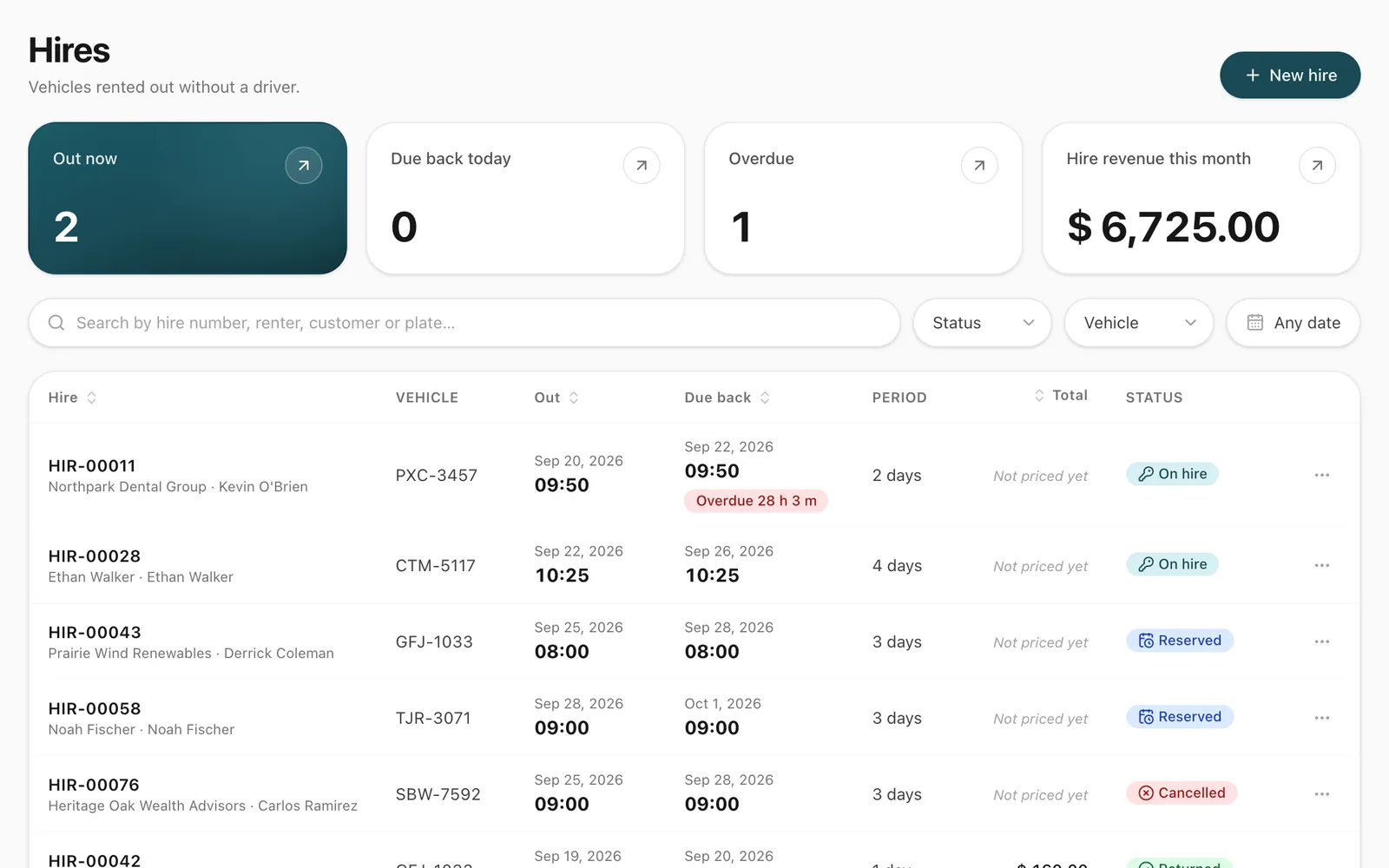
How does self-drive hire work in Odobase?
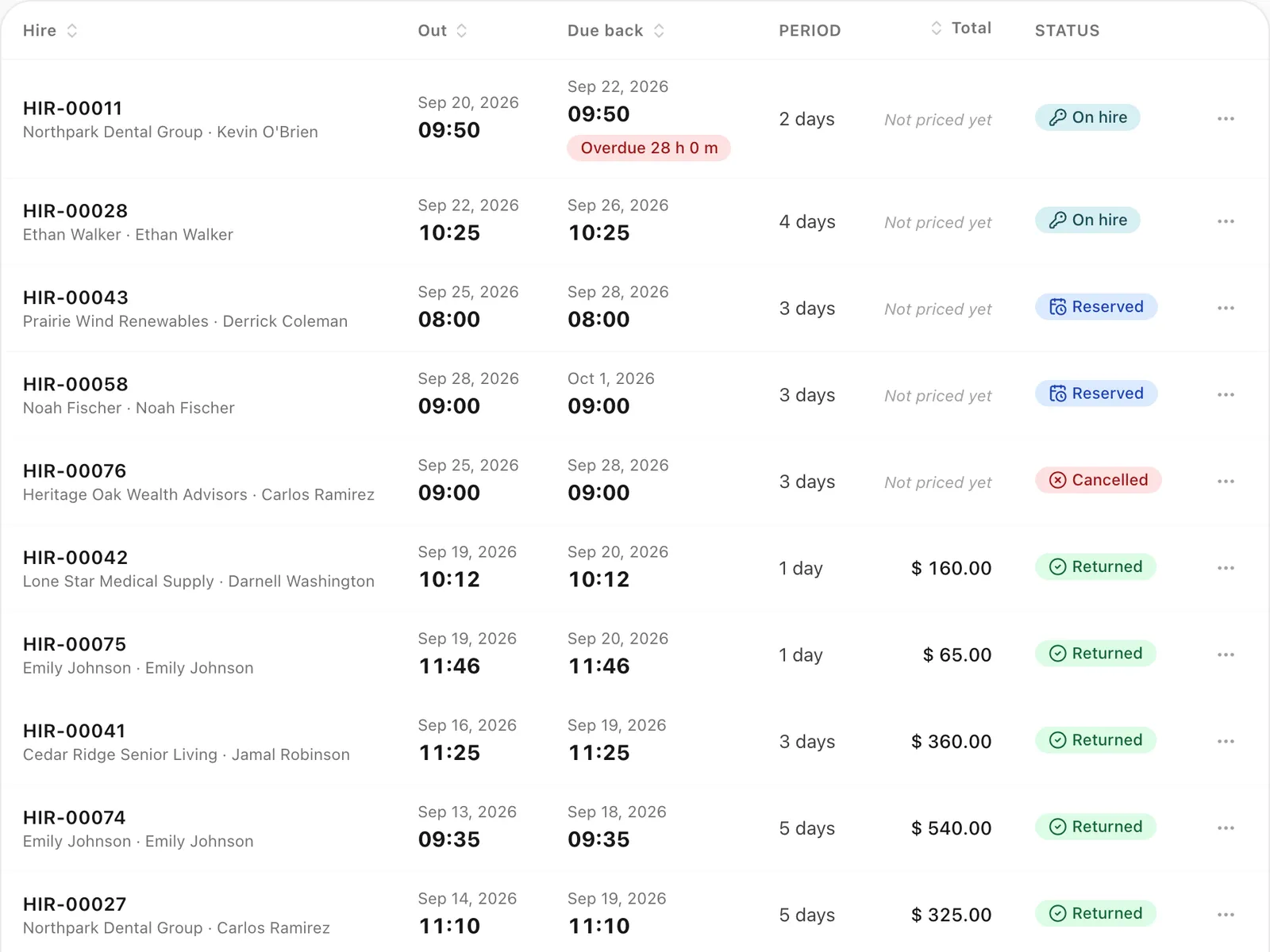
Self-drive hire is for renting a vehicle without a driver for a number of hours or days. You reserve the vehicle, hand it over with an odometer reading and condition photos, and take it back the same way. Odobase blocks the vehicle for trips while it is out, flags overdue returns, and calculates overtime and extra-distance charges at return. It comes with every plan, the free one included.
What you get
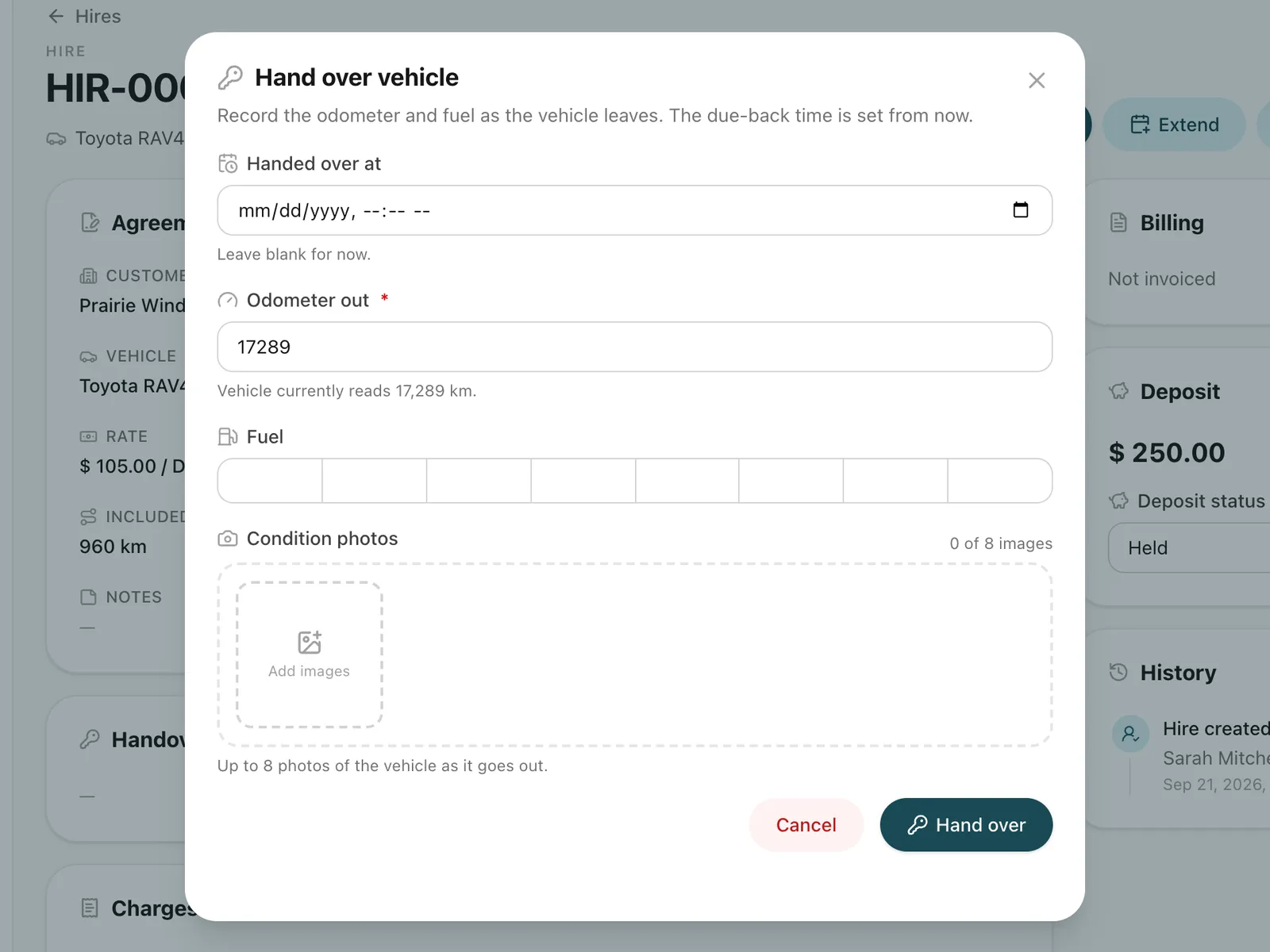
Handover and return on record
Odometer readings and condition photos at both ends settle disputes about damage and distance.
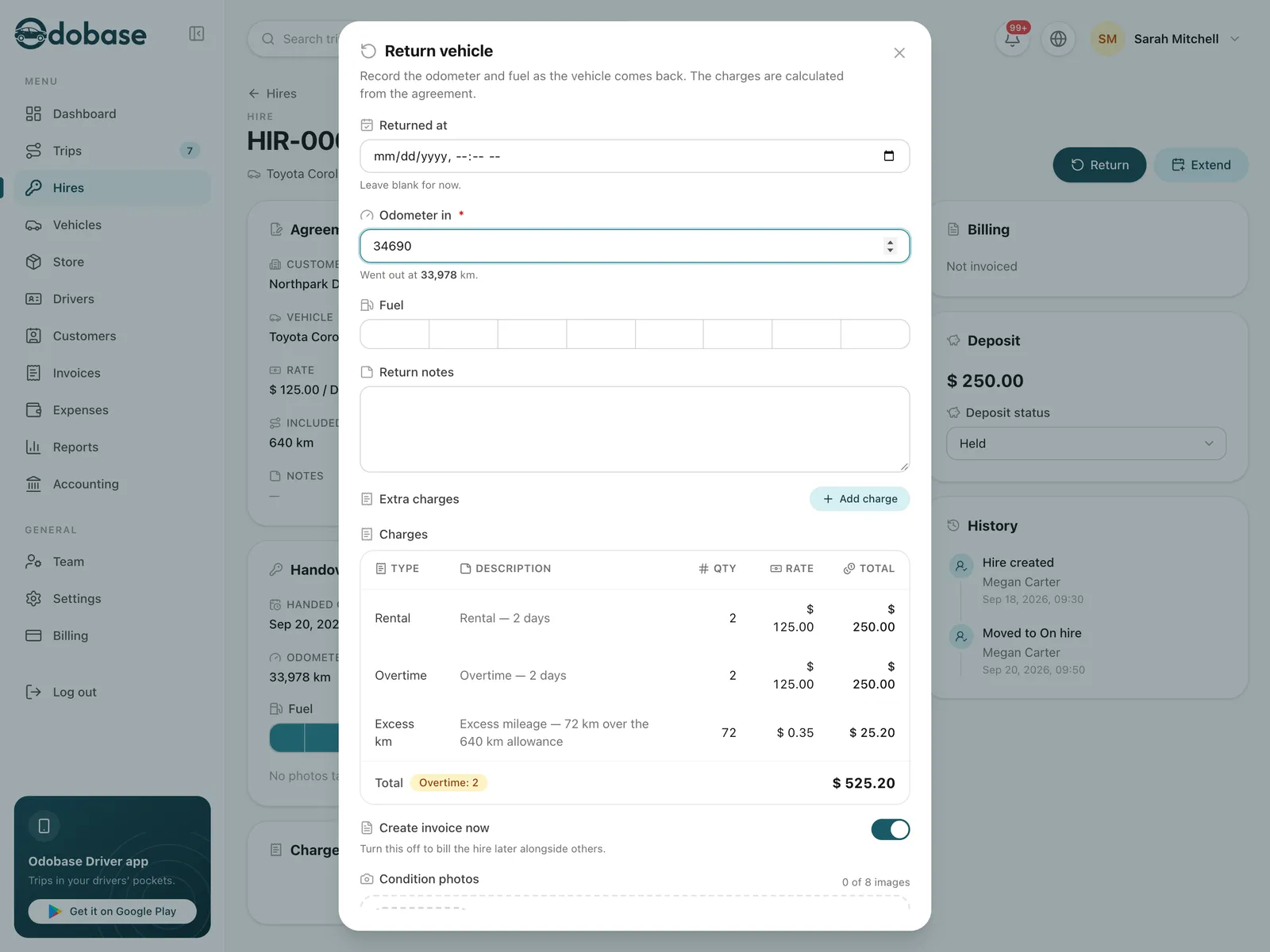
Charges calculated for you
Rental units, overtime beyond your grace period and distance over the allowance are worked out at return, and fuel, damage or cleaning charges can be added.
One calendar for hires and trips
A reserved or rented car is never assigned to a chauffeured trip at the same time, and a busy car cannot be hired out.
-
Overdue returns flagged
A car still out after its due-back time is flagged and your team is notified, without you watching the clock.
-
Billed like everything else
A return can raise a draft invoice straight away, or the hire waits to go onto a later invoice with the customer’s trips.
What is the difference between a hire and a trip?
A trip is driven by one of your drivers: it has a start window, a route, odometer readings and GPS tracking from the driver app. A hire is a vehicle handed to a customer who drives it themselves, priced by the hour or the day, with overtime and extra distance. Odobase keeps them separate because they are priced and run differently, but it checks availability across both.
How does a hire move from booking to return?
- Reserved. You book a vehicle for a customer from a start time for a number of hours or days. The vehicle is blocked for exactly that period.
- On hire. At handover you record the odometer and condition photos. From that moment the vehicle is blocked until it actually comes back, even if it is late. A due-back time is a promise, not a fact.
- Returned. At return you record the odometer and photos again. Odobase calculates the charges, and the hire is ready to invoice.
A reservation can also be cancelled before handover, which frees the vehicle. A hire can be extended at any point before return, at the rate already agreed.
How are hire charges calculated?
Charges are calculated at return, from the numbers on the hire:
- Rental: the units you sold, by the hour or by the day.
- Overtime: nothing inside the grace period; beyond it, every started extra unit is charged, rounded up.
- Extra distance: charged only when the hire has both a distance allowance and a rate, and both odometer readings exist. The allowance is for the whole hire, not per day, and the rate is charged per unit of distance over it.
- Extras: fuel, damage, cleaning or anything else you add at return.
Each line is written onto the hire in words as well as figures, so the invoice reads the same next year as it does today. Until the hire is invoiced, every line can still be edited. For help choosing a grace period, a distance allowance and a deposit policy, read how to price self-drive overtime, extra distance and deposits.
Who is the customer on a hire?
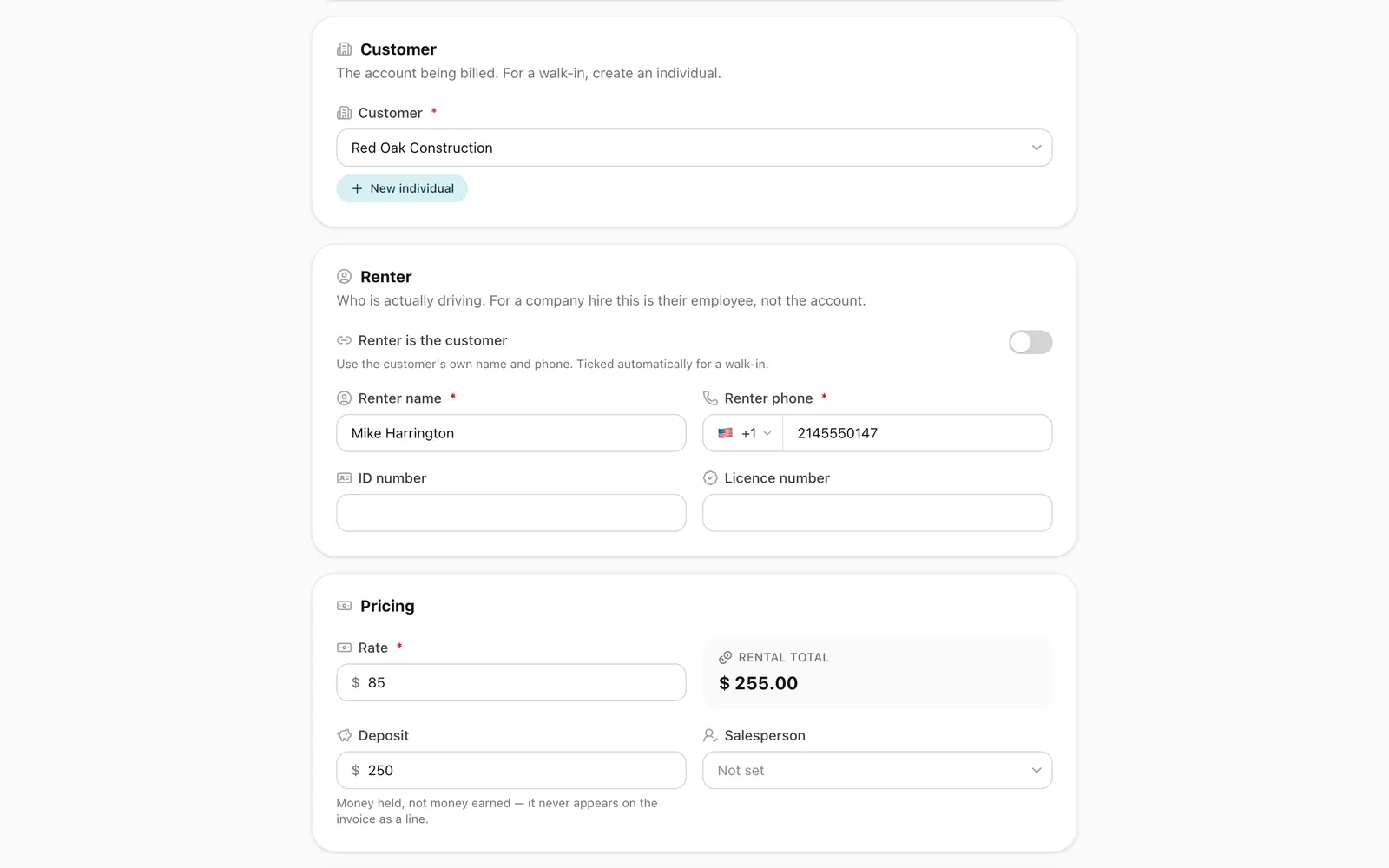
A hire can be booked for a company or for an individual. For walk-in customers you can add a person by phone number in a couple of taps, and a number already on file finds the existing customer. Whoever signs for the car, their details are kept on the hire as they were on the day, even when a company is paying.
Does a car on hire still show as active in the fleet?
Yes. “On hire” is shown alongside a vehicle’s status rather than replacing it, so your fleet counts stay correct: an on-hire car is still an active vehicle, just not available for anything else.
Step-by-step guides
Already using Odobase? The help center shows each step in the dashboard.
Who uses self-drive hire
-
Car rental
Car rental software from a free plan up: chauffeured trips and self-drive hires on one calendar, with a driver app, maintenance and invoicing.
Frequently asked questions
How is overtime charged on a late return?
You set a grace period. A return within it is free; a return beyond it is charged for the whole extra time, rounded up to the next unit. For example, 90 minutes late on a 30-minute grace is charged as two extra hours.
How is extra distance charged?
If a hire has a distance allowance and a rate per extra unit of distance, Odobase compares the handover and return odometer readings and charges the distance over the allowance. With no allowance set, distance is unlimited and nothing extra is billed.
Can a customer keep the car for longer?
Yes. Extend the hire by extra hours or days at the rate already agreed, before collection or while the car is out. The due-back time moves with it, so the car is not flagged as overdue for time you agreed to.
Is a returned-early hire refunded automatically?
No. An early return does not change the charge automatically. If you want to give money back, edit the rental line before the hire is invoiced.
How are security deposits handled?
A deposit is recorded on the hire, with whether it is held, returned or forfeited. When you raise the invoice from the hire, at return or with the hire’s Create invoice button, a deposit you are still holding is added to the invoice notes. It is never an invoice line and is not counted as revenue, because money you are holding is not money you have earned.
Which plans include self-drive hire?
Every plan, the free Starter plan included: every new account starts with it switched on. Paid plans add reports and accounting, customer WhatsApp messages and room for more vehicles, team and branches. See pricing.
Works with
-
Trip management
Schedule trips, assign drivers and vehicles without double-booking, pause and resume round trips, and invoice completed work from one dashboard.
-
Vehicles and maintenance
Schedule services by date, send them to drivers and keep each vehicle's maintenance history, odometer and costs in one place, for cars, vans and buses.
-
Invoicing and accounting
Turn completed trips and hires into branded invoices, track what customers owe, and read profit and loss by month and by branch in Odobase.
Last updated
Run your whole fleet from one dashboard
Start free, add your vehicles and drivers, and schedule your first trip in minutes. Move to a paid plan when your fleet grows.