
Feature New
An AI copilot for fleet management and dispatch
An AI assistant in your fleet dashboard: ask about trips, drivers, free vehicles and unpaid invoices, and let it draft changes from a photo for you to confirm.
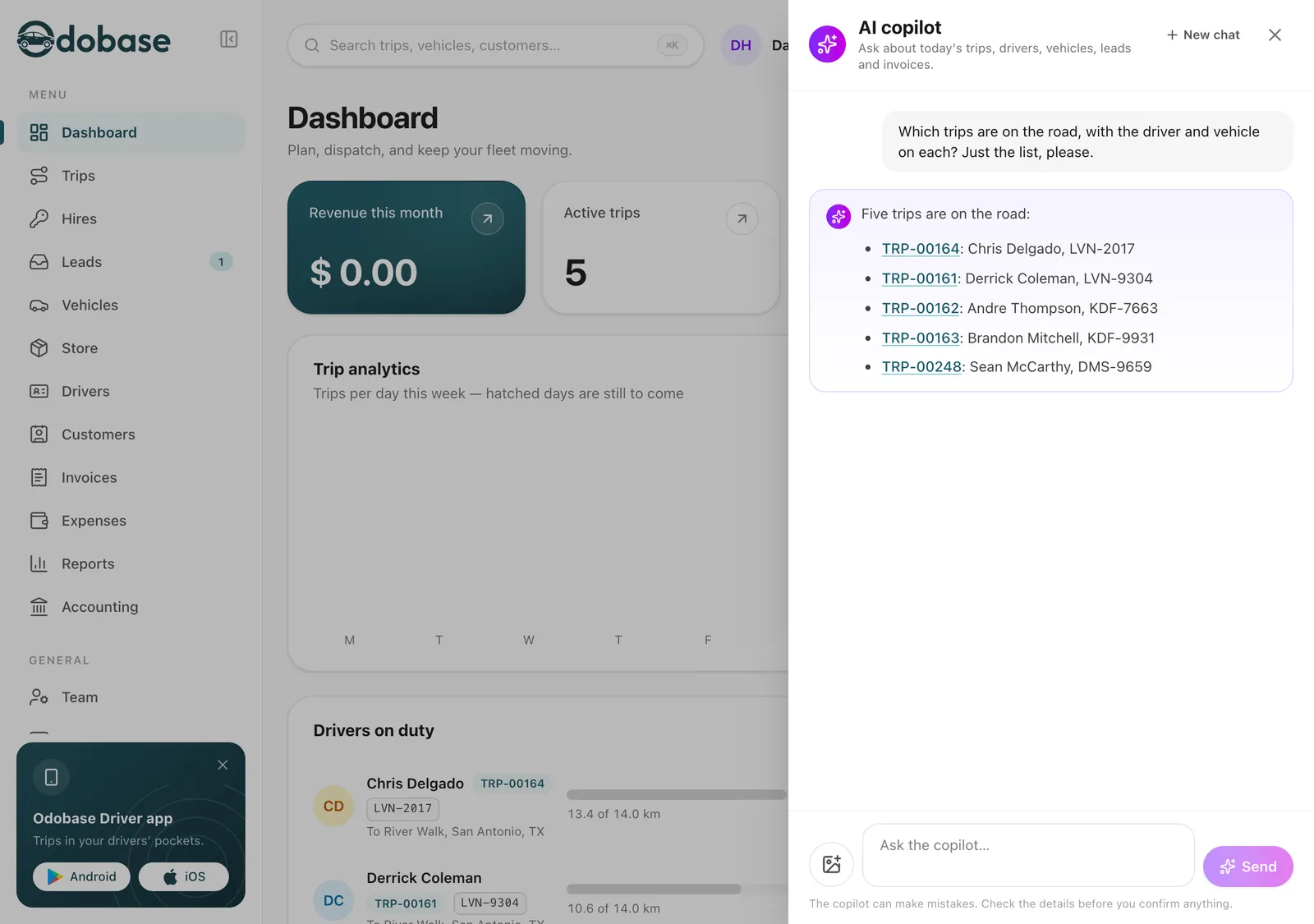
What is the Odobase AI copilot?
The AI copilot is a chat panel in the Odobase dashboard. Ask in your own words about trips, drivers, vehicles, customers, leads and invoices, and it answers from your live data with a link to each record. It can also prepare a trip, a driver assignment, a lead or an expense, even from a photo, and nothing changes until you confirm it.
What you get
It prepares, you confirm
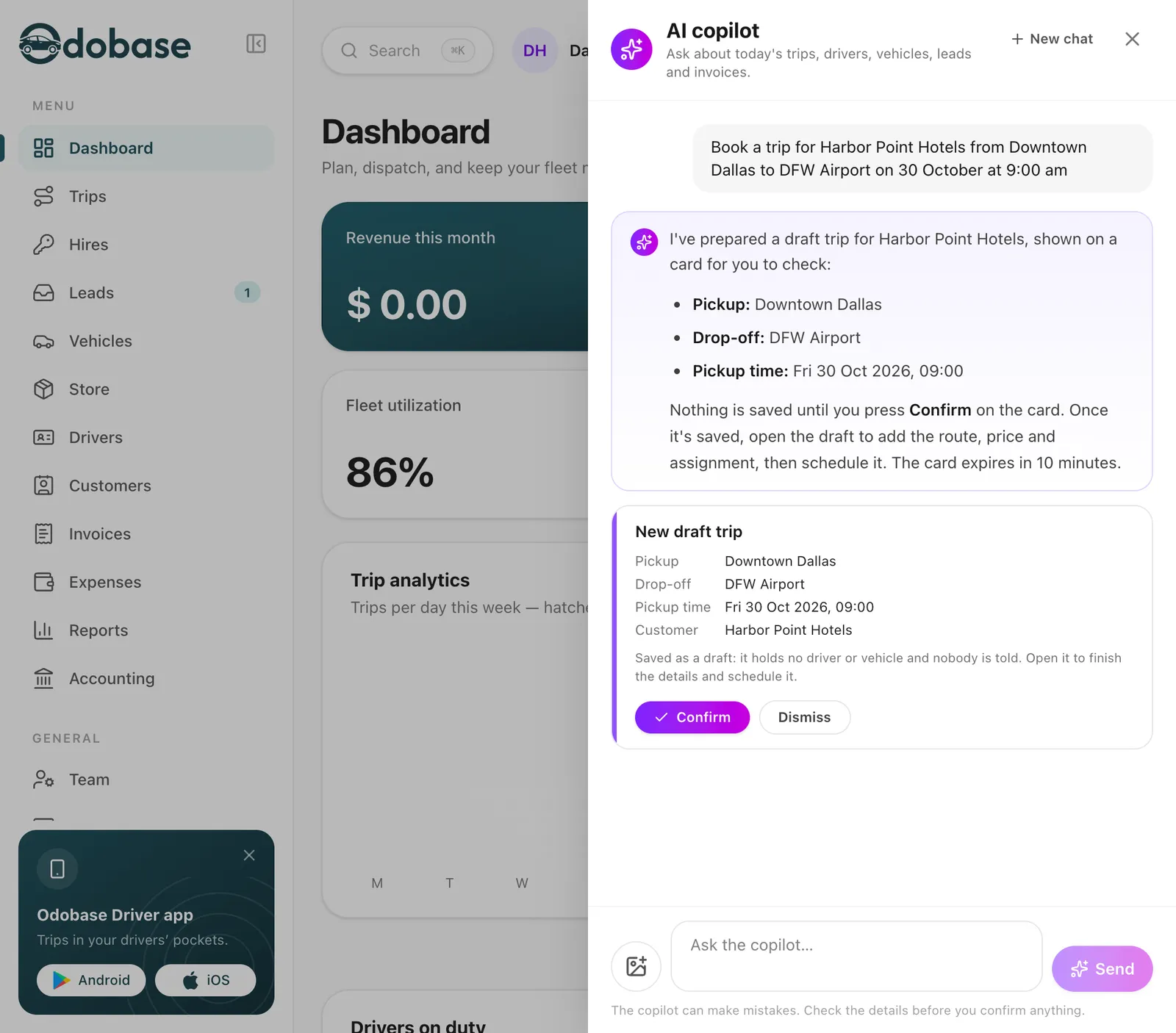
Draft trips, assignments, new times, cancellations, leads and expenses arrive as a card listing every detail. Nothing is saved until you press Confirm.
Reads a photo for you
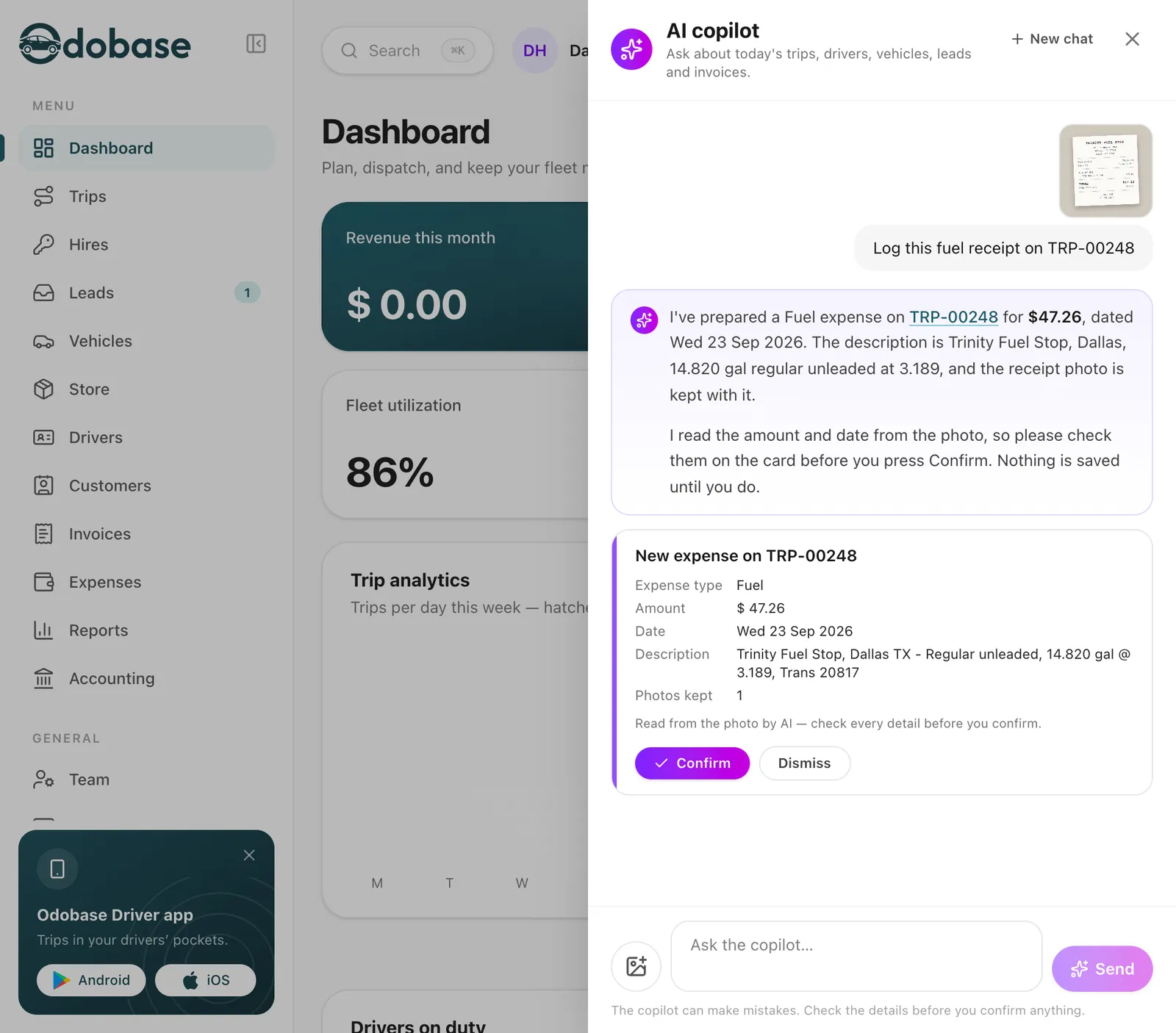
Send a fuel receipt, a registration card or a driving licence, and it prepares the expense, the vehicle or the driver, with the photo kept on the record.
-
Where is a driver
Ask for a driver and see their live position and speed during a trip, or where and when their phone last reported.
-
Counts in one question
How many drivers, vehicles, trips or unpaid invoices you have, in total and by status, for any period you name.
-
Answers in your language
Ask in English, Arabic, Urdu, Spanish, Italian or French, Roman Urdu included, and the answer comes back in the language you wrote in.
-
Sees only what you can
Your company, the branch you selected and your role’s permissions. A record you could not open yourself reads as not found.
What can you ask the AI copilot?
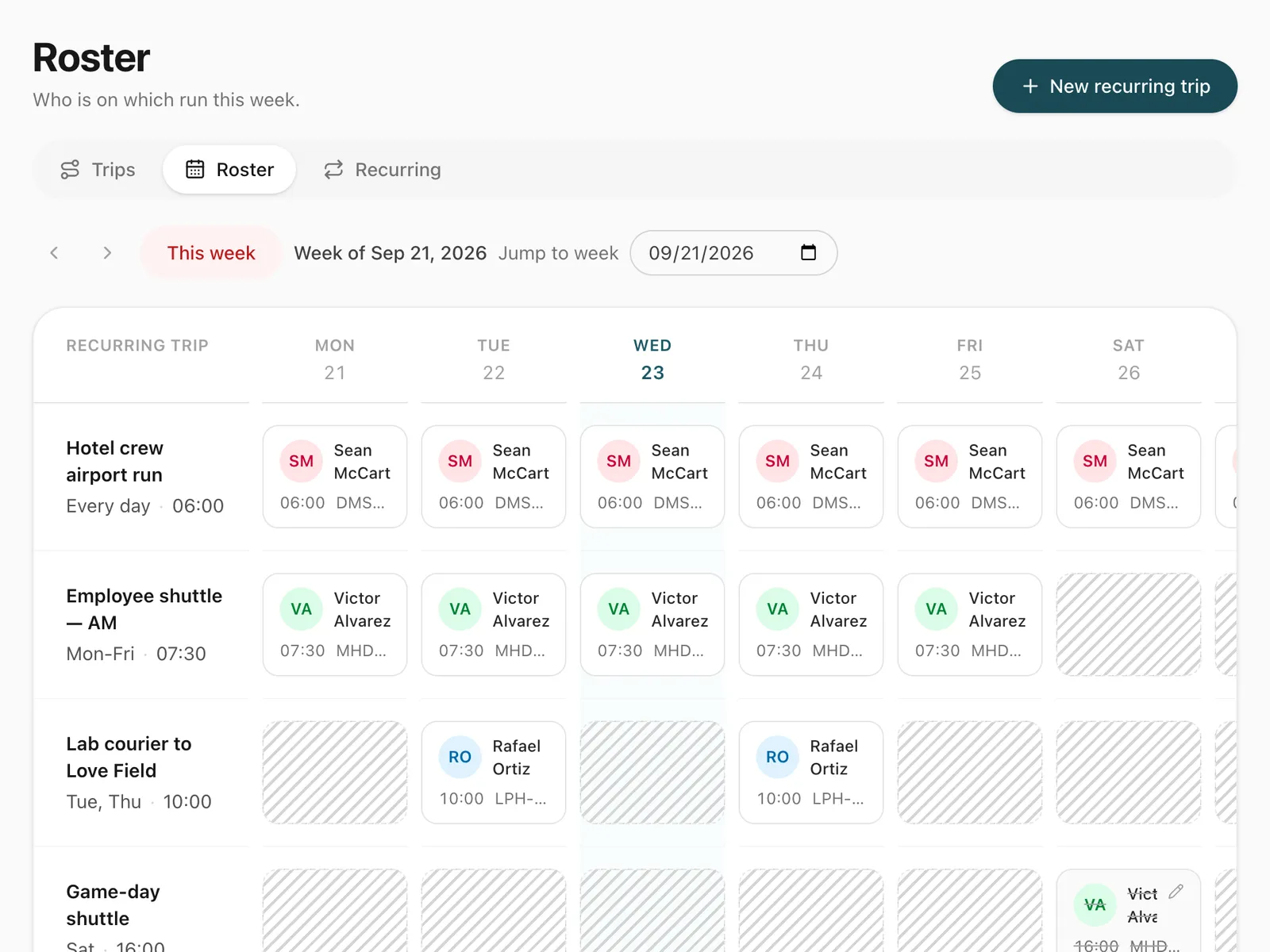
Open it from the sparkles button in the top bar and ask the way you would ask a colleague. The day’s work: which trips are running, which are late to start, which have no driver yet. A trip: “Tell me about TRP-01042”, or every trip for one customer next week. Drivers and vehicles: where a driver is, whose licence expires this month, which vehicles are free tomorrow from 9 to 5, what maintenance is due. Money: unpaid invoices over 30 days. Trip numbers, drivers and customers in the answer link to their pages in trip management.
How does the copilot make changes?
It prepares them and you decide. Ask it to give a trip to a driver and a vehicle, move a trip to a new time, cancel one with a reason, book a draft trip, add a lead or log an expense, and it shows a card with every detail that will be saved and who will be told. Confirm carries it out exactly as the dashboard would, with the same availability checks; Dismiss drops it. If something is missing, such as a reason for a cancellation, it asks first.
Can it read receipts, licences and registration cards?
Yes. Attach up to three photos to a question. A receipt becomes an expense on the trip you name. A registration card becomes a new vehicle, and a driving licence or ID card a new driver, both checked by the same rules as the forms. The photos are kept with the record you confirm, with vehicle and driver papers in their private documents, and are made smaller on your device before they are sent.
Which languages does it speak?
Ask in any language and it answers in that language and script, Roman Urdu included. The panel, its suggestions and the cards follow the dashboard language you pick in the top bar: English, Arabic, Urdu, Spanish, Italian or French.
What can the copilot see?
Exactly what you could open yourself. It works inside your company only, for the branch in the branch switcher, and each part of it needs the same permission as the matching page, so it answers about invoices only if you can view invoices. By default the company owner and the Admin role can use it. Where a driver is comes from the driver app, which records positions only during trips.
Where does an AI copilot help a fleet most?
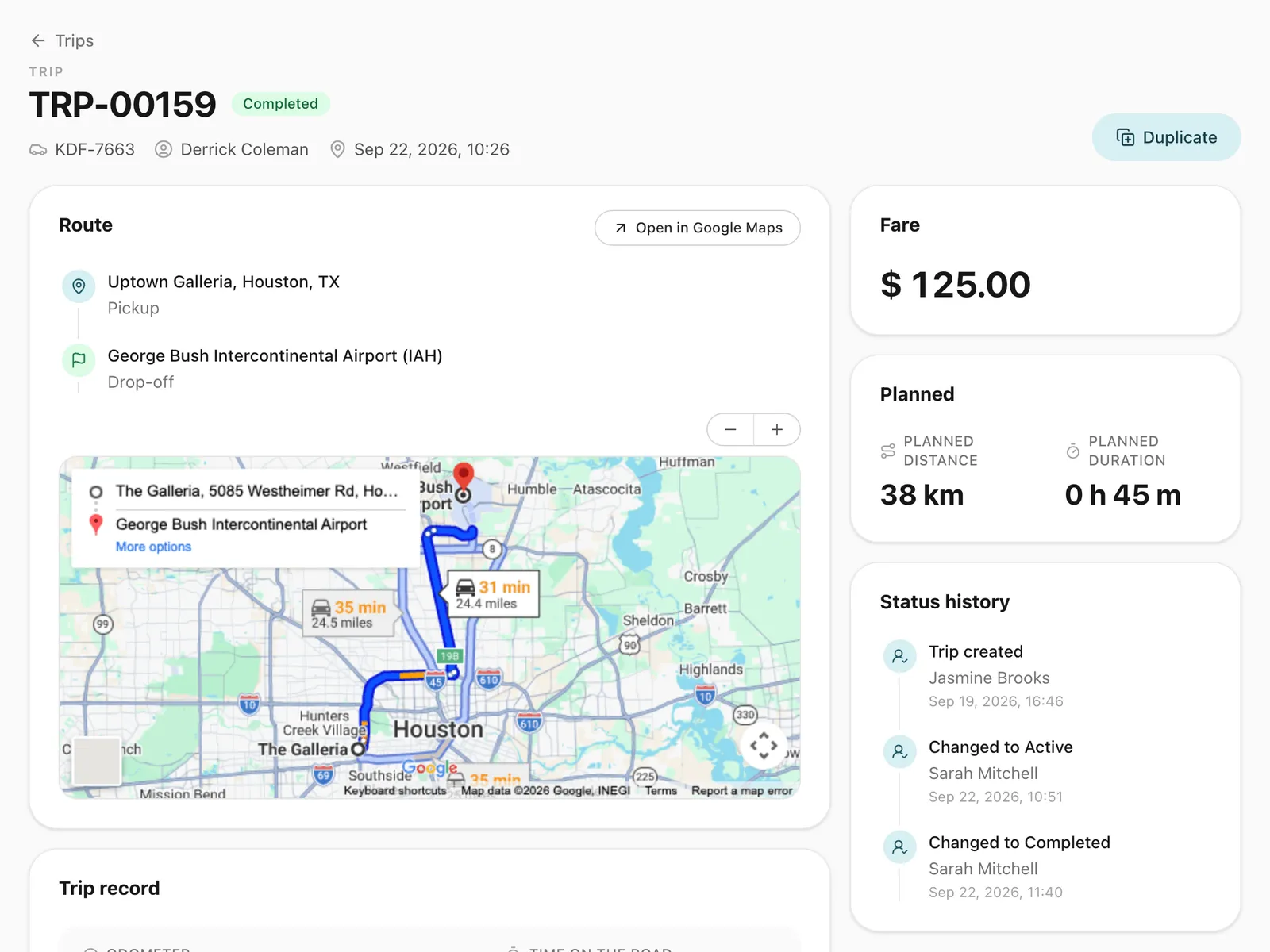
At the dispatch desk, when the phone rings and you need the free car or the late trip in one question rather than four screens. For owners on the move, who want this month’s completed trips or overdue invoices from a phone. In the back office, where a pile of fuel receipts becomes expenses on the right trips without retyping. Everything it prepares lands in the same records you see on live trip tracking, vehicle maintenance and invoicing.
Step-by-step guides
Already using Odobase? The help center shows each step in the dashboard.
Who uses aI copilot
-
-
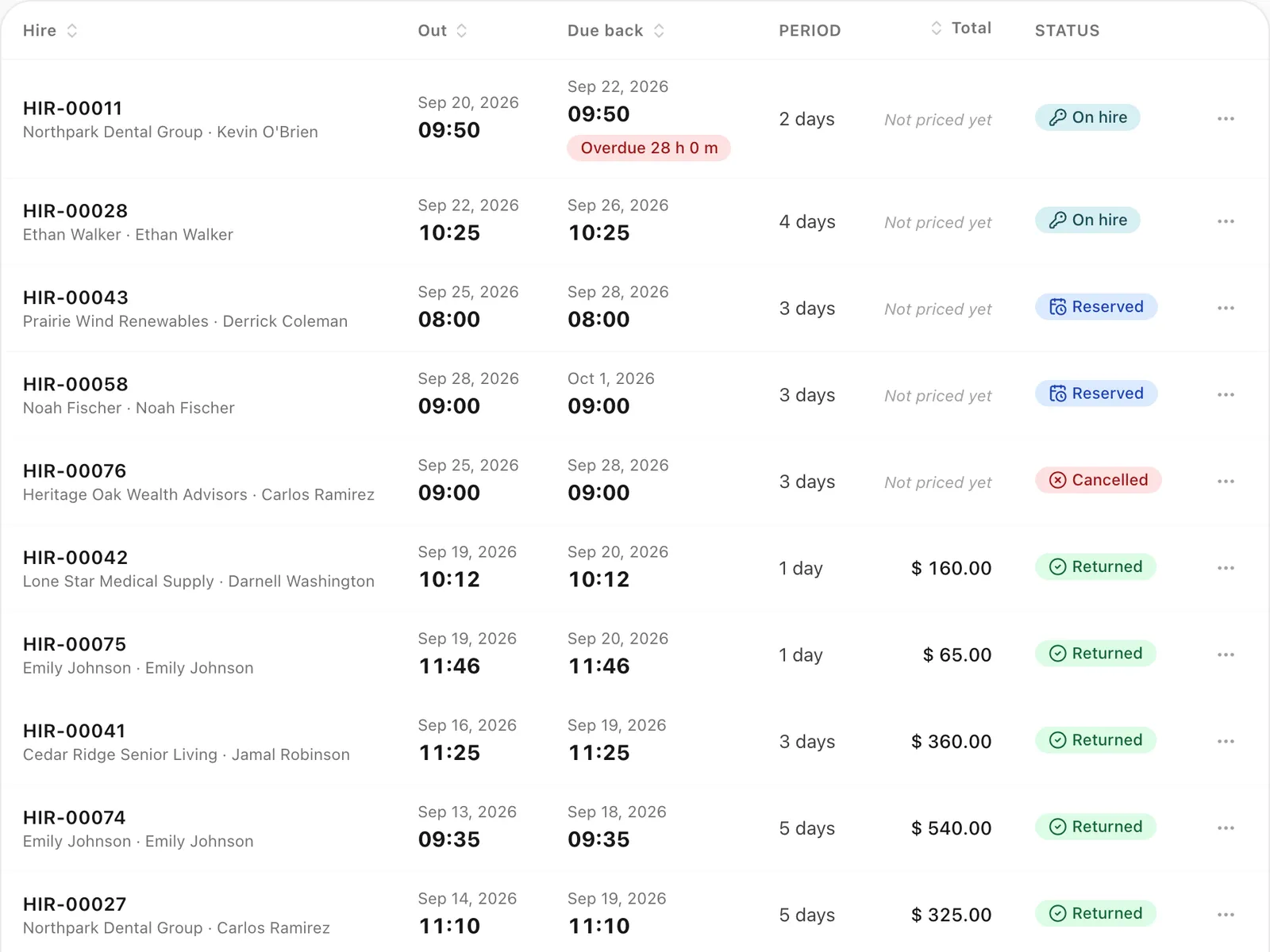
Chauffeur and limousine
Dispatch, waiting time, corporate billing
-
Frequently asked questions
Does the AI copilot change anything without asking me?
No. It can only prepare a change. Each one appears as a card with every detail it will save, and it happens only when you press Confirm. A card that waits more than ten minutes expires, and a new trip is saved as a draft that tells nobody until you schedule it.
Which plan includes the AI copilot?
The Professional plan. Each question counts toward the plan’s monthly copilot allowance, and one person can ask up to 60 questions an hour. Compare the plans.
What can't the AI copilot do?
It does not change settings, delete records, send messages to customers or issue invoices. Those stay in the dashboard, where you do them yourself.
Is our company's data safe with the AI copilot?
The copilot sees only your company, only the branch you selected and only what your role can open. Old conversations are cleared after a set time, photos are kept only on the records you confirm, and every confirmed change is recorded with your name.
Can I ask the copilot in Urdu or Arabic?
Yes. It answers in the language and script you write in, including Roman Urdu. The panel, its suggestions and its cards follow the dashboard language you choose.
Works with
-
Trip management
Schedule trips, assign drivers and vehicles without double-booking, pause and resume round trips, and invoice completed work from one dashboard.
-
Vehicles and maintenance
Keep every vehicle's details, photos, odometer and service history in one place, and see maintenance costs in your fleet reports and profit and loss.
-
Invoicing and accounting
Turn completed trips and hires into branded invoices, track what customers owe, and read profit and loss by month and by branch in Odobase.
-
Live trip tracking
Follow running trips on a map, see the route each driver took, and back every invoice with odometer readings and recorded GPS points.
Last updated

Run your whole fleet from one dashboard
Start free, add your vehicles and drivers, and schedule your first trip in minutes. Move to a paid plan when your fleet grows.