
Features
Everything your fleet runs on, in one system
Plan the work, run it on the road and get paid for it, with the office dashboard and the driver app working from the same records.
What can you do with Odobase?
With Odobase you schedule and dispatch trips, keep every vehicle’s maintenance record, follow trips live on a map, and invoice customers from completed work, while drivers use an app on Android or iPhone. Customers book through your form, follow the trip by link and use a portal. Every plan has these modules; paid plans add reports and accounting, WhatsApp messages and more vehicles.
New
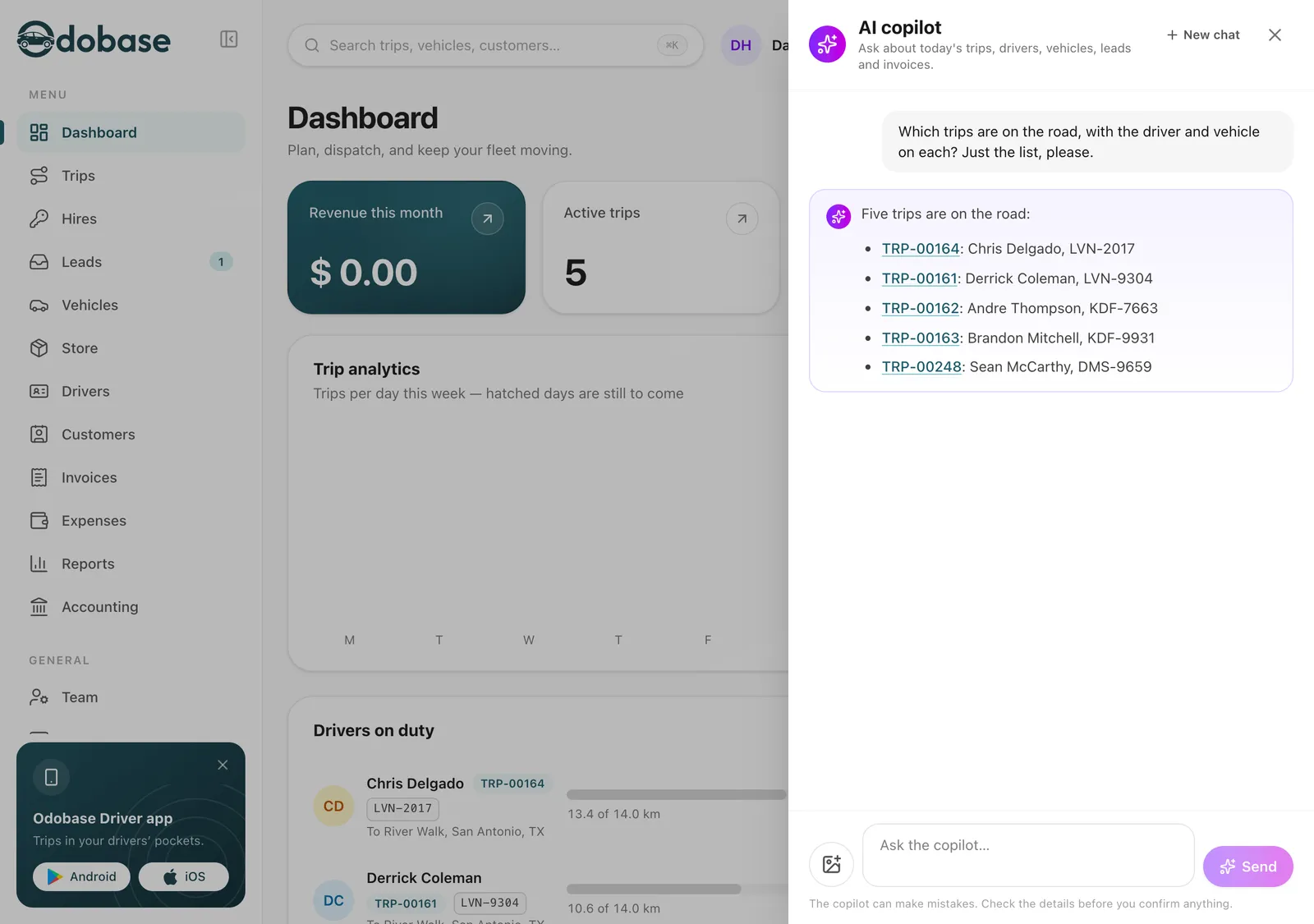
An AI copilot for fleet management and dispatch
An AI assistant in your fleet dashboard: ask about trips, drivers, free vehicles and unpaid invoices, and let it draft changes from a photo for you to confirm.
- It prepares, you confirm
- Reads a photo for you
- Where is a driver
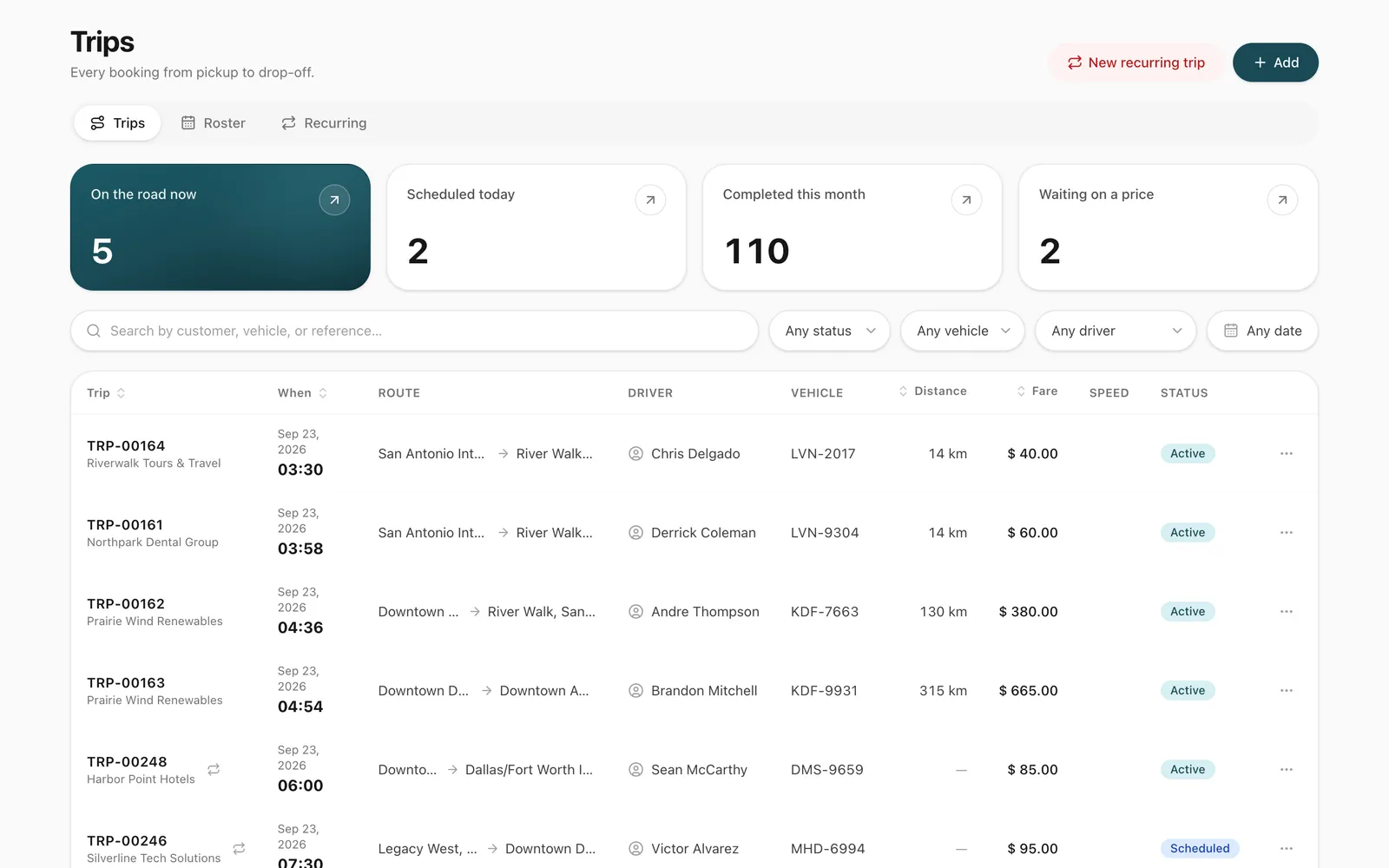
Trip management and dispatch
Schedule trips, assign drivers and vehicles without double-booking, pause and resume round trips, and invoice completed work from one dashboard.
- No double-booking
- Every trip has a paper trail
- Addresses and stops in seconds
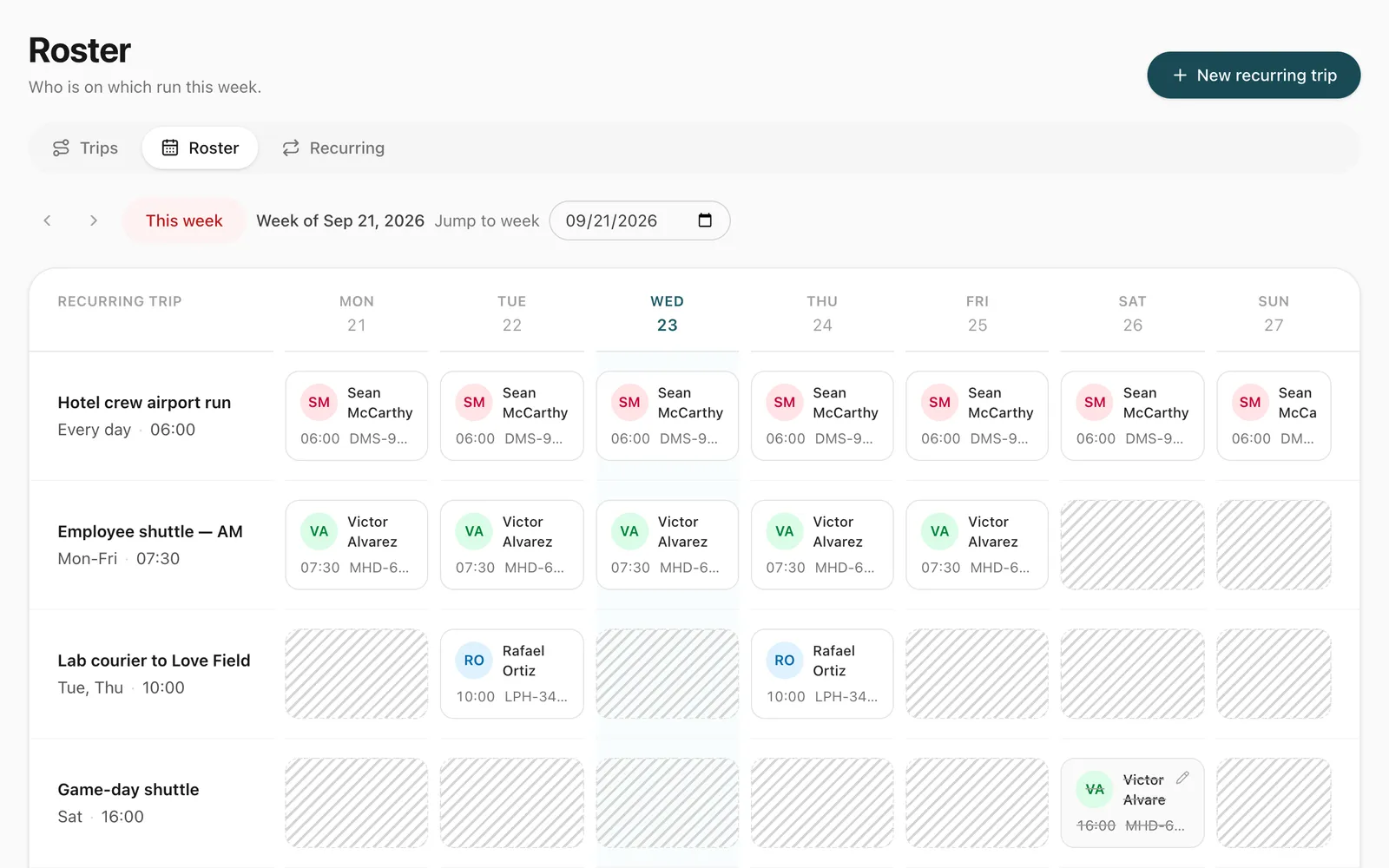
Recurring trips and driver roster
Set up a repeating duty once, such as a weekday staff shuttle, and manage every day of it from a weekly roster where drivers are swapped in a click.
- Set it up once
- Reassign this day or all following
- Skip, pause and resume
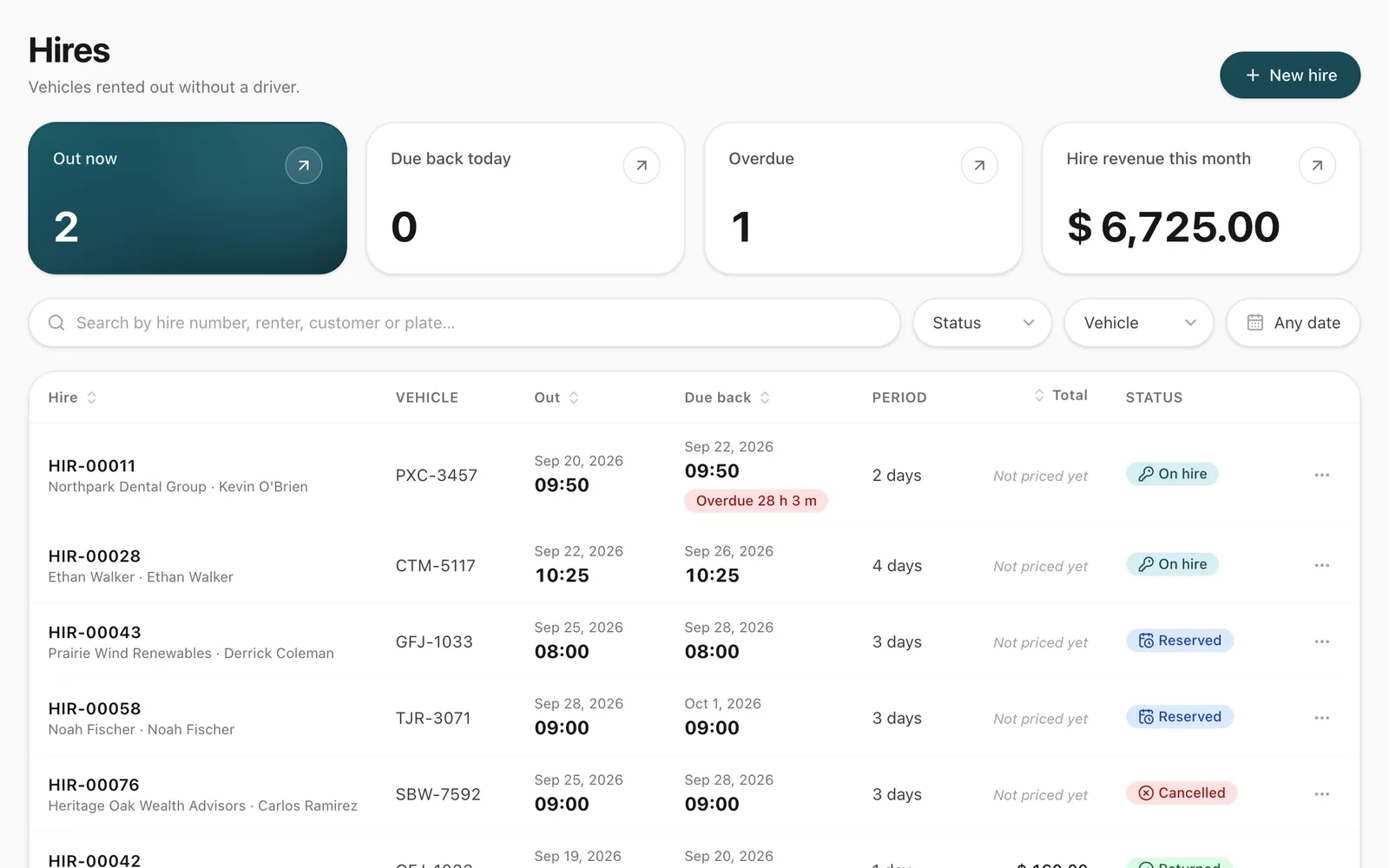
Self-drive vehicle hire
Rent vehicles without a driver by the hour or day. Odobase blocks availability, records handover and return, and bills overtime and extra distance.
- Handover and return on record
- Charges calculated for you
- One calendar for hires and trips
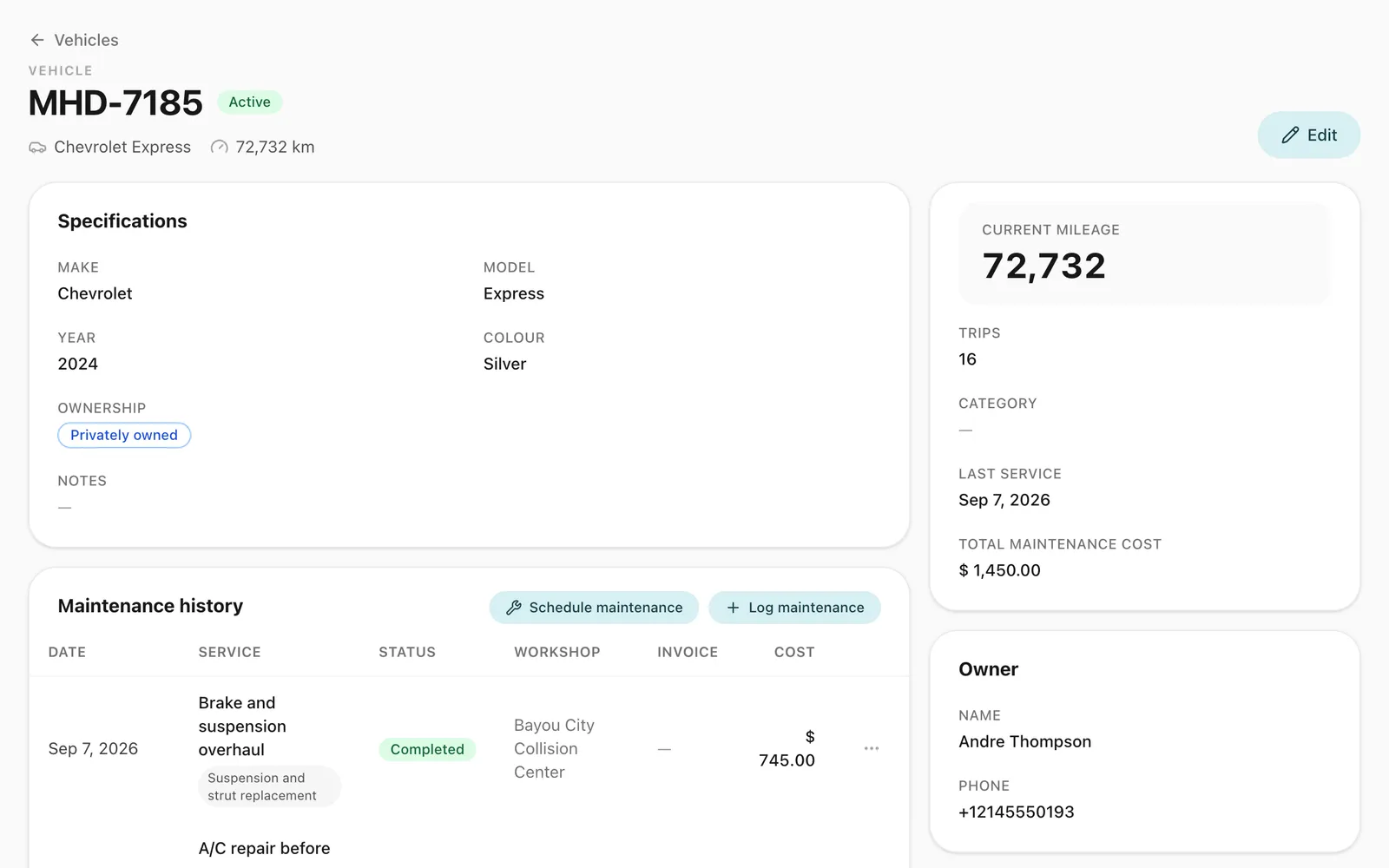
Vehicle management and maintenance tracking
Schedule services by date, send them to drivers and keep each vehicle’s maintenance history, odometer and costs in one place, for cars, vans and buses.
- See your fleet at a glance
- Full service history
- Costs where they belong
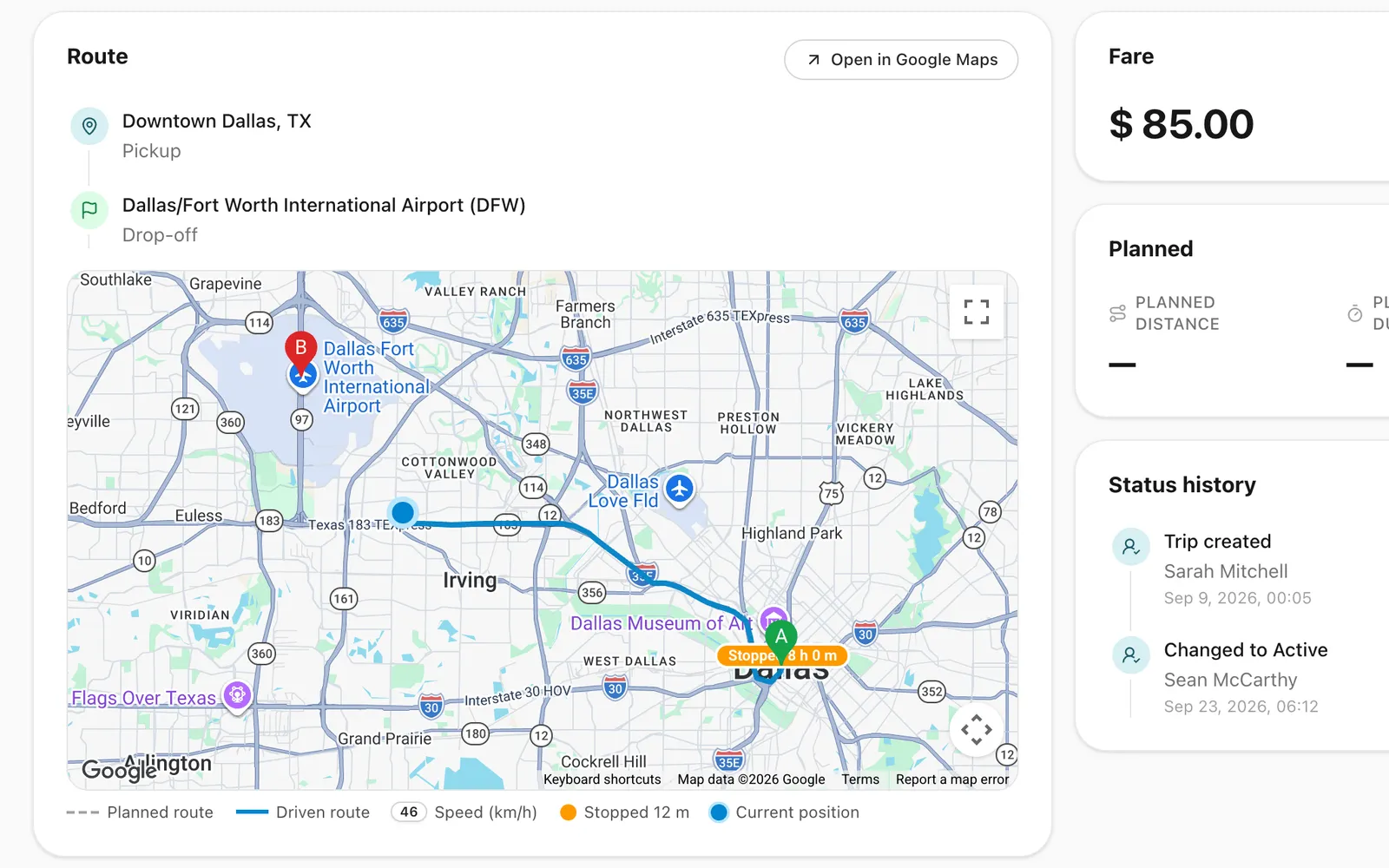
Driver app for Android and iPhone
Odobase Driver lets drivers sign in with a PIN, run assigned trips, record odometer readings, log expenses with receipts and get trip alerts.
- Odometer at every step
- Receipts captured on the spot
- Sign in with a PIN
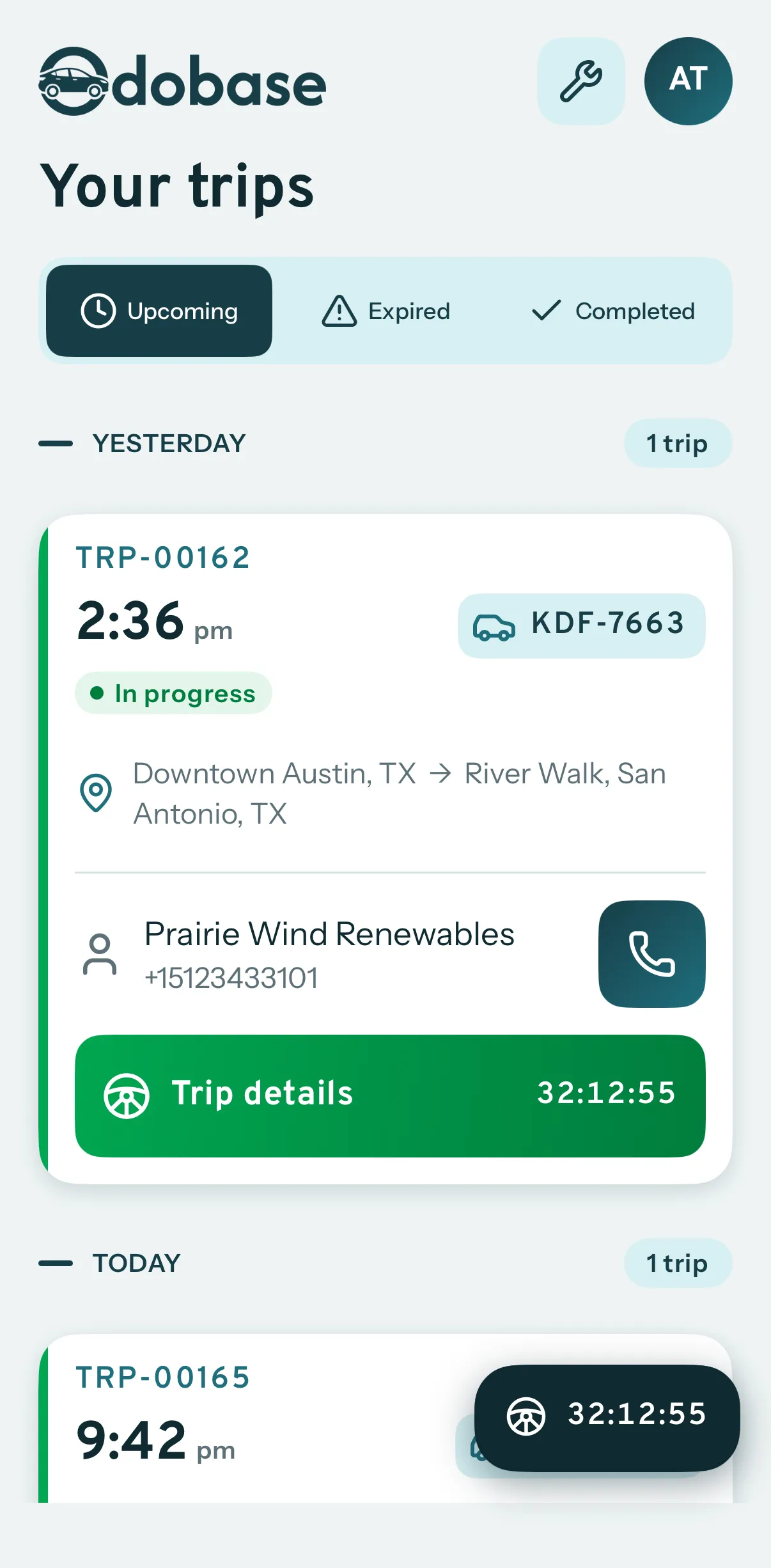
Invoicing and accounting for fleets
Turn completed trips and hires into branded invoices, track what customers owe, and read profit and loss by month and by branch in Odobase.
- Invoices from real work
- Profit and loss without a spreadsheet
- Know who owes you
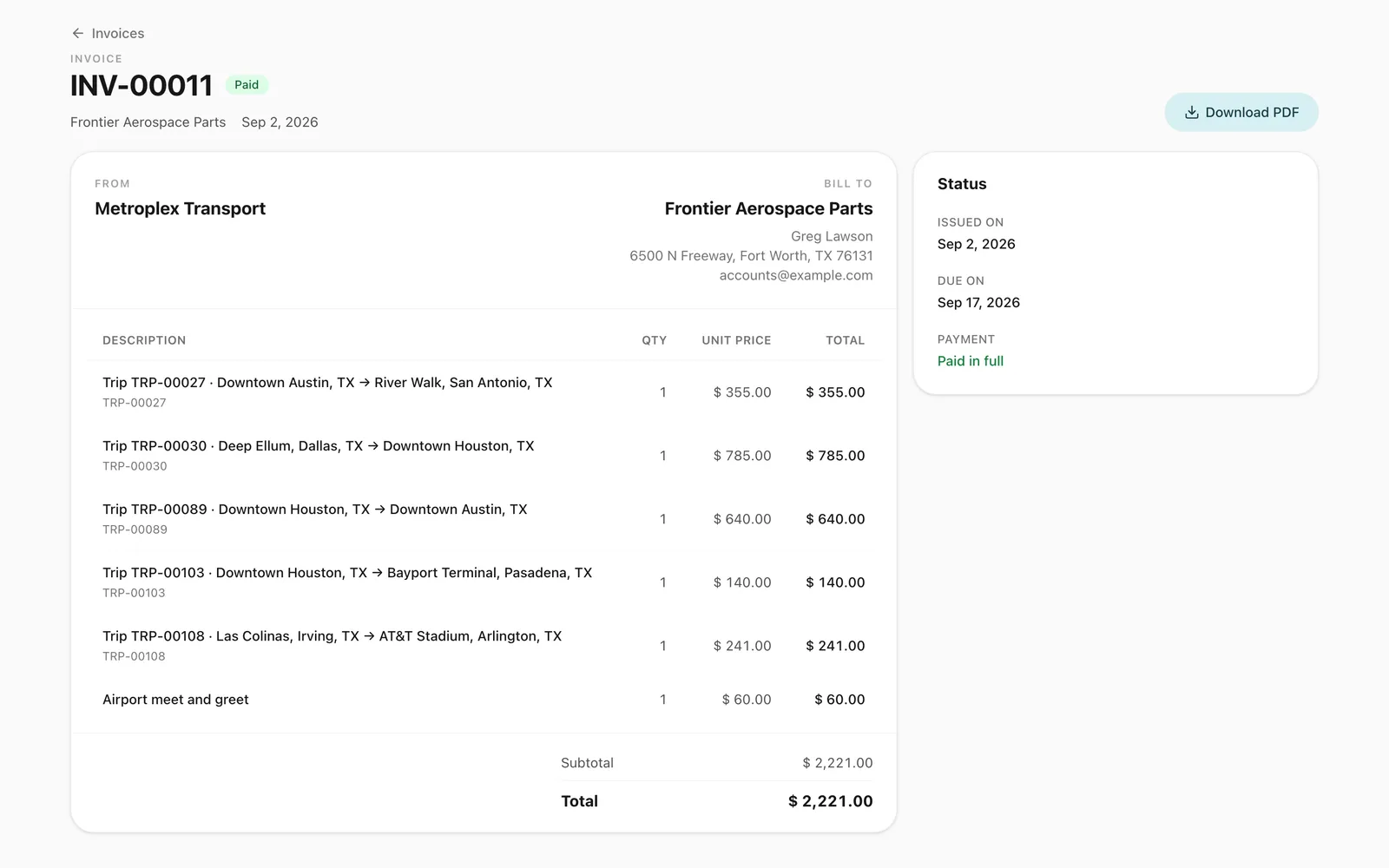
Live trip tracking with GPS
GPS route monitoring from the driver’s phone, with no tracker to fit. See running trips on a map, their speed and stops, and the route each one took.
- Planned versus driven
- Round trips handled
- See running trips move
A customer portal for car rental and transport companies
A portal under your logo where customers sign in with a code, follow trips, accept quotes and download invoices, with corporate accounts for companies.
- Corporate accounts
- No passwords to forget
- Every trip in one list
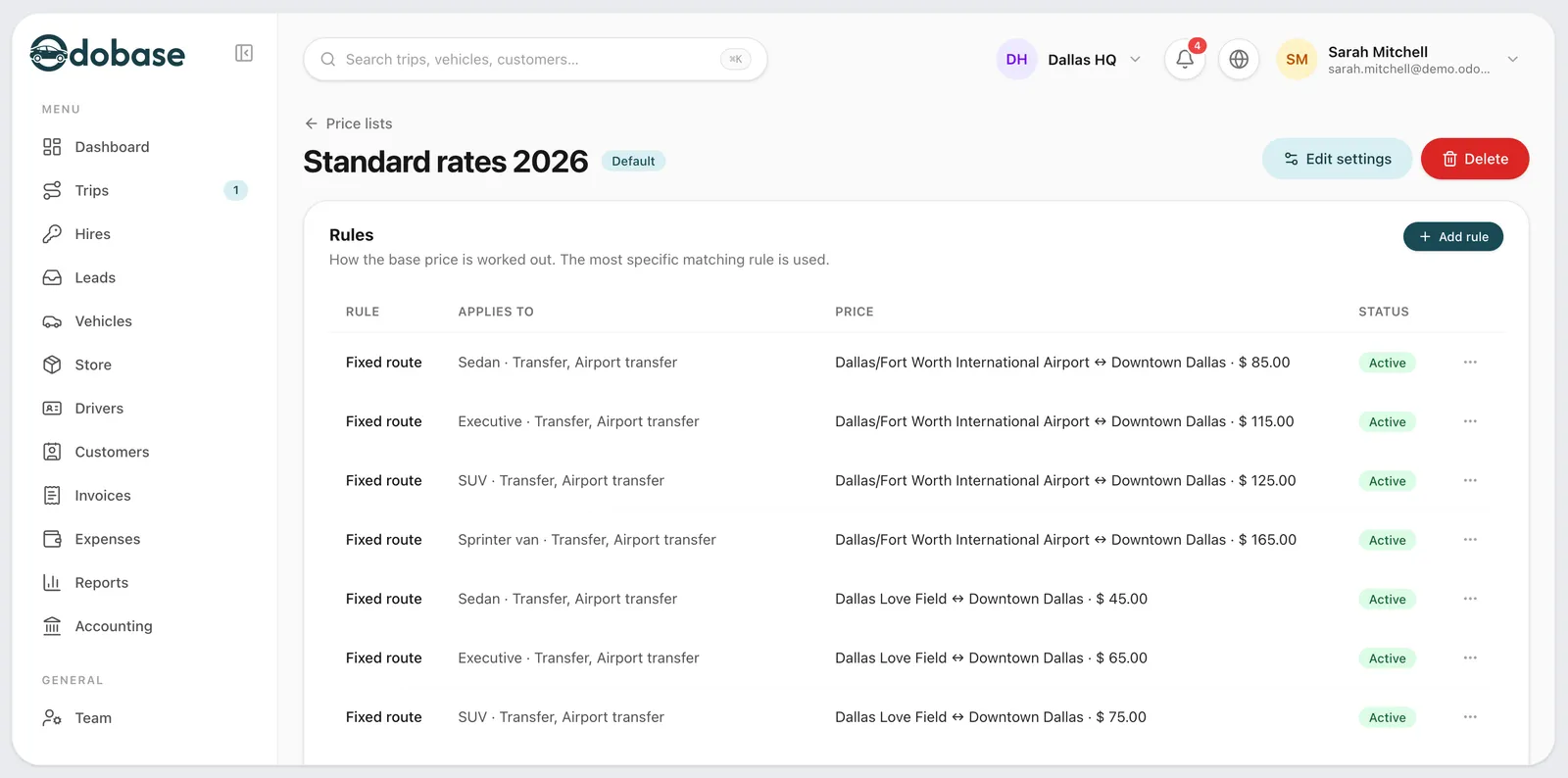
Price lists with zones, surcharges and waiting time
Price transfers, airport runs and hourly hire by zone, distance or time, with surcharges, extras and free waiting time. Each trip keeps its breakdown.
- Surcharges that never stack
- Zones on a map
- Distance and time rules
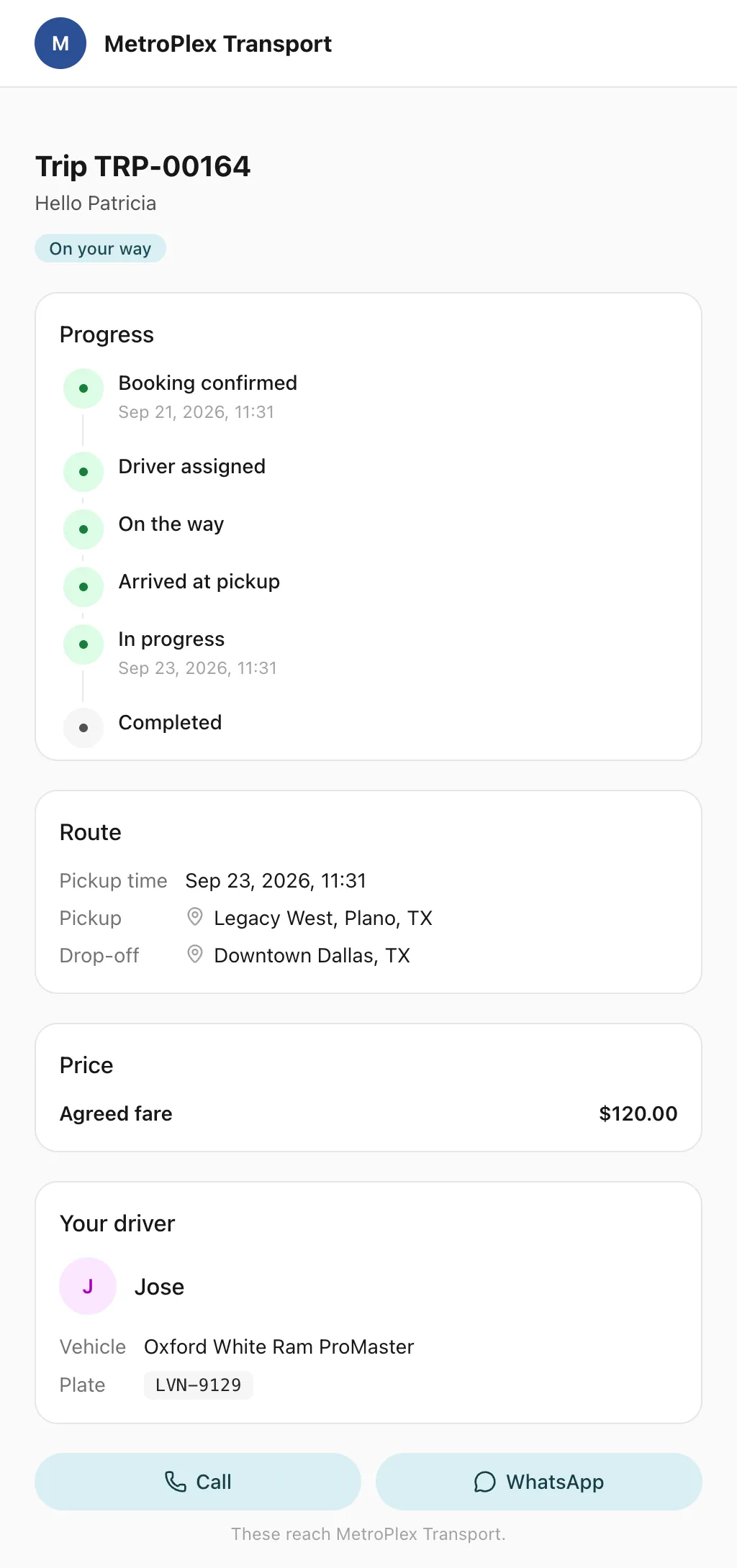
A live trip tracking link for your passengers
Send each passenger a link to a live trip page: status, route, the car on the map, the driver and the plate, with cancel, change and rating. No app, no login.
- No app, no login
- The car on the map
- Who is coming
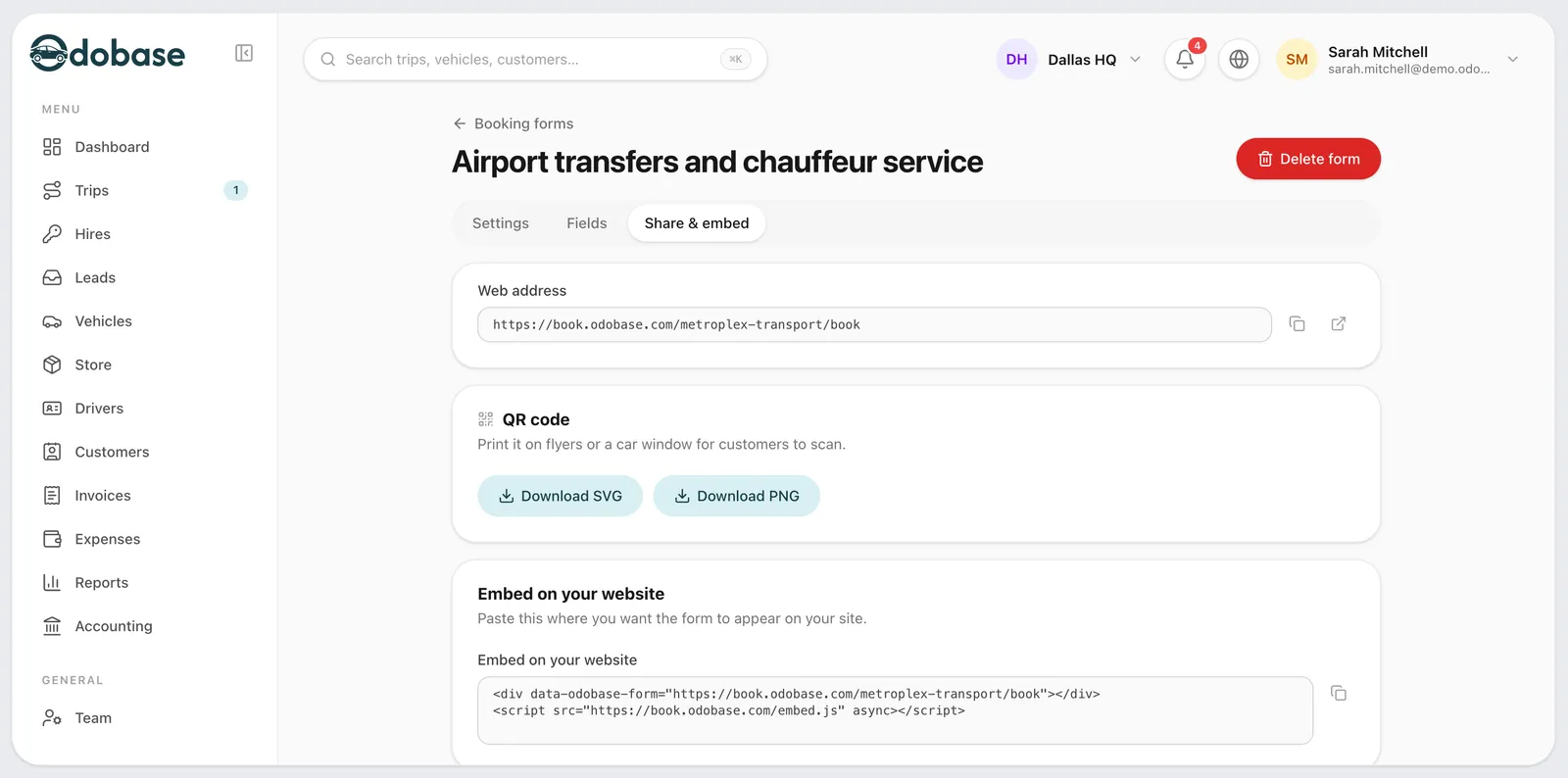
An online booking form for chauffeur and transfer companies
A booking form with your prices, on your website or as a link, for transfers, airport runs, hourly and day hire, plus quotes customers accept by phone.
- Every kind of trip
- On your website or as a link
- Your prices, live
Frequently asked questions
Which features come with each plan?
Every plan, the free Starter plan included, has trips and dispatch, recurring trips, self-drive hire, price lists, booking forms and quotes, the customer portal, vehicles and maintenance, live tracking, invoicing, roles and permissions, the trip link and the driver app. Paid plans add reports and accounting, customer WhatsApp messages and more vehicles, team members and branches; flight tracking comes from Growth, and Professional adds the AI copilot. The Catalyst integration is connected for companies that use it. Compare the plans.
Do I need to install anything or buy hardware?
No hardware. Your office works in the Odobase dashboard in a web browser, and drivers install the free Odobase Driver app from Google Play or the App Store on their Android phones or iPhones. Tracking comes from the driver’s phone while a trip runs, so there is no GPS box to fit.
Can I control what each person on my team can see?
Yes. Roles and permissions decide who can view or change trips, vehicles, drivers, customers, invoices, accounts and settings. An accountant can work on invoices and accounts without changing trips, and a person can be limited to the branches they work in.
Last updated

Run your whole fleet from one dashboard
Start free, add your vehicles and drivers, and schedule your first trip in minutes. Move to a paid plan when your fleet grows.