
Feature
Live trip tracking with GPS
GPS route monitoring from the driver’s phone, with no tracker to fit. See running trips on a map, their speed and stops, and the route each one took.
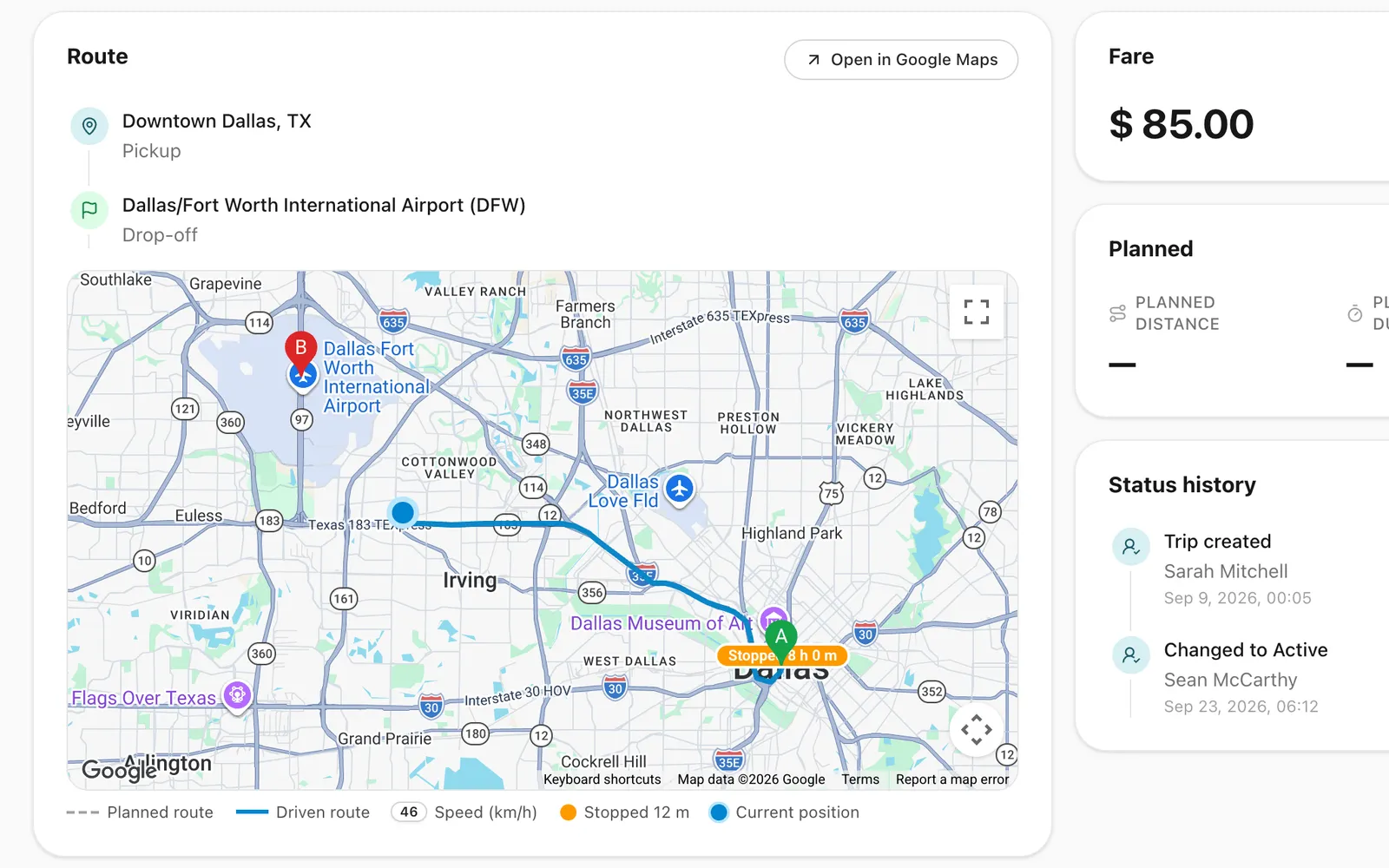
How does live trip tracking work in Odobase?
While a trip is running, the Odobase Driver app records the phone’s location roughly every 30 seconds and sends it about once a minute. The trip page draws the route on a map as it happens and keeps it afterwards, alongside the planned route and the odometer readings, so every trip has a record of where the vehicle went.
What you get
Planned versus driven
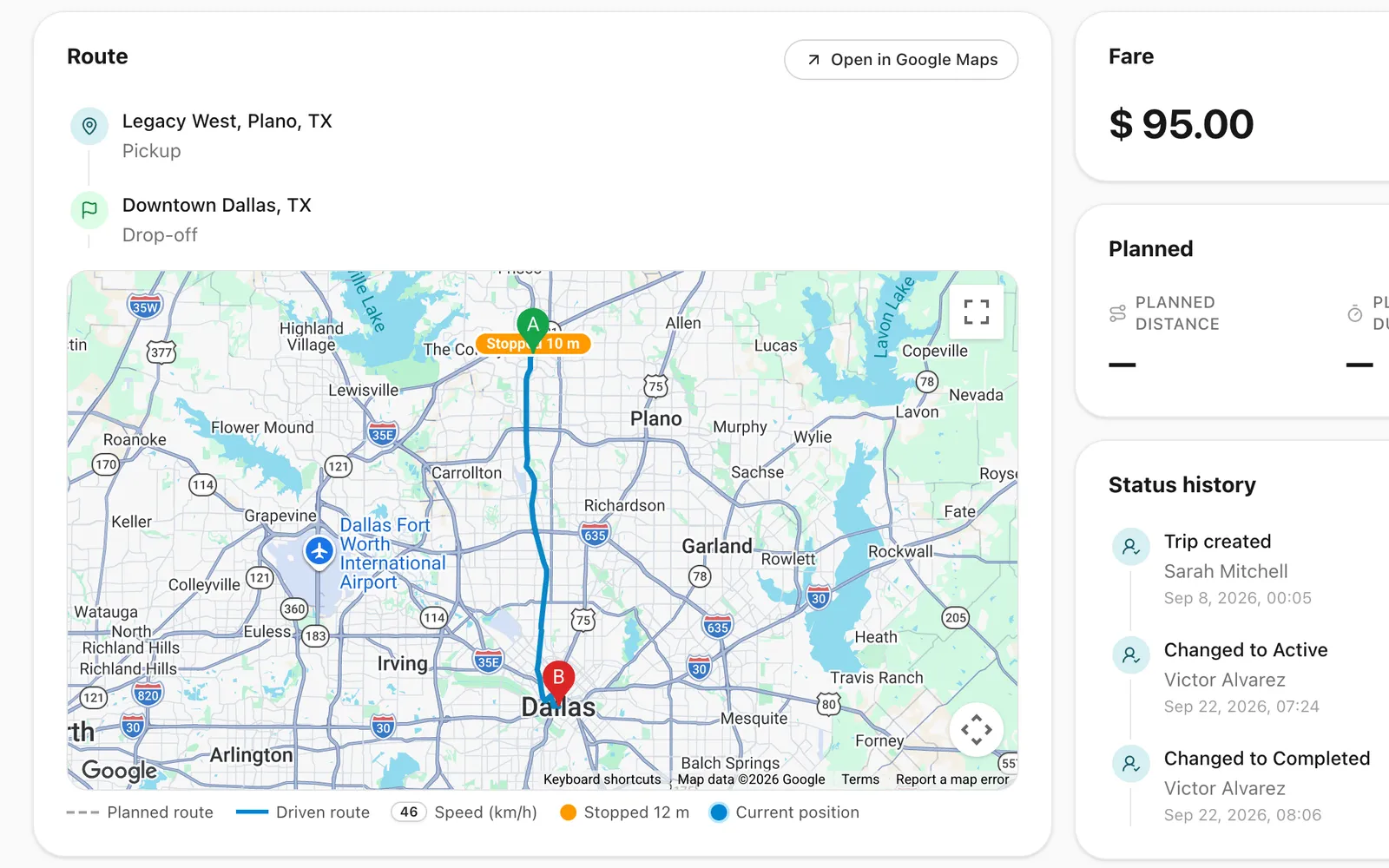
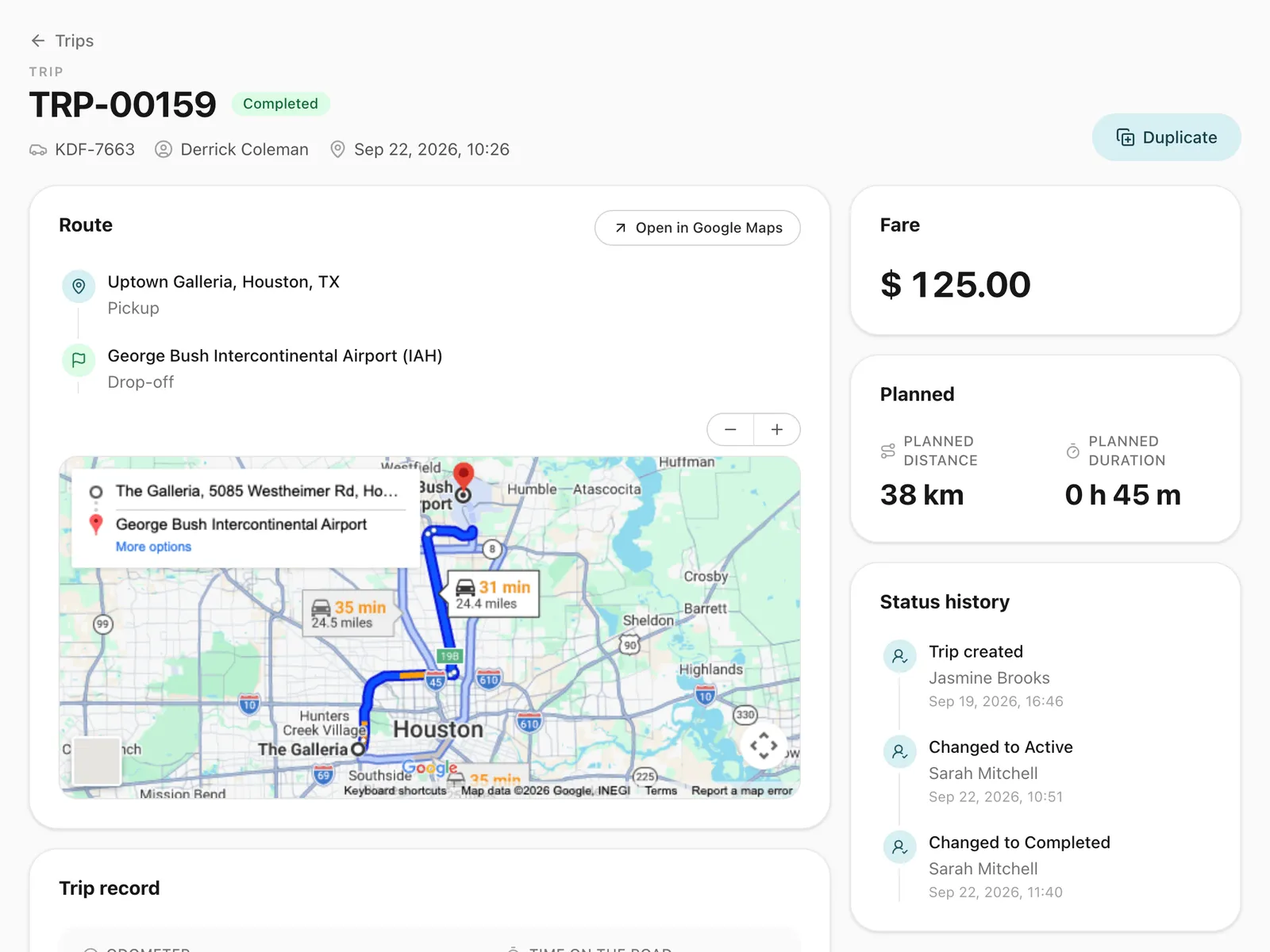
The estimated route and distance before the trip, and the actual route after it.
-
Round trips handled
Paused and resumed stretches are drawn as separate parts, with the gap left out.
-
See running trips move
The trip page refreshes the route on the map every 30 seconds while the driver is on the road.
-
Evidence for every invoice
Odometer readings and the recorded route settle “how far did you really drive?”.
-
No hardware to install
Tracking uses the driver’s phone, so there is no GPS box to buy or fit.
-
Stops on the map
Wherever the vehicle stood still for five minutes or more, the map marks a stop and how long it lasted.
What does the trip map show?
For a running or paused trip, the map on the trip page shows the route driven so far and updates as the driver moves. For a finished trip it shows the whole route, loaded when you open the map. Alongside it you see the planned route and estimated distance and time, the odometer readings the driver entered at each step, and a marker, with its duration, wherever the vehicle stopped for five minutes or more.
What can you monitor while a trip is running?
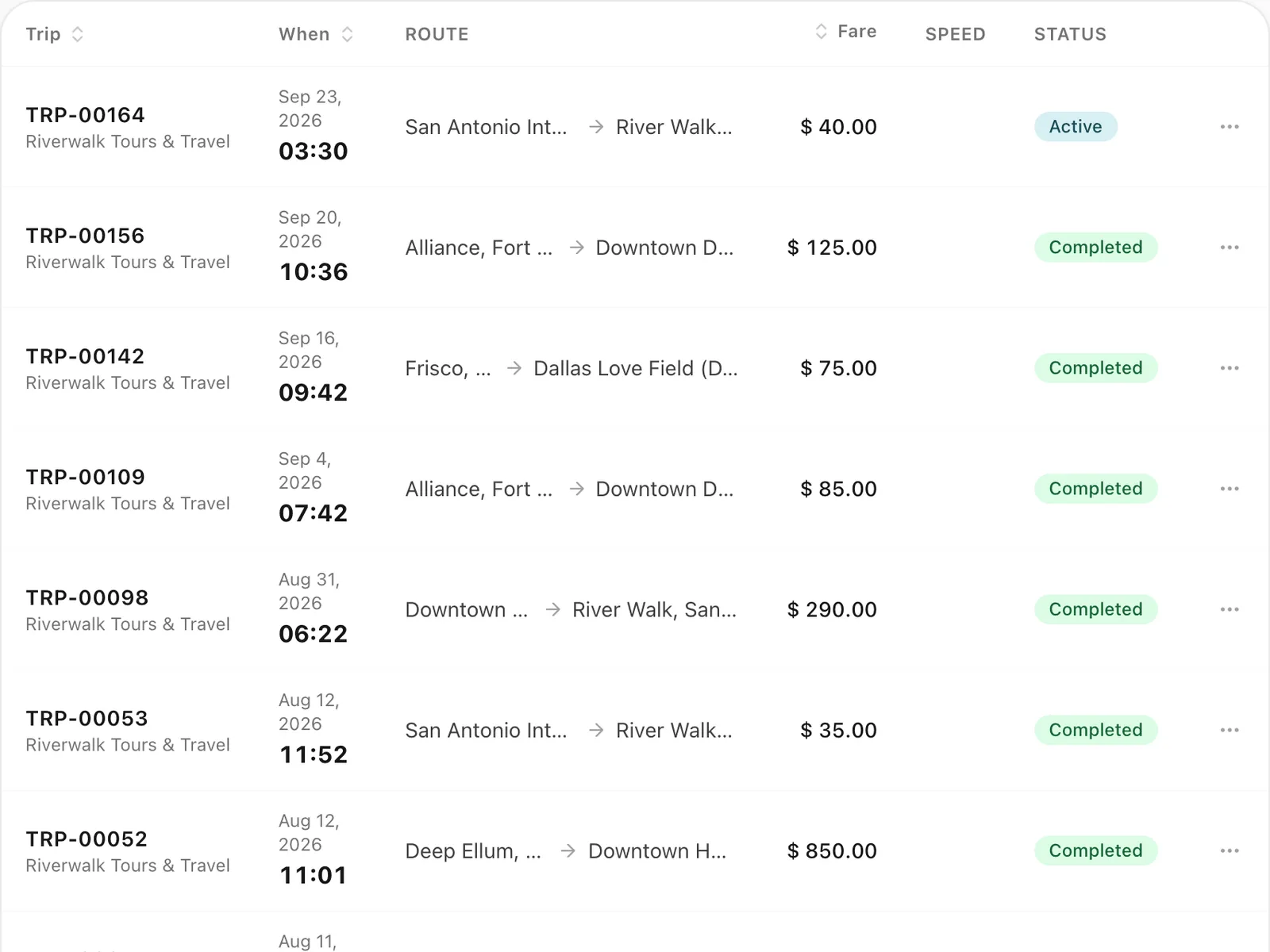
The trips list shows the current speed of every trip on the road, so you see at a glance which vehicles are moving. Open a trip and its route card shows the planned route and the driven route, coloured by speed, with the vehicle’s current position. Under the map are the current, average and top speed, the time stopped and the distance driven, refreshed every 30 seconds. If the phone stops sending positions, the trip says “No signal since” and the time, and the map keeps the last known position.
How accurate is the recorded route?
Each position carries the time it was taken, the speed and the phone’s accuracy estimate. When Odobase works out the recorded distance and the stops, it leaves out impossible jumps and readings the phone itself reports as poor. It files every point under the time it was recorded rather than the time it arrived, so a batch uploaded after a signal gap never lands in the wrong stretch of a paused-and-resumed trip.
How does tracking work with round trips?
When a driver pauses and resumes a trip, each stretch is recorded as its own part. The map and the distance leave out the gap in between, which is exactly when the vehicle may be doing another job.
Why track by phone instead of a GPS box?
A phone-based record needs no hardware, no installation and no SIM contract per vehicle, and it follows the trip rather than the vehicle, which is what you invoice. For the same reason it is private: the driver is only recorded while a trip is running.
Can your client follow the trip?
Yes. Each trip can have its own trip tracking link: a page your customer opens from the email or WhatsApp message Odobase sends, with no app and no login. It shows the trip’s status, the route and, during the trip, the car moving on the map, with the driver’s first name and the car’s plate. The map on this page is your office’s view; the trip link is the passenger’s.
Step-by-step guides
Already using Odobase? The help center shows each step in the dashboard.
Who uses live trip tracking
-
-
Chauffeur and limousine
Dispatch, waiting time, corporate billing
-
-
Frequently asked questions
Do I need to install GPS trackers in my vehicles?
No. Tracking comes from the Odobase Driver app on the driver’s Android phone or iPhone while a trip is running. There is no hardware to buy or install.
How often is the location updated?
The app records a position roughly every 30 seconds and uploads positions about once a minute, and the trip page refreshes every 30 seconds, so the map is usually a minute or two behind the vehicle.
What happens if the driver loses signal?
Positions recorded without signal are uploaded when the phone reconnects, and each one is filed under the time it was recorded, so the route stays in the right order.
Can I see how fast a vehicle is going?
Yes. The trips list shows the current speed of every trip on the road. On the trip page you see the current, average and top speed, the driven route coloured by speed, the time stopped and the distance driven.
Can I see the route a driver took on an earlier trip?
Yes. The driven route stays on the trip page after the trip ends, next to the planned route, the odometer readings and every stop of five minutes or more. Open any completed trip and show its route map.
Is the driver tracked outside of trips?
No. Recording starts when the driver starts a trip and stops when they complete it. See the driver app privacy policy.
Works with
-
Trip management
Schedule trips, assign drivers and vehicles without double-booking, pause and resume round trips, and invoice completed work from one dashboard.
-
Driver app
Odobase Driver lets drivers sign in with a PIN, run assigned trips, record odometer readings, log expenses with receipts and get trip alerts.
-
Invoicing and accounting
Turn completed trips and hires into branded invoices, track what customers owe, and read profit and loss by month and by branch in Odobase.
-
Trip tracking link
Send each passenger a link to a live trip page: status, route, the car on the map, the driver and the plate, with cancel, change and rating. No app, no login.
Last updated
Run your whole fleet from one dashboard
Start free, add your vehicles and drivers, and schedule your first trip in minutes. Move to a paid plan when your fleet grows.