
Industry
School transport management software
Run contracted school runs from a weekly roster, skip holidays, pause routes over school breaks, track each run live and invoice each school monthly.
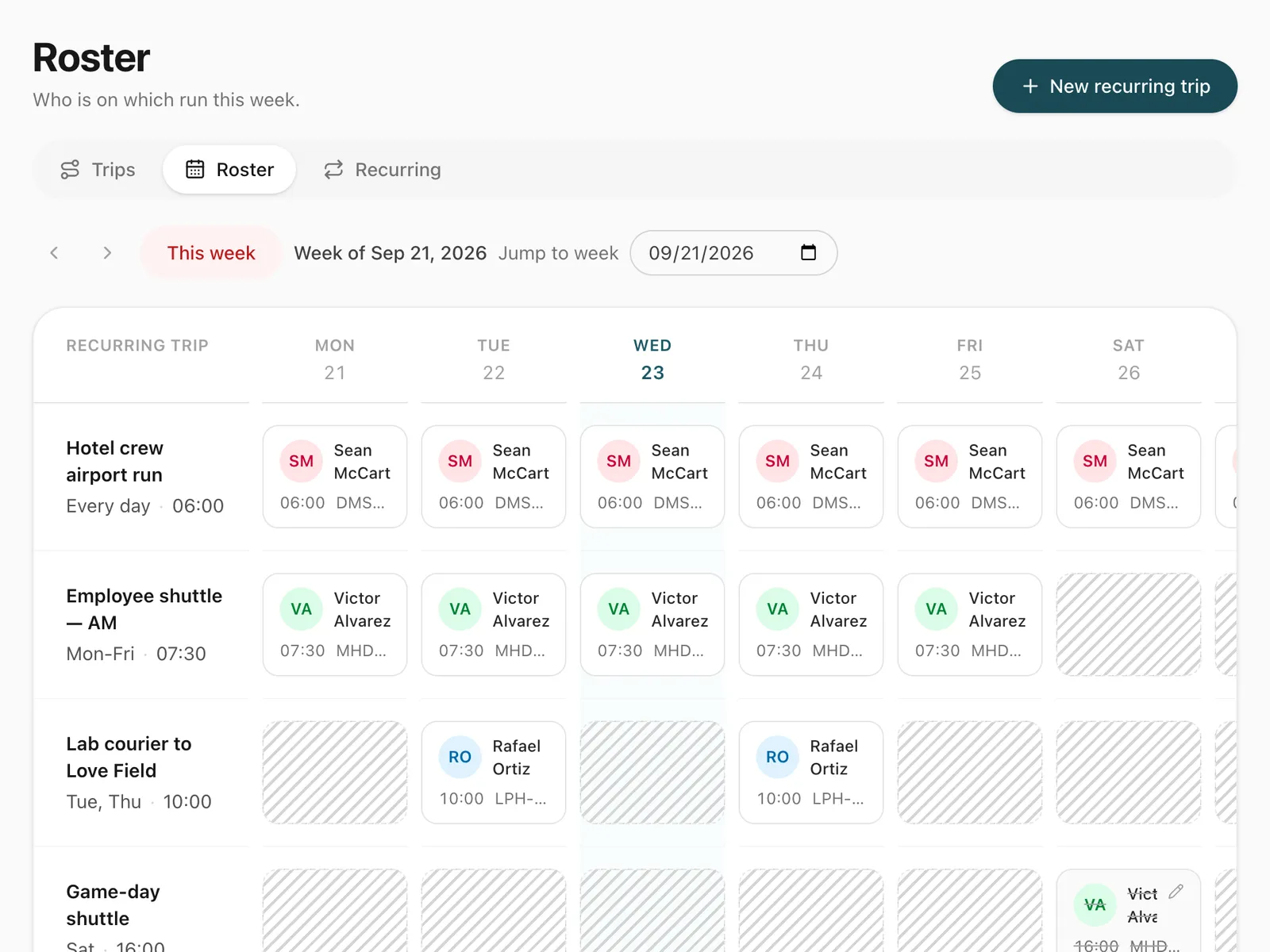
What does a school transport operator need from its software?
A school transport operator needs to run the same contracted routes every school day, change drivers when someone is off, stop for holidays and breaks, know where each run is, and bill the school or council. Odobase handles the operator’s side: recurring trips on a weekly roster, live tracking of every run, vehicle maintenance and monthly invoices.
What Odobase does for school transport
-
Each school run set up once
School days, start time, route, default driver and vehicle, and the contract’s start and end dates.
-
Term time on the roster
Skip a public holiday, pause a route over a school break and resume it when term starts.
-
Driver swaps for a day
Reassign one day when a driver is off, or the rest of the term; clashing days are listed.
-
Every run tracked live
Follow each run on the office map and keep its recorded route afterwards.
-
One invoice per school or council
Completed runs become invoice lines, billed to each customer once a month.
How do you set up school runs?
Create each run as a recurring trip: where it starts and ends, the school days it runs, the start time, the default driver and vehicle, and the contract’s start and end dates. Odobase creates each day’s run as a real trip ahead of time, 14 days by default and up to 60, so the driver sees it in the driver app and the vehicle cannot be booked for anything else at that time. The approach is the same as an employee pick-and-drop roster.
How do you handle term dates and driver changes?
The weekly roster shows every run against every day. Skip a public holiday, pause a route for half term or the summer break, and resume it on the first day back. When a driver is off, reassign that one day, or the rest of the term; Odobase moves every day where the new driver is free and lists any that clash.
What does Odobase not do for school transport?
Odobase is software for the operator, not for parents or schools. It has no parent app, no student lists, no attendance register and no route optimisation. Your team plans each route, and Odobase makes sure it runs every school day with the right driver and vehicle, records where it went, and bills for it. If a school or council asks where a run was at a given time, the recorded route and the odometer readings on the trip answer it.
How do you track runs and bill schools?
While a run is under way, it appears on the office live map, and the recorded route stays with the trip afterwards. Each completed run is ready to invoice: at month end, select the school or council and issue one invoice for its runs. Keep each vehicle’s service history and costs in vehicle maintenance, so buses are serviced before term starts. Drivers can complete a maintenance job from their phone with a photo of the garage’s invoice, and the cost counts towards that vehicle and your profit and loss.
The features you will use most
Each one has its own page with the screens and the details.
-
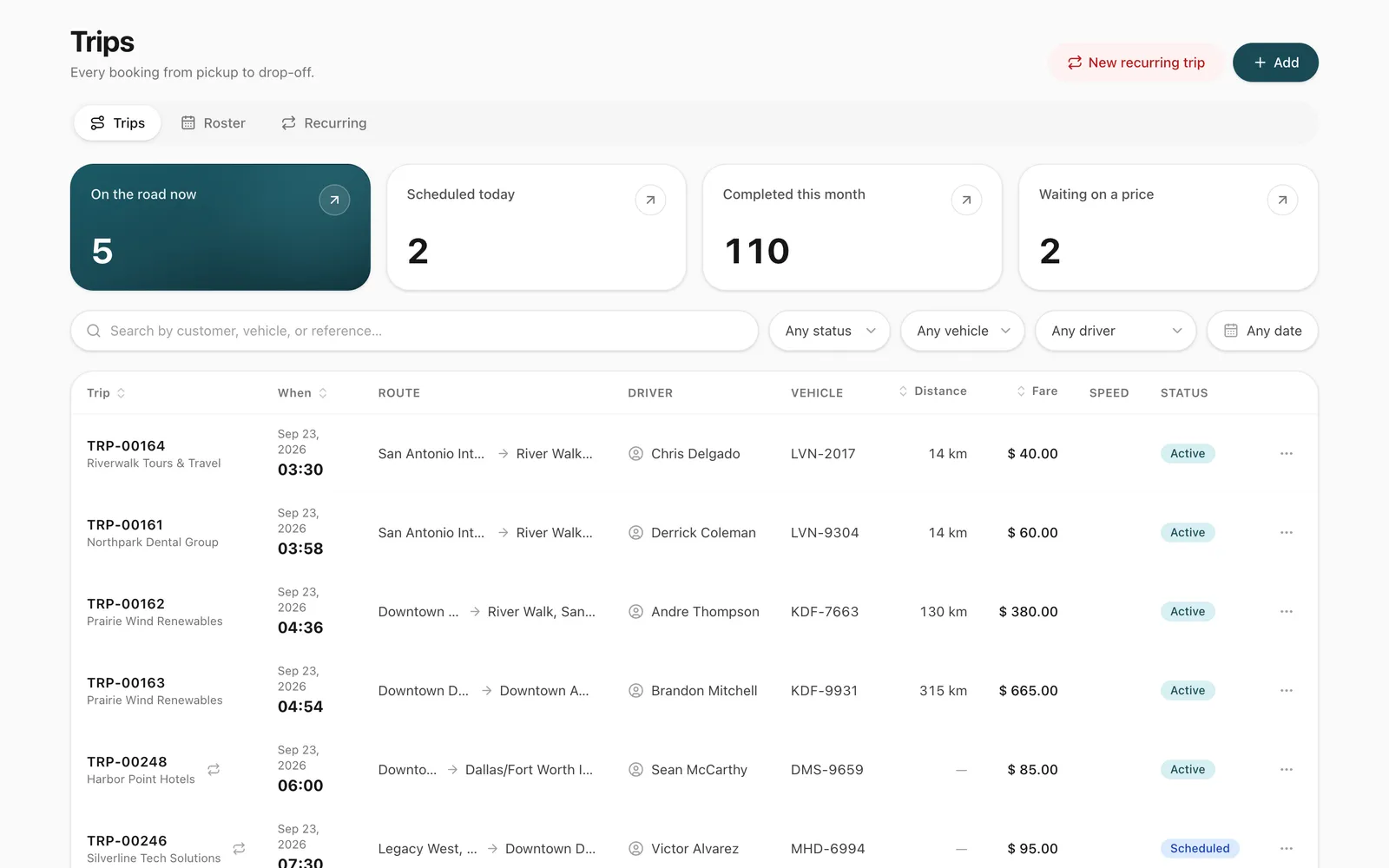
Trip management
Schedule trips, assign drivers and vehicles without double-booking, pause and resume round trips, and invoice completed work from one dashboard.
-
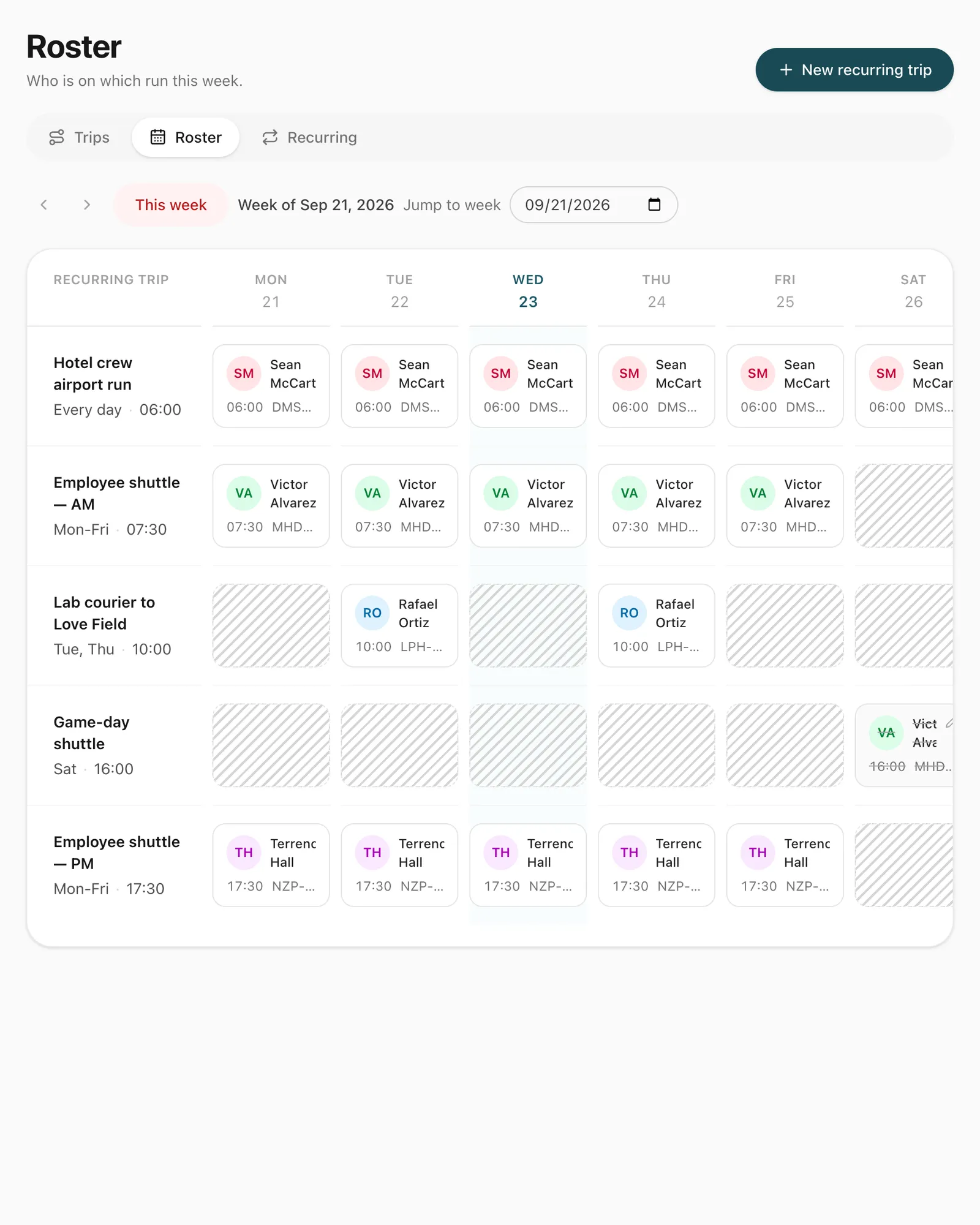
Recurring trips and roster
Set up a repeating duty once, such as a weekday staff shuttle, and manage every day of it from a weekly roster where drivers are swapped in a click.
-
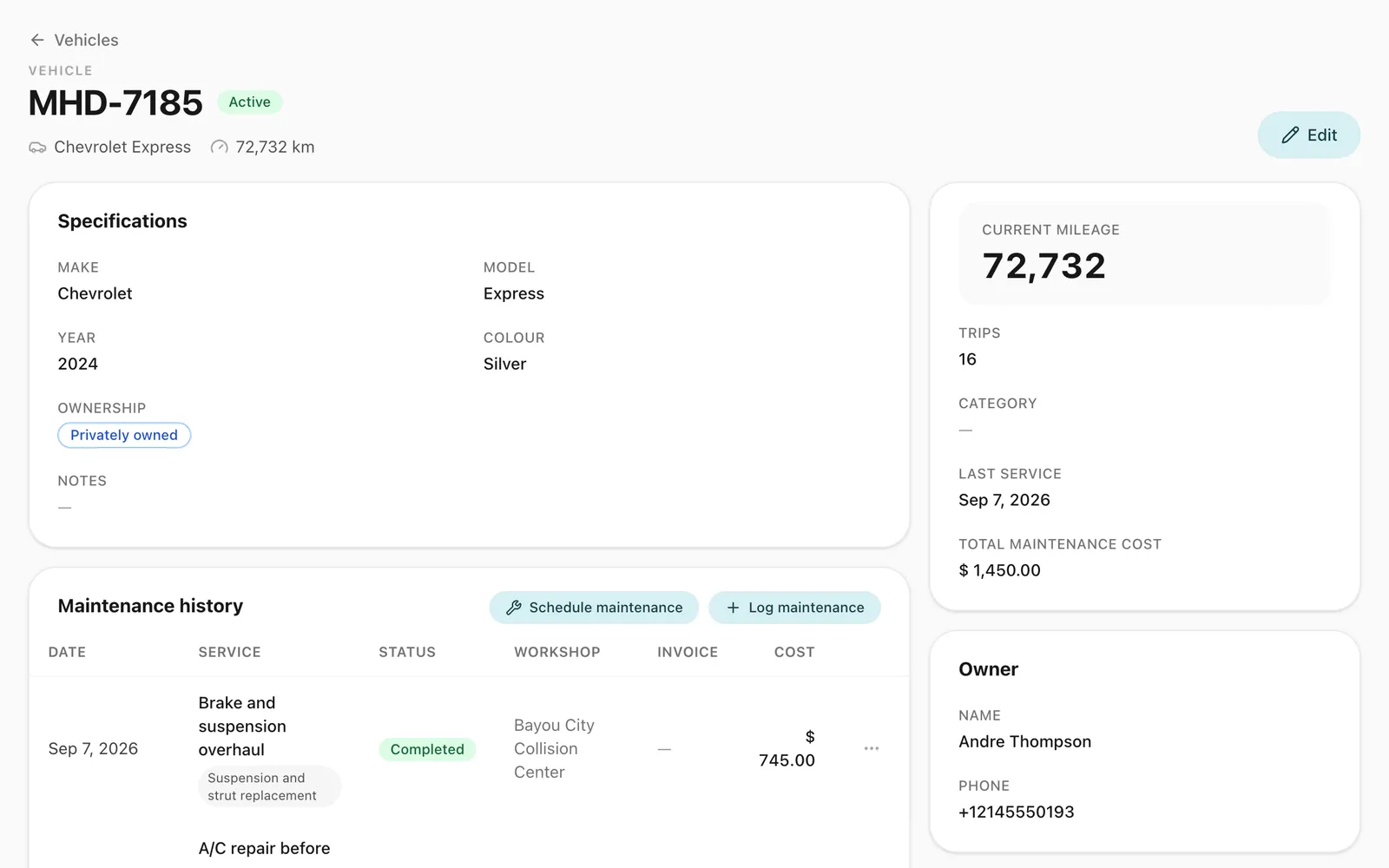
Vehicles and maintenance
Keep every vehicle's details, photos, odometer and service history in one place, and see maintenance costs in your fleet reports and profit and loss.
-
Driver app
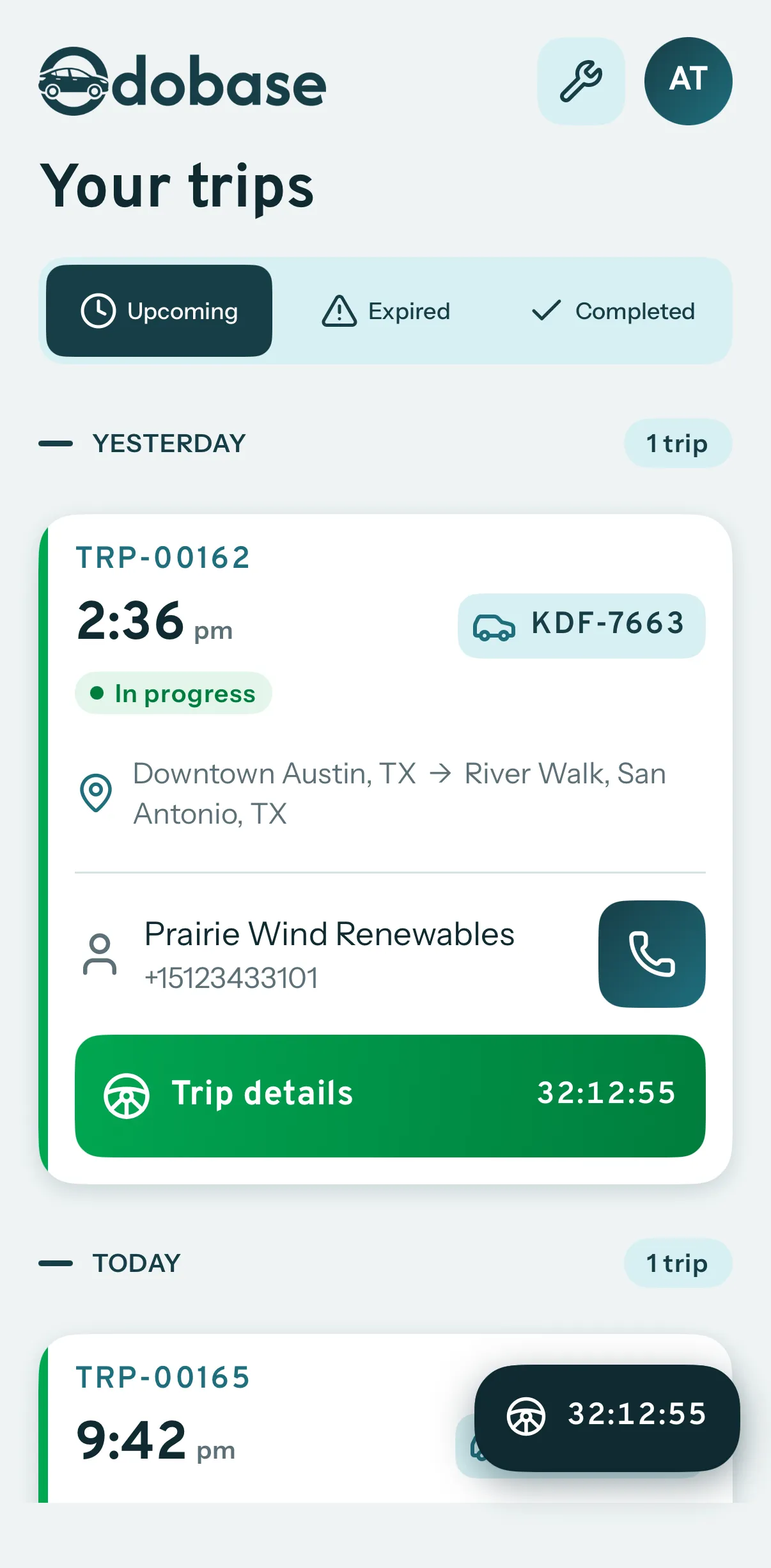
Odobase Driver lets drivers sign in with a PIN, run assigned trips, record odometer readings, log expenses with receipts and get trip alerts.
-
Invoicing and accounting
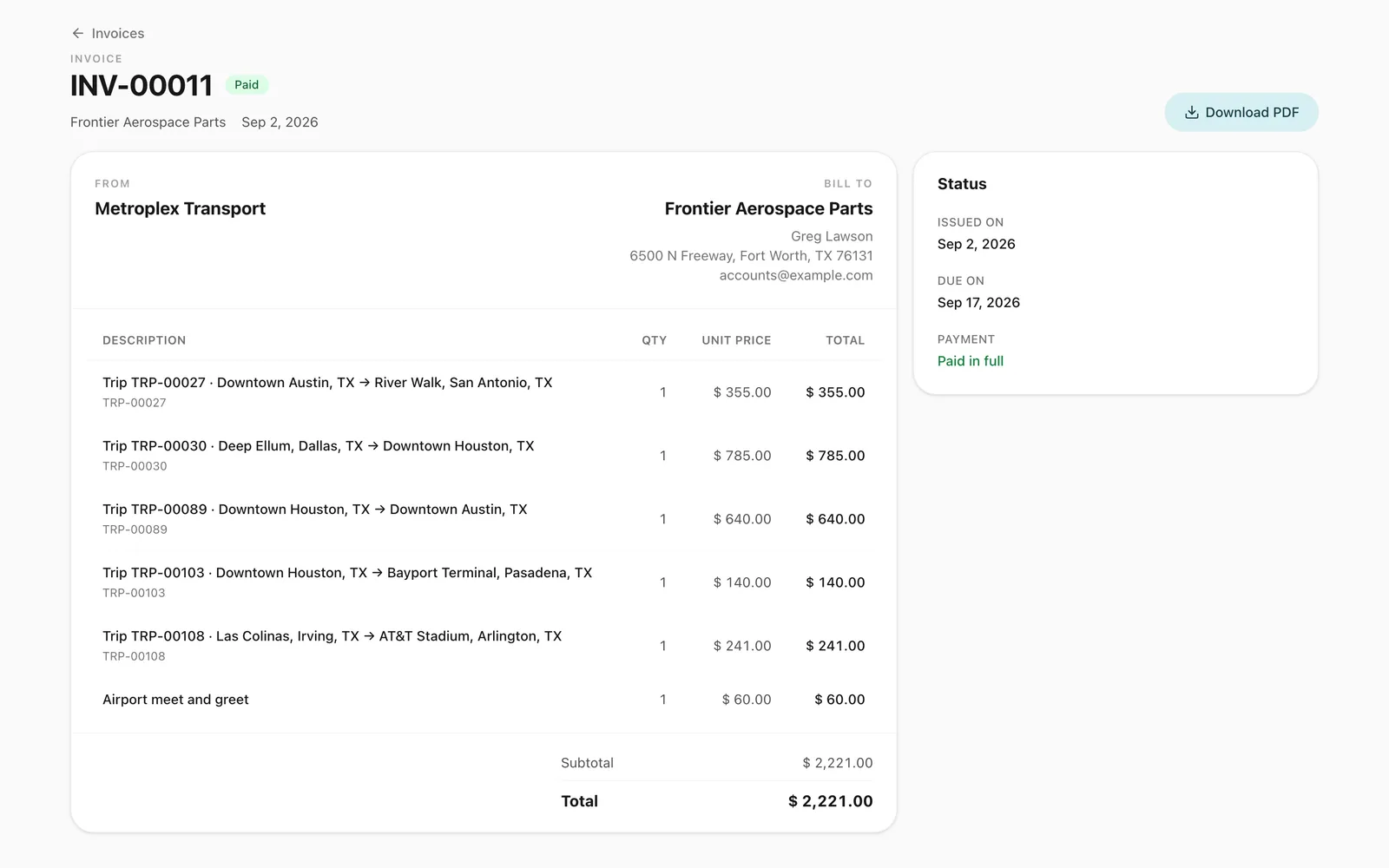
Turn completed trips and hires into branded invoices, track what customers owe, and read profit and loss by month and by branch in Odobase.
-
Live trip tracking
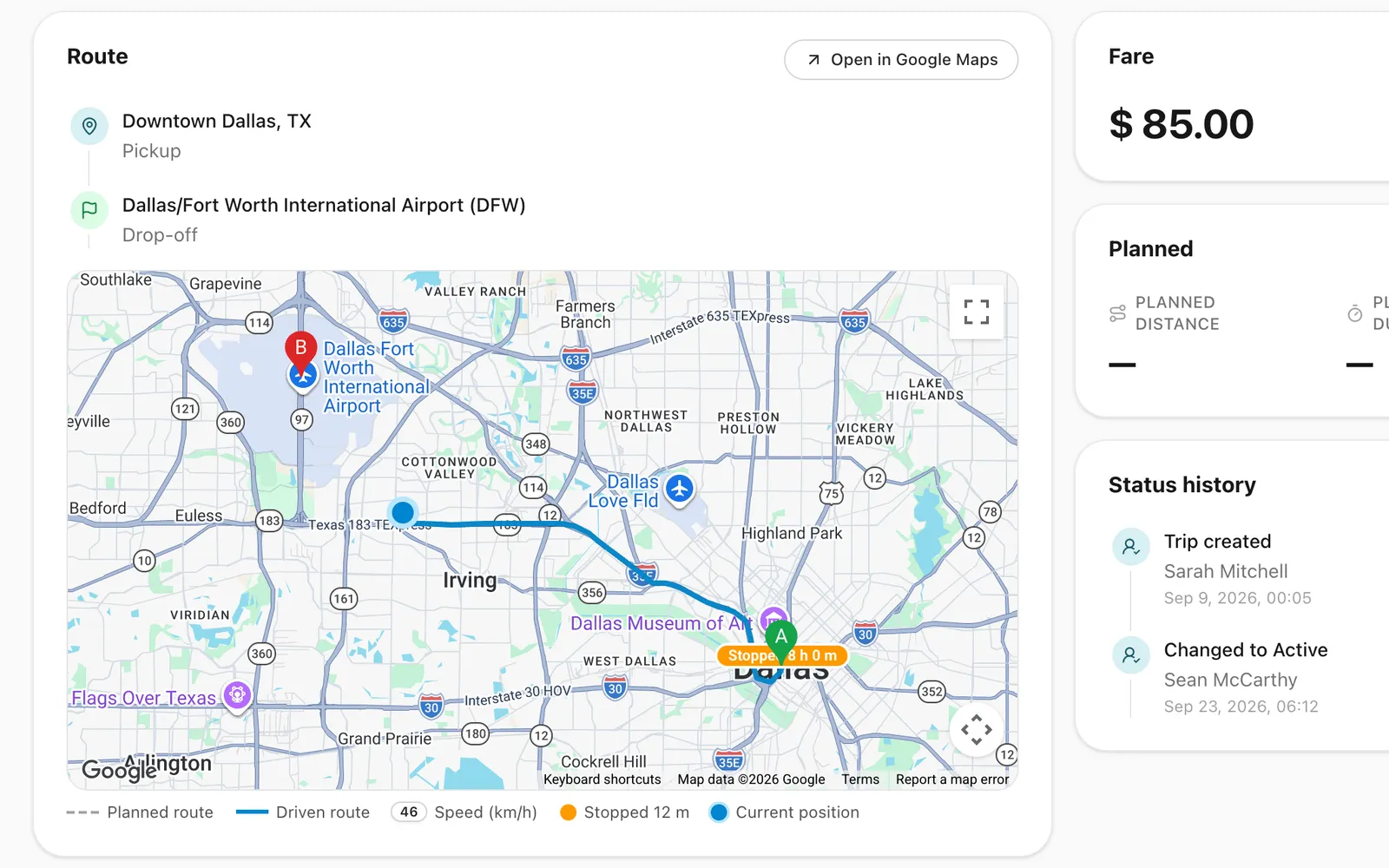
Follow running trips on a map, see the route each driver took, and back every invoice with odometer readings and recorded GPS points.
Frequently asked questions
Is there a parent app or a student list?
No. Odobase runs the operator’s side of school transport. There is no parent app, student list, attendance register or route optimisation. Your office plans the routes, assigns drivers and vehicles, tracks each run and bills the school or council.
How do I stop runs during school holidays?
Skip single days such as public holidays, or pause a route for a school break and resume it at the start of term. The rest of the roster carries on unchanged.
Can I see where a school run is right now?
Yes. While the driver has the run started in the driver app, the office sees it on the live map. The route is recorded with the trip, and stops of five minutes or more are marked.
Can I bill each school or council separately?
Yes. Each route belongs to a customer, so at month end you invoice each school or council for its own completed runs, with your logo on the PDF.
Is there a free plan?
Yes. The Starter plan is free for up to 5 vehicles, 5 drivers, 2 team members and 1 branch, with no card needed. Recurring trips are included and switched on in every new account.
Last updated
Run your whole fleet from one dashboard
Start free, add your vehicles and drivers, and schedule your first trip in minutes. Every plan has the same features.